
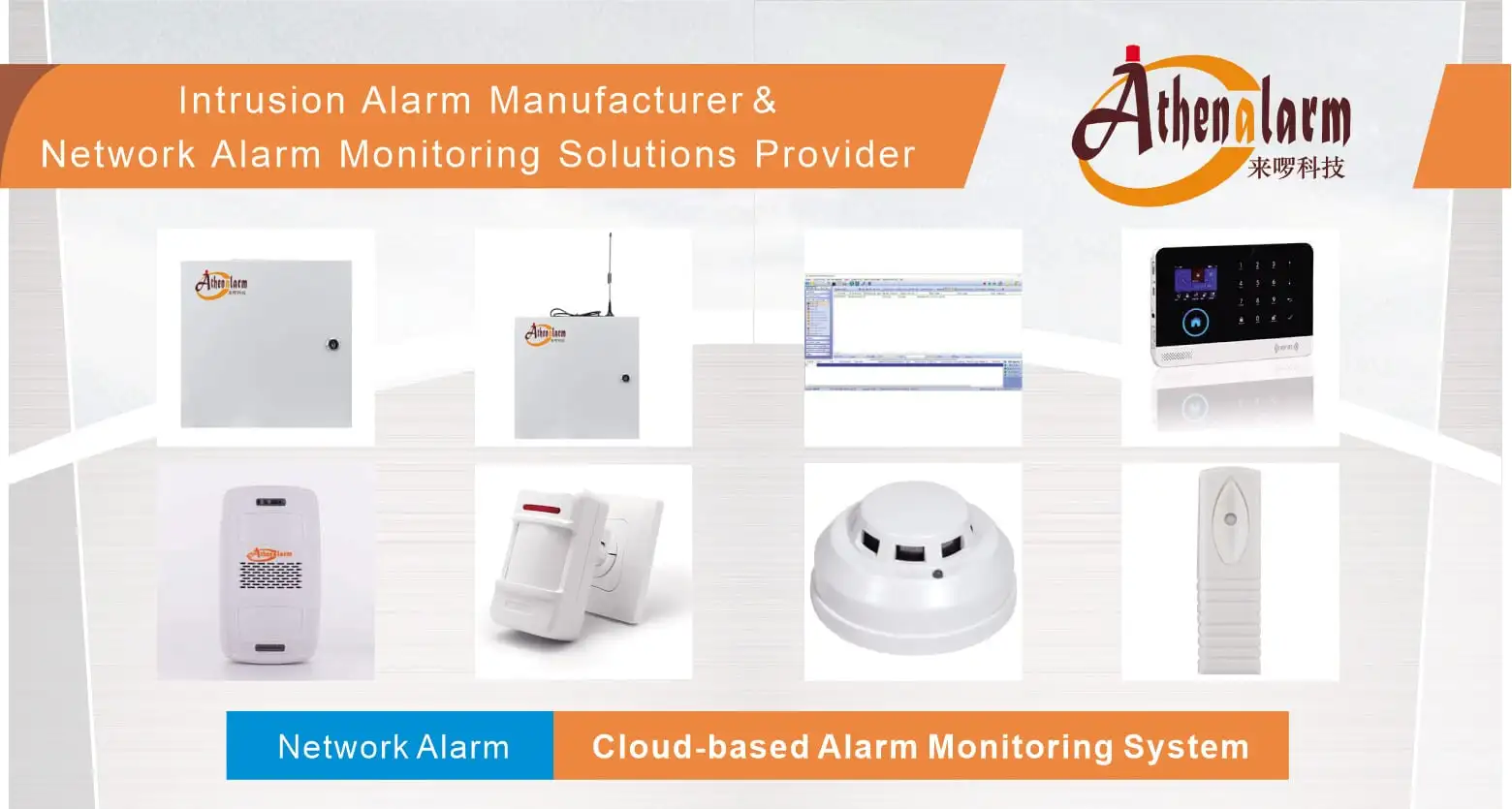
Commercial Burglar Security System Selection: Architecture, Engineering Criteria, and Procurement Framework
1. Operational Risk and the Architectural Role of Commercial Burglar Security Systems
A commercial property manager discovers, after a warehouse break-in, that the insurance carrier is disputing the claim because the alarm system’s event log shows three months of unverified “communication loss” states rather than confirmed supervision. Separately, a retail chain’s local police department has quietly moved a branch location to “verified response only” status after eleven false dispatches in a single quarter. Neither incident originated from a criminal defeating the system technically — both originated from architectural decisions made during procurement: an under-specified communication path, a sensor technology mismatched to the environment, and a missing verification protocol. These are not installation errors; they are specification errors, and they surface only after the system is expected to perform under real conditions.
A commercial burglar security system — formally an Intrusion Alarm System (IAS) or Intrusion Detection System (IDS) — is the layer responsible for real-time detection of unauthorized entry, edge-level decision-making on alarm state, local deterrence, and cryptographically secured transmission of events to a Central Monitoring Station (CMS). Its physical boundary runs from detection endpoints (PIR/microwave sensors, door contacts, glass-break detectors) to the industrial alarm control panel enclosure and Alarm Transmission Equipment (ATE); its logical boundary extends through hardwired loop impedances and sub-GHz RF links to IP/cellular interfaces feeding CMS receiver software. Because the system sits at the intersection of physical risk, insurance compliance, and building automation, procurement decisions made without engineering evaluation compound into liability years after installation.
This framework replaces the conventional “avoid these mistakes” purchasing checklist with seven architectural evaluation dimensions — detection strategy, communication reliability, field wiring, integration, compliance, lifecycle cost, and procurement validation — each tied to measurable engineering criteria rather than generic quality claims.
1.1 Business Risk Drivers Behind Architecture Selection
Three risk categories drive commercial evaluation beyond consumer-grade purchasing logic. First, insurance invalidation: commercial property policies increasingly require verifiable, EN 50131/UL-compliant event logging; gaps in supervised communication or missing tamper records can void post-incident claims. Second, municipal false-alarm penalties: jurisdictions place repeat offenders on no-response or verified-response-only lists, effectively removing police dispatch as a mitigation layer. Third, operational disruption: an unarmable partition caused by a wiring fault or a bricked firmware update after an OTA push creates coverage gaps that persist until a field technician resolves them, often across multiple sites simultaneously if fleet-wide firmware was pushed uniformly.
1.2 System Definition and Boundary
The system’s operational chain follows a fixed sequence: Detection Sensor → Zone Expander/Control Panel → Alarm Transmission Equipment → CMS Receiver → Response Workflow. The Control Panel functions as the Main Edge Engine, running a Real-Time Operating System (RTOS) that independently manages loop polling, End-of-Line (EOL) resistance measurement, partition logic, and alarm generation — retaining full operating integrity during WAN or cloud outages. Dependencies include regulated AC mains with DC battery backup, cellular (LTE/4G/5G) or enterprise IP network access, and physical loop integrity or a clean RF spectrum free of industrial attenuation. External interactions extend to Video Management Systems (VMS/CCTV) via dry-contact relays or ONVIF events, Access Control Systems (ACS) via partition state synchronization, and Building Management Systems (BMS) via BACnet/Modbus for automation triggers.
1.3 Distinguishing Commercial from Residential Deployment Contexts
Residential systems optimize for simplicity and low zone counts; commercial systems must support 8–32 zones in single-site retail footprints scaling to 500+ zones across 32+ independent partitions in multi-tenant or industrial campuses. This scale requirement changes the evaluation criteria entirely — bus expansion architecture, firmware parity across expansion units, and partition-level access segmentation become mandatory rather than optional, and the cost of an architectural mismatch grows proportionally with zone count.
2. System Architecture and Signal Flow
The dominant architecture across commercial deployments is Hybrid Edge-Controlled, Cloud-Connected: a hardened Control Panel handles all life-safety-critical decisions locally, while cloud connectivity supplies visibility, configuration sync, and mobile notification without participating in the core alarm-tripping decision path. Understanding this signal flow is a prerequisite to evaluating any of the seven architectural criteria that follow, since each criterion ultimately modifies one segment of this chain.
2.1 Detection Layer to Edge Decision Layer
Field sensors report state changes through two physical paths: hardwired loops using Double End-of-Line (DEOL) resistor topology, or encrypted sub-GHz RF links. Both converge at Zone Expander Modules, which aggregate zone states over an RS-485 peripheral bus back to the Control Panel. The panel continuously polls loop voltage or RF packet status; a state change — motion, contact break, glass-break acoustic signature — triggers local alarm logic evaluated against partition arming state, cross-zoning rules, and entry/exit delay timers before any external notification is generated.
2.2 Alarm Transmission and Monitoring Workflow
Once the edge engine confirms an alarm condition, the Alarm Transmission Equipment (ATE) encapsulates the event using the SIA DC-09 protocol and transmits it over a dual-path connection — primary Ethernet/IP with failover cellular — to the CMS Receiver. The network alarm center management software maps the raw event to a human response workflow: guard dispatch, video verification request, or automated notification to the enterprise cloud portal and mobile application. In parallel, the panel issues relay outputs or ONVIF commands to trigger VMS pop-ups, PTZ presets, or ACS lockdowns, and may emit BACnet/Modbus signals to the BMS for lighting or HVAC response.
2.3 Local Edge Processing vs Cloud-Native Processing
However architecturally attractive centralized cloud processing appears for multi-site visibility, the alarm-tripping decision itself must remain edge-resident. A cloud-native processing model introduces WAN dependency into the critical path: if the connection degrades, the alarm condition either queues for delayed transmission or is lost entirely, whereas an edge-resident RTOS retains 100% offline decision integrity and simply queues telemetry for later cloud sync. This distinction — edge decision authority versus cloud decision authority — is the single most consequential architectural choice in commercial procurement, and it recurs throughout the trade-off analysis in Chapter 4.
3. Seven Architectural Evaluation Criteria for Commercial Deployment
Executive Takeaway for Decision Makers:
Hardware reliability alone no longer guarantees facility protection. Modern commercial security audits focus on supervised communication integrity (SIA DC-09), dual-technology false alarm filtering, and standard DEOL loop topologies. Procuring unverified consumer-grade hardware exposes the enterprise to uninsurable liability and police dispatch blacklisting.
Procurement teams evaluating vendors should treat the following seven dimensions as an architectural specification, not a feature checklist. Each dimension maps to measurable engineering parameters rather than subjective quality claims.
3.1 Detection Architecture and Sensor Strategy
Detection technology selection determines both intrusion sensitivity and Nuisance Alarm Rate (NAR). Passive Infrared (PIR) sensors alone are vulnerable to thermal drift from HVAC airflow and direct sunlight; Dual-Technology detectors combining PIR and Microwave (MW) require both technologies to trip simultaneously before triggering, substantially reducing environmental false positives. Glass-break acoustic detectors and magnetic door/window contacts extend coverage to perimeter breach vectors that motion sensors cannot reliably capture. Cross-zoning — requiring two independent zones to trip within a defined time window before escalation — further reduces false dispatch risk without materially delaying genuine intrusion response.
| Sensor Type | Detection Mechanism | Primary Weakness | Mitigation |
|---|---|---|---|
| Single-Tech PIR | Passive infrared thermal delta | HVAC/thermal false trips | Dual-tech pairing |
| Dual-Tech PIR/MW | PIR + microwave concurrence | Higher unit cost | Justified in high-risk zones |
| Glass-Break Acoustic | Acoustic signature matching | Industrial machinery vibration | Frequency-filtered sensors |
| Magnetic Contact | Reed switch state change | Physical bypass if unmonitored | DEOL tamper supervision |
3.2 Communication Architecture and Reliability
Commercial deployments require redundant communication channels — GSM/cellular, Ethernet, and where supported, Wi-Fi — to avoid single-path failure. The industry has shifted decisively toward IP-based SIA DC-09 transmission over dual-path cellular/Ethernet, displacing legacy PSTN-based Contact ID dialers as global copper infrastructure is sunset.
3.2.1 SIA DC-09 Protocol Parameters
SIA DC-09 (ANSI/SIA CP-01) transmits AES-128/256-encrypted event frames over TCP/UDP, encapsulating either SIA DC-07 or legacy Contact ID payloads. It includes configurable heartbeat supervision — typically 30 to 300 seconds — allowing the CMS to detect a severed line or jammed cellular link within a bounded time window rather than discovering it only during the next scheduled test signal.
3.2.2 Legacy Contact ID and Migration Path
Ademco Contact ID (CID) is a DTMF-based dialer protocol now encapsulated inside SIA DC-09 IP frames for backward compatibility. Its fixed 18-byte frame length restricts event metadata to account number, event code, partition, and zone ID — insufficient for the richer telemetry modern CMS platforms and cloud dashboards require. Systems still relying on native analog CID transmission over PSTN face an unavoidable migration deadline as carriers decommission copper voice lines.
3.3 Field Wiring and Peripheral Architecture
Physical wiring architecture governs both detection reliability and tamper resistance, and it is the single most common source of post-installation service calls.
3.3.1 DEOL Loop Topology and Resistor Placement
Single End-of-Line (EOL) wiring uses one resistor to distinguish only Alarm from Normal loop states. Double End-of-Line (DEOL) wiring uses two resistors — commonly 2.2 kΩ and 4.7 kΩ — to resolve four distinct states (Normal, Alarm, Tamper, Fault) on a single wire pair through voltage division. The resistors must be installed inside the peripheral sensor enclosure at the physical end of the wire run, never inside the Control Panel enclosure; placing them at the panel voids tamper detection across the entire cable run, since a cut or short anywhere along the loop becomes indistinguishable from a normal state.
3.3.2 RS-485 Bus Termination and Distance Limits
Zone expanders, keypads, and power supplies connect to the panel over an RS-485/CAN fieldbus in star or drop-line topology. The bus requires precise 120 Ω termination resistors at line ends, common ground referencing, and capacitance budgeting; daisy-chain runs exceeding approximately 1,200 m, or the presence of stub-line spurs instead of clean daisy-chaining, generate signal reflections that manifest as data corruption and intermittent keypad dropouts.
3.4 Scalability and System Integration
An enterprise alarm monitoring system that cannot interoperate with adjacent building systems creates operational silos. Third-party integration should support ONVIF Profile S/G/T for VMS event triggering (RTSP stream initiation on sensor trip), BACnet/Modbus for BMS automation (HVAC setback, lighting activation), and RESTful APIs for cloud-to-cloud extension. Closed, feature-locked ecosystems prevent exactly this kind of unified operation and constrain future expansion to a single vendor’s roadmap — a material risk given that security requirements evolve faster than most hardware refresh cycles.
3.4.1 Edge AI Visual Verification & False Alarm Suppression
Modern commercial intrusion architectures increasingly complement traditional dual-technology sensors with edge-resident AI computer vision. By running local neural networks directly on edge cameras or hybrid panels, the system performs secondary cross-validation (distinguishing human forms from animal motion or machinery vibration) prior to CMS event generation. This edge-level multi-modal verification reduces false dispatch rates by up to 90% without introducing cloud-latency penalties or continuous cloud bandwidth consumption.
3.4.2 OT/IoT Cyber Hygiene and Zero-Trust Network Access (ZTNA)
As intrusion alarm panels transition from isolated serial loops to fully networked IP nodes, they become potential entry points for enterprise network intrusions. Grade-3 commercial deployments require hardware-level Secure Boot, encrypted firmware signature verification, and complete network segmentation via dynamic VLANs or Zero-Trust Network Access (ZTNA) policies. Disabling unauthenticated local web portals, enforcing 802.1X port authentication, and isolating ATE traffic from operational IT networks are now mandatory baselines to maintain institutional compliance.
3.5 Compliance and Operational Reliability
Compliance standards map directly to risk profile rather than functioning as generic quality badges.
| Standard | Risk Profile | Key Requirement |
|---|---|---|
| EN 50131 Grade 2 | Low-to-medium risk (standard office/retail) | Basic intrusion detection, limited intruder tool assumption |
| EN 50131 Grade 3 | High-risk commercial (banks, warehouses, data centers) | Anti-masking motion detectors, dual-path encrypted transmission |
| UL Grade AA | High-security commercial | Rigorous performance testing, tamper resistance |
| ISO 9001 | Manufacturing quality | Process consistency, documented QA |
| IP65+ | Outdoor/enclosure rating | Dust and water ingress protection |
Reliability features beyond certification include a minimum 12–24 hour lithium or lead-acid battery reserve, tamper alerts triggered on device interference, and continuous self-diagnostic health checks that surface failures before they cause an unarmable partition.
3.6 Lifecycle Cost and Serviceability
Total Cost of Ownership evaluation must extend across a 3–5 year horizon rather than comparing upfront hardware price. Recurring costs include cloud/app subscription fees, SIM data plans for cellular ATE, and installation labor differentials between DIY and professional configuration — the latter directly affecting sensor placement accuracy and warranty validity. Vendors unable to itemize add-on costs (motion detectors, smart integrations, expansion modules) across this horizon should be treated as an evaluation failure rather than a negotiation point. Commercial system pricing typically ranges from $1,000 to $10,000 depending on zone count and feature scope, excluding installation and recurring SaaS/data charges.
3.7 Procurement Validation and Deployment Readiness
Procurement should follow a structured validation sequence: risk assessment (what is being protected, from whom), functional specification documentation (required features, expansion headroom, use cases), demo or pilot testing under real environmental conditions, and vendor screening that includes live client references, test reports, and integration logs rather than brochure claims alone. After-sales support terms deserve equal weight — a 24/7 helpdesk, certified local field-service partners, a 5–7 year spare-part availability commitment, and a documented firmware update policy against evolving physical and cyber threats.
4. Engineering Trade-Offs Influencing System Selection
No architectural choice in this domain is cost-free; every selection trades one operational advantage against a corresponding constraint. Procurement teams should treat the following as decision matrices rather than binary right/wrong choices.
4.1 Hardwired vs Wireless Peripheral Deployment
| Vector | Hardwired (RS-485/DEOL) | Wireless (Sub-GHz Encrypted) |
|---|---|---|
| Signal Integrity | Maximum, immune to RF jamming | Vulnerable to structural attenuation |
| Installation | High labor cost, invasive routing | Rapid, minimal disruption |
| Maintenance | Zero sensor battery upkeep | Periodic battery replacement (2–5 yrs) |
| Compliance Fit | Meets Grade 3/4 requirements | Limited in highest-security tiers |
| Retrofit Suitability | Difficult in finished properties | Flexible, low disruption |
4.2 Edge Processing vs Cloud-Native Alarm Processing
A local edge engine delivers total offline survivability and sub-millisecond output trip times, satisfying life-safety and security code requirements independent of WAN status, at the cost of higher initial hardware price and on-site firmware management complexity. Cloud-native alarm processing lowers initial panel cost and simplifies multi-site administration but introduces dependency on uninterrupted WAN connectivity and latent response times — a total internet blackout can produce total system failure if critical decision logic resides in the cloud rather than at the panel.
4.3 Detection Sensitivity vs False Alarm Rate
High-sensitivity configurations detect fast-moving or ultra-slow thermal targets with near-zero false negatives but remain highly susceptible to HVAC airflow, small animals, and curtain movement — driving Nuisance Alarm Rates upward and risking municipal police response suspension. Aggressive signal filtering through cross-zoning or pulse counting drastically reduces nuisance alarms and raises CMS dispatch confidence, at the cost of a minor detection delay that could theoretically be exploited by a fast-egress intruder in an extreme edge case.
4.4 SIA DC-09 Polling Frequency vs Network Overhead
Heartbeat intervals set at 10–30 seconds detect line cuts or cellular jamming almost immediately but generate meaningful SIM data overhead and, at enterprise fleet scale, can congest receiver infrastructure. Intervals extended to 24 hours minimize data consumption and SIM plan cost but leave a severed communication line undetected for up to a full day — an unacceptable exposure window for high-risk facilities and a direct contributor to the “unverified communication loss” scenario described in Chapter 1.
5. Field Failure Modes and Engineering Diagnostics
Most commercial system underperformance traces back to a small set of recurring field failure vectors rather than component defects. Diagnosing these correctly prevents unnecessary hardware replacement and shortens service resolution time.
5.1 RS-485 Bus Overload and Reflection Faults
Unshielded daisy-chaining beyond the approximate 1,200 m distance limit, absent 120 Ω line termination, or stub-line spur topology produces signal reflections on the bus. The observable symptom is data corruption, intermittent keypad dropouts, and repeated bus re-initialization loops. Resolution requires verifying termination resistor placement at both bus ends, eliminating spur connections, and confirming cable run length against manufacturer voltage-drop tables rather than assuming nominal cable specifications hold at extended distances.
5.2 RF Attenuation and Cellular Coverage Degradation
Panels or wireless sensors installed within concrete basements, metal server rooms, or behind metalized glass experience structural RF attenuation that manifests as frequent socket drops, elevated SIA DC-09 packet retransmission rates, and accelerated panel battery depletion as the modem scales transmission power to compensate for weak signal. Mitigation requires a pre-installation RSSI/RSRP site walk and, where attenuation is unavoidable, external high-gain antenna extensions rather than relocating the panel to a less secure position for signal convenience.
5.3 Nuisance Alarm Causes and Sensor Environmental Friction
Standard PIRs positioned opposite HVAC vents, exposed to direct sunlight reflections, or near industrial machinery vibration generate elevated Nuisance Alarm Rates that desensitize security force response and trigger municipal false-alarm fines. Consequently, sensor placement decisions during the site survey — not sensor brand — determine long-term NAR outcomes; dual-technology detection and cross-zoning are the primary engineering countermeasures once placement alone proves insufficient.
5.4 SIA DC-09 Communication Failures
5.4.1 Heartbeat Polling Instability
Aggressive keep-alive intervals (e.g., 10 seconds) set over an erratic cellular link generate false “Communication Loss” incidents at the monitoring center, triggering unnecessary service dispatch. The corrective action is aligning heartbeat frequency to the measured stability of the underlying cellular link rather than defaulting to the shortest available interval.
5.4.2 Firewall and UDP Port Blocking
Corporate firewalls frequently block the UDP ports SIA DC-09 requires for CMS communication, and mismatched AES encryption keys between panel and receiver produce the same observable symptom — loss of supervision alerts. Diagnosis requires confirming port rules with the network administrator during CMS onboarding, not after go-live, since this failure mode is indistinguishable from a genuine line-cut without direct log inspection.
5.5 Battery Backup and Power Failure Diagnostics
Sealed Lead-Acid (SLA) backup batteries require replacement every 3 to 4 years; wireless sensor lithium primary cells require replacement every 2 to 5 years depending on transmission frequency and ambient temperature. A battery load test under simulated mains failure is the only reliable method to confirm actual reserve capacity, since a battery can report nominal voltage under no load while failing within minutes under real current draw — a distinction standard visual inspection cannot detect.
6. Deployment Recommendations by Facility Type
Architectural priorities shift meaningfully by facility risk profile and physical footprint; applying a single reference architecture across all three profiles below produces avoidable engineering mismatches.
| Facility Type | Primary Risk Model | Recommended Architecture | Deployment Priority |
|---|---|---|---|
| Retail & SMB Office | Low-medium sophistication, staff theft, after-hours entry | Hybrid panel, wireless-dense, cellular + cloud | Fast install, intuitive keypads, simplified app access |
| Warehouse & Logistics | Large perimeter breach, high-value asset targeting | Hardwired RS-485 bus, long-range dual-tech PIR/MW, active IR beams | Cable run management, IP65+ enclosures, surge protection |
| Banking & Critical Infrastructure | Sophisticated intruders, line-cutting, RF jamming | Fully hardwired EN 50131 Grade 3/4 / UL Grade AA, anti-masking PIR, seismic sensors | No wireless single points of failure, DEOL tamper on all circuits |
6.1 Retail and Small/Medium Office
Operational priority centers on rapid deployment and low administrative overhead: quick wireless sensor battery replacement cycles and streamlined keyfob/PIN management to accommodate staff turnover outweigh the marginal reliability gain of a fully hardwired build. Implementing standardized network store alarm system solutions simplifies multi-site store commissioning while preserving centralized policy enforcement across franchise footprints.
6.2 Warehouse and Logistics Hub
Loading dock vulnerabilities and long physical perimeters favor hardwired RS-485 bus expansion paired with active infrared beams and heavy-duty outdoor sirens. To mitigate long-range boundary breaches, architects typically deploy tailored network perimeter alarm system solutions to ensure immediate real-time trip verification. Ongoing O&M centers on optical lens cleaning in dusty environments and periodic realignment of IR beams subject to structural shifting.
6.3 Banking and Critical Infrastructure
Deliberate line-cutting and RF jamming attempts eliminate wireless architecture as a viable primary path. High-security environments require dedicated network bank alarm monitoring system solutions with multi-path encryption to maintain zero single points of failure. Deployment mandates complete hardwired coverage, double-end-of-line monitoring on every tamper circuit, direct ACS lockout integration, and a strict 24/7 SLA with immediate reaction protocols for anti-masking triggers or heartbeat drops.
7. Maintenance, Compliance Verification, and Procurement Framework
Long-term system performance depends on maintenance discipline and compliance verification at least as much as initial architectural specification — a well-designed system degrades into an unreliable one without both.
7.1 Preventive Maintenance Cycles and Battery Replacement
| Interval | Task |
|---|---|
| Semi-Annual | Walk-test of volumetric sensors, battery internal resistance load check, tamper switch verification on all enclosures |
| Annual | Backup battery capacity test under load, RF signal margin audit, optical lens cleaning/dust removal |
| 3–4 Years | SLA backup battery replacement |
| 2–5 Years | Wireless sensor lithium primary cell replacement |
7.2 False Alarm Management and CMS Verification Protocols
Sequential alarm verification — requiring two distinct zones to trip within a defined time window before CMS-initiated police dispatch — combined with video/audio verification pipelines materially reduces unverified dispatch events. This directly addresses the municipal blacklisting risk described in Chapter 1, converting a reactive penalty exposure into a managed operational parameter.
7.3 Insurance, Compliance Logging, and SLA Accountability
Failure to maintain verifiable, EN 50131/UL-compliant event log histories can invalidate commercial property insurance coverage following a burglary event, independent of whether the system technically detected the intrusion. Firmware update commitments carry equal weight: OTA updates deployed without bootloader compatibility verification across legacy fieldbus expanders have bricked field devices, converting a routine maintenance action into an unplanned outage.
7.4 Executive Procurement Checklist
Final vendor qualification should confirm, in order: documented risk assessment and required EN 50131/UL grade, functional specification against current and projected zone count, dual-path communication with defined SIA DC-09 heartbeat interval, DEOL/RS-485 wiring plan reviewed against site survey RF and cable-length findings, integration compatibility (ONVIF/BACnet/API) with existing VMS/ACS/BMS, itemized 3–5 year TCO, and a signed SLA defining helpdesk response time, field service radius, and spare-part availability window.
7.5 Field Acceptance and Commissioning Standard
To prevent installation shortcuts by third-party subcontractors, procurement leads should mandate the following physical sign-off tests prior to final contract closure:
| Test Vector | Validation Procedure | Acceptance Threshold | Failure Consequence |
|---|---|---|---|
| EOL Topology Audit | Short/Cut test at sensor terminal with panel box locked | Panel correctly reports “Tamper” (DEOL state) | EOL resistors misplaced inside panel; voids cable tamper protection |
| Battery Load Test | Disconnect AC mains under full system arming load for 30 mins | Battery voltage maintains > 12.2V DC under load | Insufficient reserve capacity; premature failure during power outages |
| Heartbeat Interruption | Sever primary IP path during active SIA DC-09 session | CMS flags path loss within configured window (e.g., 60s) | Unmonitored connection drop; high post-incident insurance dispute risk |
| RF Signal Margin Audit | Measure RSRP/RSSI at panel modem enclosure | RSRP better than -95 dBm / RSSI > 15 | Unstable packet delivery; frequent polling dropout alerts |
8. FAQ
What is a commercial burglar security system?
A commercial Intrusion Alarm System (IAS) detects unauthorized entry through sensors, evaluates alarm state at an edge Control Panel, and transmits verified events to a Central Monitoring Station. Unlike consumer kits, it supports multi-partition logic, 8–500+ zones, and compliance-grade logging required for insurance validation.
Should I choose hardwired, wireless, or hybrid architecture?
Choose based on risk grade and retrofit constraints. Hardwired RS-485/DEOL suits high-security (EN 50131 Grade 3/4) and new-build facilities; wireless suits rapid retrofit with lower risk tolerance; hybrid balances both across large retail or office footprints.
Where must EOL resistors be placed?
Inside the peripheral sensor enclosure at the end of the wire run, never inside the Control Panel. Panel-side placement voids tamper detection across the entire cable, masking cut or short conditions as normal loop states.
Why does SIA DC-09 replace Contact ID?
SIA DC-09 transmits AES-128/256-encrypted events over IP/cellular with configurable heartbeat supervision. Contact ID relies on analog DTMF over PSTN copper, which carriers are decommissioning, and its 18-byte frame limits event metadata capacity.
What separates EN 50131 Grade 2 from Grade 3?
Grade 2 covers low-to-medium risk properties assuming limited-tool intruders. Grade 3 covers high-risk commercial sites (banks, data centers) assuming sophisticated intruders, mandating anti-masking detectors and dual-path encrypted transmission.
How often should backup batteries be replaced?
Sealed Lead-Acid batteries every 3–4 years; wireless sensor lithium cells every 2–5 years depending on transmission frequency and ambient temperature. Load testing, not voltage checks alone, confirms actual reserve capacity.
What causes most false alarms?
Sensor placement opposite HVAC vents, direct sunlight, small-animal activity, and outdated firmware. Dual-technology detection and cross-zoning verification are the primary engineering countermeasures beyond placement correction.
Can the system integrate with CCTV, access control, and BMS?
Yes, via ONVIF Profile S/G/T for VMS triggering, dry-contact/API links for access control synchronization, and BACnet/Modbus for building automation. Closed, non-standard ecosystems should be avoided during vendor selection.
What is the typical cost range for a commercial system?
Commercial deployments range from $1,000 to $10,000 depending on zone count and feature scope, excluding installation labor and recurring SIM/cloud subscription costs evaluated over a 3–5 year TCO horizon.
How long does a commercial burglar security system last?
Typically 5–10 years with proper maintenance and firmware updates. Battery and sensor components require earlier cyclic replacement independent of overall system lifespan.
9. System Component Checklist Appendix
For comprehensive engineering specifications and hardware component selections across enterprise deployments, refer to the following subsystem blueprints and field detection endpoints:
Enterprise Systems & Solutions Architecture
- Industrial Security System OEM: burglar alarm manufacturer solutions
- Network Alarm Infrastructure: network alarm system platforms
- Central Monitoring Integration: network alarm monitoring system solution
- Field Deployment Matrix: network alarm monitoring system application
- Multi-Tenant & Community Deployment: network community alarm system solutions
- Hospitality Risk Mitigation: network hotel alarm system solutions
- Vault Subsystem Protection: network bank vault alarm monitoring system solution
- ATM Endpoint Security: bank ATM alarm monitoring system solution
- Residential & Small Office Coverage: network house alarm system solutions
- Hybrid Wireless Edge Panels: GSM WiFi alarm system
- Commercial Intrusion Architecture: burglar alarm solution ecosystem
- Corporate Home Architecture: commercial burglar security systems
Edge Detection & Sensor Hardware Specifications
- Volumetric Intrusion Detection: industrial PIR motion sensors
- Wide-Angle Surveillance Sensing: wide-angle PIR motion sensors
- Perimeter Point Monitoring: perimeter-secure door contacts
- Seismic & Structural Penetration Detection: digital vibration detectors
- Life-Safety Hazards Detection: photoelectric smoke detectors
- Combustible Gas Supervision: industrial gas detectors
- Duress & Threat Escalation: hardwired panic buttons
- Tactical Wireless Hold-Up Trigger: wireless panic buttons
- Local Visual Audio Deterrence: industrial-grade warning light systems
- Automated Annunciation Modules: motion sensor sound players
