
Deploying Enterprise Business Security Systems: A 9-Step Implementation Framework
Enterprise security projects rarely fail at the moment a camera is mounted or a control panel is powered on. They fail earlier — when hardware is selected before risk is understood, when architecture is chosen before requirements are defined, or when a vendor is engaged before its support capability is verified. The result is a Business Security System that is physically installed but operationally unreliable: blind spots at critical assets, access-control logic that does not match business workflows, integrations that break under real event load, or compliance gaps discovered during an audit rather than during design.
For security decision-makers and system designers responsible for planning or scaling enterprise infrastructure, this creates a specific procurement and engineering problem: how do you sequence risk assessment, requirement definition, architecture selection, vendor qualification, design, installation, integration, validation, and lifecycle planning so that each decision constrains the next one correctly — instead of discovering the mismatch after capital has already been committed?
This is the practical distinction behind the term “pro grade” when applied to an Enterprise Business Security System. It is not a formal certification, and no single standards body issues a universal “pro grade” designation. In this context, it functions as a description of deployment discipline: a system engineered, procured, and validated through a structured sequence rather than assembled from disconnected hardware purchases. The nine steps that follow describe that sequence — from threat assessment through future-proofing — and the dependencies that connect each step to the one before and after it.
1. Why Enterprise Security Deployments Fail Before the System Becomes Operational
Enterprise deployments commonly break down at predictable points: threat assessment is skipped or superficial, functional and regulatory requirements are assumed rather than documented, architecture is selected based on vendor preference rather than facility conditions, vendor qualification stops at price comparison, installation quality is not independently verified, integration with ERP, HR, or building systems is treated as optional, and commissioning is limited to confirming that devices power on rather than testing realistic event scenarios. Each of these gaps is individually recoverable; in combination, they compound into a system that is technically installed but operationally unreliable.
1.1 Why Enterprise Security Is a System Lifecycle, Not a Hardware Purchase
An Enterprise Business Security System is the coordinated interaction of detection (cameras, sensors, access-control readers), control logic (credential rules, automated alert rules), communication paths, monitoring and response procedures, and — where applicable — integration with enterprise business systems. Its operational value depends on how these functions relate to one another, not on the specification sheet of any individual device. A camera with high resolution does not compensate for a missing access-control policy at the same door; a compliant biometric reader does not compensate for an unvalidated escalation procedure. Deployment quality is therefore a property of the whole lifecycle — assessment, design, installation, integration, and validation — rather than a property of any single component.
1.2 What “Pro Grade” Should Mean in a Deployment Context
Rather than treating “pro grade” as a marketing label, it is more useful to define it through observable deployment characteristics: engineering design that follows a documented threat assessment, tamper resistance and environmental protection appropriate to the installation location, scalability as a stated design objective rather than an assumed outcome, communication redundancy where continuity requirements justify it, compliance alignment mapped to the specific regulatory obligations of the project (not a blanket list of certifications), documented testing and training rather than informal walkthroughs, and a vendor relationship structured around maintenance and support rather than a one-time sale. A deployment that satisfies these criteria is distinguishable from a consumer-grade installation regardless of the specific brand of hardware used.
2. Step 1: Conduct a Comprehensive Threat & Vulnerability Assessment (TVA)
The first step is not equipment selection. It is establishing what the system is actually protecting and against what conditions. A TVA identifies physical weak points — loading docks, server rooms, storage areas, and other exposure points specific to the facility — analyzes industry-specific risk patterns such as cyber-physical threats in data centers or organized retail crime in multi-site retail operations, and maps critical assets ranging from vaults to intellectual property. This assessment becomes the input that every later decision is measured against; without it, requirement definition and architecture selection have no risk basis to reference.
2.1 Map Critical Assets and Exposure Points
Asset mapping translates a facility walkthrough into a prioritized list: which locations, systems, or materials would cause the greatest operational, financial, or regulatory impact if compromised. This list becomes the reference point for later camera placement, access-control zoning, and sensor selection in the design phase.
2.2 Prioritize Risk Before Specifying Hardware
Once assets and exposure points are identified, risks should be ranked by likelihood and impact rather than addressed in the order they are discovered. This ranking determines where investment is concentrated — for example, prioritizing access control and intrusion detection at a server room over less critical storage areas — and prevents capital from being spent evenly across locations that carry unequal risk.
2.2.1 Likelihood and Impact as the Procurement Filter
Likelihood and impact function as a filter, not a formula: assets or locations with high impact and reasonable likelihood should receive design and budget priority before lower-risk areas are addressed. This filter carries forward directly into Step 2, where it becomes the basis for functional and regulatory requirements.
3. Step 2: Define Functional, Regulatory, and Business Requirements
The TVA identifies what needs protection; this step defines what the system must be capable of doing and complying with. Requirements should be documented before procurement, covering questions such as whether audit logs must be retained for extended periods, whether biometric access is required by sector-specific regulation, whether multilingual interfaces are needed for a distributed workforce, and whether the security system must communicate with ERP or HR platforms to automatically disable access when employment status changes.
3.1 Separate Security Requirements from Business-System Dependencies
Some requirements originate directly from the security function itself — for example, minimum camera coverage at a specific entry point. Others originate from dependencies on connected business systems — for example, an access-disable workflow that depends on HR system data. Distinguishing between the two prevents the requirements phase from being reduced to a device specification list and ensures that integration dependencies identified here are carried into the design and integration stages later.
3.2 Identify Compliance Requirements Before Procurement
Regulatory obligations function as architectural constraints, not as post-installation checklist items. If a sector requires specific audit-log retention or access-control documentation, that requirement should shape architecture and vendor selection from the outset rather than being retrofitted after installation.
3.2.1 Compliance References Must Be Mapped to Actual Project Applicability
Frameworks such as ISO 27001, GDPR, HIPAA, PCI-DSS, NDAA, UL, and EN 50518 are referenced throughout enterprise security procurement, but applicability depends on sector, jurisdiction, and the specific scope of the deployment. None of these should be treated as universally mandatory for every Business Security System; each should be evaluated against the specific regulatory exposure identified during requirements definition.
4. Step 3: Choose the Right System Architecture
With risk and requirements defined, architecture selection determines how those requirements are physically and operationally realized. Three architecture categories are commonly used in enterprise deployments: hardwired, wireless, and hybrid. None is universally superior; each fits different combinations of facility infrastructure, risk tolerance, budget, and occupancy conditions.
4.1 Hardwired Architecture
Hardwired systems route power and data through fixed cabling, which typically supports high reliability and reduced susceptibility to wireless interference. This makes hardwired architecture a common fit for facilities with long occupancy horizons and high reliability requirements, such as banks or data centers, where cabling infrastructure can be installed once and maintained over a long operating life.
4.2 Wireless Architecture
Wireless systems reduce dependency on fixed cabling, which can shorten deployment timelines and simplify installation in facilities where structural cabling is impractical. This characteristic makes wireless architecture relevant for leased or temporary facilities, where the cost of running permanent cabling may not be justified by the length of the lease term.
4.3 Hybrid Architecture
Hybrid architecture combines wired and wireless elements within a single deployment — for example, using a wired backbone for core infrastructure while extending selected endpoints wirelessly. This combination is intended to balance reliability with flexibility, but it also introduces additional design and integration considerations, since two connection types must be coordinated within the same operational environment rather than treated as a single uniform system.
4.4 Architecture Selection Decision Framework
| Architecture | Primary Strength | Typical Context | Key Trade-off |
|---|---|---|---|
| Hardwired | High reliability, reduced interference exposure | Long-term facilities with accessible cabling infrastructure (e.g., banks, data centers) | Higher installation effort and lower flexibility for future relocation |
| Wireless | Faster deployment, reduced cabling dependency | Leased or temporary facilities, short occupancy horizons | Greater exposure to wireless interference and dependency on communication path reliability |
| Hybrid | Combines reliability and flexibility | Multi-site enterprises with mixed infrastructure conditions | Increased design and integration complexity from managing two connection types |
4.4.1 Facility and Infrastructure Conditions
Existing cabling, building age, and occupancy duration influence which architecture is practical to install.
4.4.2 Risk and Reliability Requirements
Facilities identified in the TVA as high-impact locations generally warrant architecture choices that minimize communication failure risk.
4.4.3 Lease and Deployment Constraints
Lease term length and landlord restrictions on structural modification affect whether hardwired installation is feasible.
4.4.4 Integration and Future Expansion Requirements
Architecture should account for anticipated site growth or technology refresh cycles identified during requirements definition.
5. Step 4: Vet and Select a Qualified Vendor
Architecture selection determines the technical approach; vendor selection determines whether that approach can be implemented and supported over the operating life of the system. The vendor is part of the system’s effective reliability boundary, because implementation quality, maintenance responsiveness, and support continuity directly affect operational performance.
5.1 Evaluate Vendor Capability, Not Just Product Specifications
A vendor evaluation limited to hardware price and feature comparison overlooks the factors that determine long-term system performance: whether the vendor has a track record in the relevant industry, whether it holds certifications applicable to the project, whether its service-level agreements include defined response guarantees, whether it demonstrates cybersecurity practices appropriate to a system that may connect to enterprise IT networks, and whether it can provide local maintenance and emergency support.
5.2 Vendor Qualification Checklist
| Evaluation Criterion | What to Verify | Why It Matters |
|---|---|---|
| Industry track record | Prior deployments in comparable regulated or high-risk environments | Indicates familiarity with sector-specific risk and compliance patterns |
| Applicable certifications | Standards such as UL, ISO 27001, EN 50518, or NDAA compliance where relevant to the project | Provides an external reference point for vendor process and product qualification, where applicable to the specific sector and jurisdiction |
| SLA transparency | Defined response times, escalation paths, and remedy terms | Establishes accountability for post-installation support |
| Cybersecurity practices | Documented protocols for devices connecting to IT networks | Reduces exposure introduced by integrating physical security with enterprise IT |
| Local support capability | Availability of maintenance and emergency response in the deployment region | Affects downtime duration when hardware or communication failures occur |
5.2.1 Credentials and Applicable Standards
Certifications should be matched to the regulatory requirements identified in Step 2, not treated as a generic vendor differentiator.
5.2.2 SLA and Response Commitments
Response-time commitments should be documented in the contract rather than assumed from sales conversations.
5.2.3 Cybersecurity and Integration Capability
Vendors proposing integration with ERP, HR, or IT networks should be able to describe how device-level security is maintained on that connection.
5.2.4 Local Maintenance and Emergency Support
Multi-site enterprises should confirm support coverage at each facility location, not only at the primary deployment site.
6. Step 5: Design and Engineering: Build for Precision
Once architecture and vendor are set, design translates requirements into a physical and logical system layout. A design produced without reference to the TVA risks either overspending on low-priority areas or leaving high-priority assets under-covered.
6.1 Design Security Coverage Around Risk
Camera placement and sensor coverage should map directly to the exposure points and asset priorities identified in Step 1, avoiding both coverage overlaps and gaps at points such as loading docks, server rooms, or storage areas.
6.2 Define Access-Control Logic for Business Context
Access-control rules should reflect operational context rather than uniform permissions. A server room, for example, might require biometric verification combined with a PIN and time-based restrictions, while a general office area may require only credential-based access during business hours.
6.3 Identify Cross-System Dependencies During Design
Where the requirements phase identified dependencies on fire alarm, HVAC, ERP, HR, or IT systems, the design phase is where those dependencies are translated into specific interface requirements — determining what data or events must pass between systems before installation begins.
6.3.1 Integration Dependency Review
Each identified dependency should be reviewed for what it requires from the connected system (for example, HR data feeds for automated access changes) so that integration requirements are known before installation rather than discovered afterward.
7. Step 6: Install with Industrial Standards
Even a well-designed system underperforms if installation quality is poor. Installation is where design intent either survives contact with the physical environment or is compromised by it.
7.1 Physical Installation Conditions That Affect Reliability
Tamper-resistant, grounded mounts reduce the risk of physical interference with devices. Cable shielding reduces susceptibility to electromagnetic interference, particularly in facilities with industrial equipment. Surge protection and communication redundancy protect against power and network disruptions that would otherwise interrupt system operation.
7.2 Validate Environmental and Physical Protection
Devices installed outdoors or in exposed environments should carry environmental protection appropriate to that exposure, such as an IP66 or IP67 rating referenced in outdoor deployment specifications, and installation should be verified rather than assumed once equipment is mounted.
7.2.1 Outdoor Device Protection
Outdoor-rated enclosures matter specifically where devices are exposed to weather, dust, or direct environmental contact.
7.2.2 Interference and Cable Protection
Cable routing near industrial equipment or high-voltage lines should account for shielding requirements to avoid signal degradation.
7.2.3 Grounding and Surge Considerations
Grounded, surge-protected installation reduces the likelihood of equipment damage during power fluctuations, which is a common but preventable cause of post-installation service calls.
8. Step 7: Configure, Integrate, and Automate
Installed hardware becomes an operational system only after configuration connects individual devices into coordinated workflows.
8.1 Convert Security Events into Operational Workflows
Configuration defines how a detected event — a forced door, an unauthorized access attempt, an intrusion sensor trigger — is converted into a defined response. An example workflow described in enterprise deployments links a forced-door event occurring after hours to an automated lockdown and security notification; the specific automated actions available depend on the platform and configuration in use, and should not be assumed as a default capability of every system.
8.2 Integrate Security with Enterprise Business Systems
Where applicable, security systems may integrate with ERP, HR, building management systems, IT networks, or — in retail environments — point-of-sale systems. These integrations allow security events to be informed by business context (for example, an access attempt outside an employee’s assigned schedule) but also introduce dependency on the availability and data quality of the connected system. Each integration point identified during requirements and design should be tested individually before being relied upon operationally.
8.3 Use Automation Without Eliminating Human Oversight
Automated response rules can accelerate reaction to predefined event combinations, but incorrect rule configuration can also produce unintended actions. Automation should be treated as a configurable layer that requires validation, not as a substitute for monitored human response.
8.3.1 Example Event-to-Action Logic
A rule such as “door forced open after hours → notify security personnel” illustrates the structure of event-based automation. Whether such a rule extends to facility lockdown or direct law-enforcement notification depends on the specific platform, configuration, and jurisdictional procedures in place, and should be confirmed during configuration rather than assumed.
9. Step 8: Test, Validate, and Train
A system that has been installed and configured is not the same as a system proven to work under realistic conditions. Testing and training convert a technically complete deployment into an operationally ready one.
9.1 Validate Technical Behavior Through Realistic Scenarios
Commissioning should include simulated intrusion, fire, and power-loss scenarios to confirm that alerts, automated rules, and communication redundancy behave as configured — not only that individual devices power on and report status.
9.2 Validate Human Response as Part of System Performance
Role-based training for executives, IT staff, operators, and guards ensures that a correctly functioning system is matched by personnel who understand how to interpret and act on its outputs. Documentation and escalation charts support consistent response even as personnel change over time.
9.3 Document Escalation and Response Logic
Escalation procedures should specify who is notified, in what sequence, and under what conditions escalation proceeds further — turning informal response habits into a documented operational reference.
9.3.1 Roles, Documentation, and Escalation Paths
Clear role assignment reduces ambiguity during an actual event, when response time is a direct factor in outcome severity.
10. Step 9: Future-Proof with Sustainability and Predictive Technologies
Security infrastructure operates over a multi-year lifecycle, during which technology, compliance obligations, and site footprint can all change.
10.1 Plan for Technology and Compliance Change
Reviewing compliance obligations periodically, rather than only at initial deployment, reduces the likelihood of a retrofit driven by regulatory change. Similarly, evaluating technology refresh needs before existing equipment reaches end of support reduces unplanned replacement costs.
10.2 Evaluate Predictive and Hybrid Technologies as Lifecycle Options
Predictive AI analytics and cloud-plus-edge hybrid storage models are lifecycle options that some enterprises adopt to extend system capability, though their applicability depends on the specific analytics requirements and data governance policies of the organization rather than being a universal requirement for every deployment.
10.3 Connect Security Infrastructure to Sustainability Objectives
Energy-efficient devices and solar-powered field sensors can support organizational sustainability objectives where such goals are part of enterprise policy, offering an additional evaluation criterion alongside security performance rather than a replacement for it.
11. How the 9 Steps Work Together as One Deployment Lifecycle
Each step in this framework produces an output that constrains the step that follows it, forming a dependency chain rather than a list of independent tasks.
11.1 Risk Determines Requirements
The TVA output — prioritized assets and exposure points — becomes the basis for functional and regulatory requirement definition.
11.2 Requirements Determine Architecture
Documented requirements, including compliance obligations and integration needs, narrow the field of suitable architectures before hardwired, wireless, or hybrid options are compared.
11.3 Architecture Constrains Design and Vendor Selection
The selected architecture limits which vendors can realistically implement the system and shapes the design’s physical layout.
11.4 Design and Installation Determine Physical Reliability
Design intent is only realized if installation quality — mounting, grounding, cable protection, environmental protection — matches the design specification.
11.5 Integration and Automation Determine Workflow Connectivity
Configuration connects installed hardware to business systems and automated response logic, converting isolated devices into a coordinated operational system.
11.6 Testing and Training Determine Operational Readiness
Scenario-based validation and role-based training confirm that the integrated system performs as intended under realistic event conditions.
11.7 Future-Proofing Determines Lifecycle Adaptability
Ongoing compliance review and technology evaluation determine how well the deployed system adapts to future regulatory or operational change.
11.7.1 End-to-End Deployment Dependency Chain
Risk → Requirements → Architecture → Vendor → Design → Installation → Integration → Validation → Future Evolution
12. Sector-Specific Enterprise Security Deployment Scenarios
The nine-step framework applies across industries, but the specific risk priorities and integration points differ by sector.
| Sector | Representative Security Functions | Primary Integration Point |
|---|---|---|
| Banking | Biometric access control, panic alarms | Compliance and audit-logging systems |
| Retail chains | Centralized video surveillance, multi-site monitoring | POS system integration for shrinkage-related event correlation |
| Data centers | Mantraps, biometric access cages | IT network and BMS integration for environmental and access monitoring |
| Manufacturing | Gas detection, PTZ camera monitoring | Safety and operational systems for hazard response |
12.1 Banking: Access Control and Panic Protection
Financial facilities commonly prioritize layered access control and panic-alarm capability, reflecting both asset value and regulatory audit expectations.
12.2 Retail: Video and POS Integration
Multi-site retail operations often centralize video monitoring and connect it with point-of-sale data, supporting investigation of shrinkage-related incidents across locations.
12.3 Data Centers: Mantraps and Biometric Protection
Data center access control frequently uses mantraps and biometric verification to restrict physical entry to server environments, reflecting the high impact of unauthorized physical access identified during threat assessment.
12.4 Manufacturing: Gas Detection and PTZ Monitoring
Manufacturing environments may combine gas detection with PTZ camera coverage to address both safety hazards and security risks within the same facility footprint.
12.4.1 Sector Selection Logic
Sector examples illustrate how asset type, hazard profile, and access sensitivity shape the practical application of the nine-step framework — not a fixed list of required equipment for every deployment in that sector.
13. How to Evaluate Operational and Business Value
Translating deployment quality into business terms allows security decision-makers to communicate value to executive stakeholders without relying on unverifiable guarantees.
| Value Driver | Description | Evaluation Note |
|---|---|---|
| Insurance considerations | Some insurers offer premium adjustments, cited in industry sources at up to 20%, for verified security infrastructure | Should be confirmed with the specific insurer and policy, not assumed as a standard outcome |
| Downtime reduction | Reduced operational disruption from fewer false alarms and validated alert behavior | Depends on the accuracy of the specific configuration and sensor tuning |
| Compliance-risk avoidance | Reduced exposure to regulatory penalties through documented, requirement-driven design | Applies specifically to the regulatory obligations identified during Step 2 |
| Shrinkage-related value | Reduced loss in retail environments through POS-integrated video review | Sector-specific and dependent on integration quality |
13.1 Operational Value Drivers
Reduced false alarms and validated escalation procedures lower the operational burden on security and IT personnel.
13.2 Financial Value Drivers
Insurance considerations, downtime reduction, and compliance-risk avoidance represent the most commonly cited financial value categories in enterprise security evaluations.
13.3 Why ROI Should Be Treated as Project-Specific
Financial outcomes depend on facility conditions, existing infrastructure, insurer policy terms, and regulatory exposure, meaning ROI figures from one deployment should not be generalized to another without independent verification.
13.3.1 Separate Measurable Savings from Strategic Value
Measurable savings (insurance adjustments, downtime reduction) should be evaluated separately from strategic value (brand trust, stakeholder confidence), since the latter is harder to quantify but still relevant to executive decision-making.
14. FAQ
1. How does hybrid security system architecture balance reliability and deployment flexibility?
Hybrid architecture combines a wired backbone with wireless endpoints, allowing an enterprise to maintain the reliability of fixed cabling at core locations while extending coverage flexibly to areas where cabling is impractical. This combination is project-dependent rather than universally superior: it introduces additional coordination requirements because two connection types must be managed within the same design, installation, and maintenance framework.
2. Which compliance certifications and standards should be considered when vetting security vendors?
Certifications referenced in enterprise security procurement include NDAA compliance, UL listing, EN 50518, ISO 27001, GDPR, HIPAA, and PCI-DSS. None of these applies universally to every deployment; applicability depends on the sector, jurisdiction, and specific regulatory exposure identified during requirements definition in Step 2. Vendor certifications should be matched against the project’s actual compliance obligations rather than treated as a generic qualification checklist.
3. How can automated cross-system integrations reduce false alarms in enterprise operations?
Automated rules that combine multiple conditions — for example, a door-forced-open event occurring specifically after business hours — allow the system to distinguish routine activity from anomalous activity based on context, rather than treating every sensor trigger as equally significant. This approach can improve alert relevance, but its effectiveness depends on correct rule configuration and validation during commissioning; it does not guarantee elimination of false alarms in every deployment.
4. What financial metrics contribute to the ROI of an enterprise security system?
Commonly cited financial factors include potential insurance premium adjustments (referenced in industry sources at up to 20%, subject to insurer confirmation), reduced operational downtime from validated alert performance, avoided costs associated with regulatory non-compliance, and, in retail contexts, reduced shrinkage through POS-integrated video review. These factors should be evaluated on a project-specific basis rather than assumed as guaranteed outcomes.
5. What are the most common mistakes businesses make during enterprise security deployment?
The most frequently observed mistakes include skipping or shortening the threat and vulnerability assessment, defining requirements after architecture has already been selected, choosing a vendor based primarily on price rather than qualification criteria, and treating testing as a formality rather than a scenario-based validation exercise. Each of these mistakes disrupts the dependency chain that connects risk assessment to architecture, vendor selection, and operational readiness.
6. Are wireless enterprise security systems reliable for enterprise use?
Wireless systems can support enterprise deployments, particularly in leased or temporary facilities where structural cabling is impractical, provided communication reliability is addressed through appropriate design — for example, accounting for interference sources and confirming communication path availability during commissioning. Reliability in a specific deployment depends on the facility’s radio environment and the configuration used, not on wireless architecture as a general category.
15. Appendix: Enterprise System Component Checklist
For system designers and engineering teams specifying perimeter, edge detection, and specialized sub-system hardware, the following component categories align with the deployment framework:
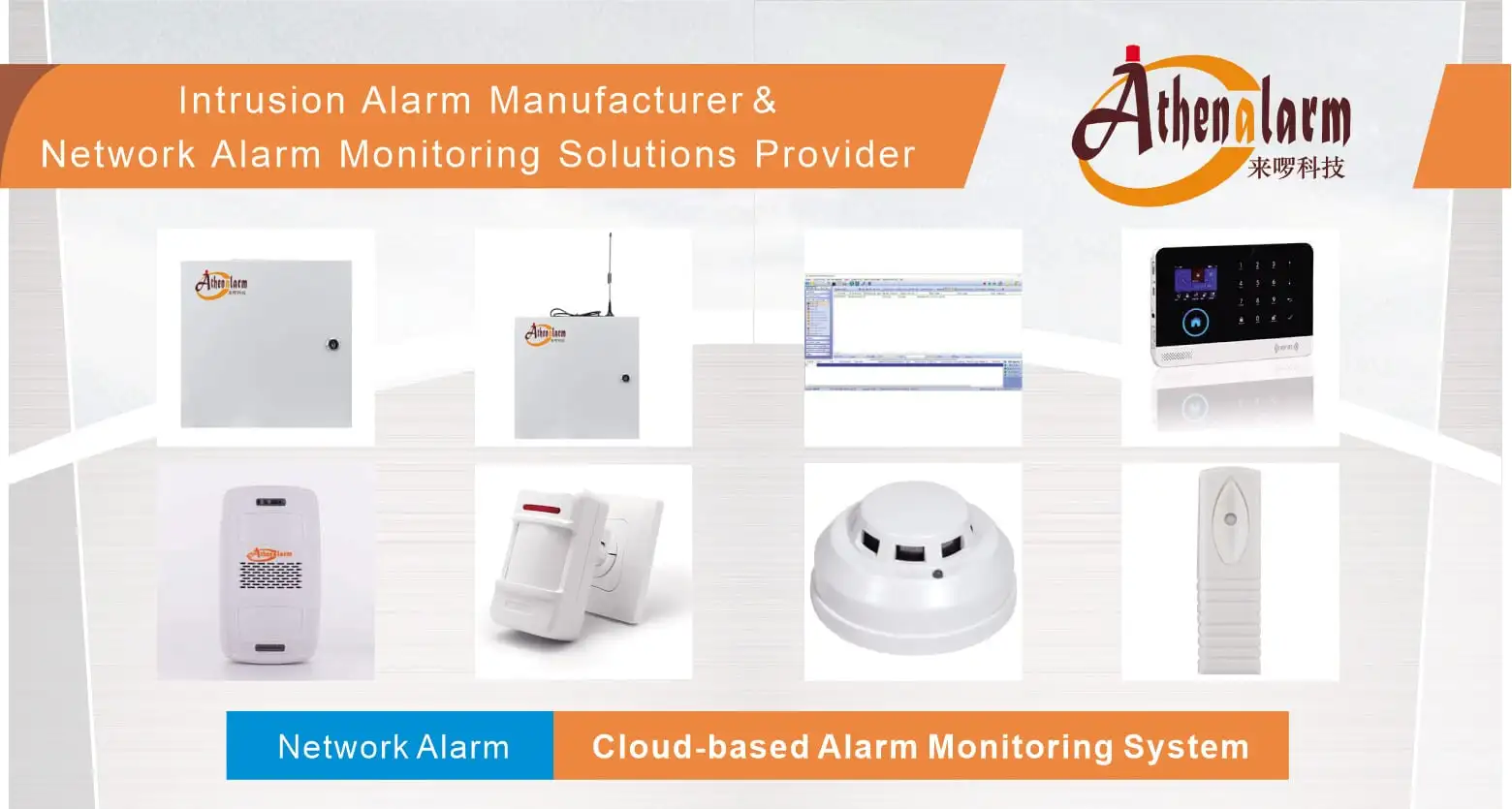
- Central Platform & Management: Network Alarm Center Management Software
- Perimeter & Boundary Protection: Network Perimeter Alarm System Solution
- Edge Motion & Intrusion Sensors: PIR Motion Sensor, Wide Angle PIR Motion Sensor
- Physical Entry & Structural Detectors: Door Contact, Digital Vibration Detector
- Hazard & Environmental Sensing: Photoelectric Smoke Detector, Gas Detector
- Emergency Duress & Notification: Panic Button, Wireless Panic Button, Warning Light, Motion Sensor Voice Reminder
- High-Security Specialized Sub-Systems: Bank ATM Alarm Monitoring System Solution, Network Bank Vault Alarm Monitoring System Solution
- Commercial & Multi-Tenant Solutions: Network Hotel Alarm System Solution, Network Community Alarm System Solution, Network House Alarm System Solution, GSM WiFi Alarm System
