
Mobile App-Controlled Alarm System: Commercial Deployment and Operational Optimization
A Mobile App-Controlled Alarm System extends remote arming, alert delivery, and video access to a smartphone interface, but the mobile application itself is not the security system — it is the operator-facing layer of a larger operating environment that includes sensors, a control panel, communication paths, a cloud platform, and integrated subsystems such as CCTV and access control. In commercial and multi-site operations, the practical challenge is not whether remote control is available, but whether that control remains reliable when the primary Internet connection fails, when notification volume overwhelms operators, when an alarm event cannot be verified quickly, or when user permissions are not properly governed.
These are operational engineering problems, not app-usability problems. A poorly configured Mobile App-Controlled Alarm System can produce communication interruptions during outages, notification fatigue from unfiltered alerts, unresolved false-alarm investigation burden, unauthorized configuration changes from excessive user privileges, and maintenance drift from inconsistent testing schedules. Each of these failure modes directly affects deployment outcomes, procurement decisions, and day-to-day security operations across retail, warehousing, manufacturing, and hospitality environments.
This guide addresses the system from an operational management standpoint: how to assess deployment fit, evaluate platform resilience and governance requirements, configure alert and verification workflows, govern automation, prepare operating personnel, and maintain the system across its lifecycle. The structure follows the sequence a commercial security team actually works through — from pre-deployment assessment to sustained operation — rather than a feature-by-feature description of app capabilities.
1. Start With the Commercial Operating Environment
Before a Mobile App-Controlled Alarm System is selected or configured, the operating environment determines what the system actually needs to do. Treating the platform as a generic remote-control tool, rather than a component that must fit a specific facility’s risk profile and existing infrastructure, is the most common source of downstream configuration problems — undersized coverage in some areas and unnecessary complexity in others.
1.1 Identify High-Risk Areas and Vulnerability Periods
A threat and vulnerability assessment should precede platform selection, not follow it. This assessment identifies:
- High-risk areas — storage rooms, loading docks, cash handling zones
- Peak vulnerability hours — after closing, shift changes, weekends
These findings determine where sensors, cameras, and access-control integration are required, and which zones justify the highest alert priority in the notification model described later in this guide. Skipping this step means the platform’s configuration is based on assumptions rather than the facility’s actual risk distribution.
1.2 Define Integration Requirements With IT and Security Teams
A Mobile App-Controlled Alarm System does not operate in isolation. It typically needs to coexist with CCTV, access control, fire detection, and the organization’s existing IT infrastructure. Involving IT early in the assessment — rather than after platform selection — reduces the risk of network incompatibility discovered during installation. This coordination should confirm network compatibility and the scope of systems the mobile platform is expected to interoperate with, without assuming a specific interoperability protocol unless the platform vendor documents one.
1.3 Match the Operating Model to the Facility
The assessment findings should size the deployment to the facility rather than the reverse. An undersized configuration leaves blind spots in unmonitored high-risk zones; an oversized configuration consumes budget and administrative overhead without a corresponding security benefit. The right system configuration is the one that fits the assessed operational environment, not a generic maximum-feature deployment.
2. Evaluate Platform Security and Operational Resilience Before Go-Live
Once the operating environment is understood, the next operational decision is whether the platform itself can be trusted to carry sensitive data reliably and whether its communication and access-control architecture can withstand real-world outages and misuse.
2.1 Evaluate Cloud Security as a Platform Criterion
A Mobile App-Controlled Alarm System handles more than video feeds — it also carries access logs, user credentials, and potentially other organizational records. Platform evaluation should assess:
- End-to-end encryption for data in transit and at rest
- Multi-region cloud backup for redundancy
- Regulatory frameworks such as GDPR and CCPA as evaluation criteria for platform selection
These are criteria a security team should require from a platform vendor. They are not, by themselves, a claim that any specific implementation is verified compliant — that determination depends on the vendor’s actual certification and audit documentation, which falls outside the scope of a generic operational guide.
2.2 Design Redundant Connectivity Before an Outage
Real-time monitoring depends on continuous communication between field devices and the cloud/mobile platform. When the primary Internet connection fails, that dependency becomes a single point of failure unless a backup path exists.
The supported resilience pattern is:
Primary Internet → connection failure → LTE backup → continued communication capability
Practical controls that support this pattern include dual-path communication (for example, fiber as the primary path with 4G LTE as backup) and scheduled failover testing to confirm the backup path activates correctly. LTE backup provides a resilience mechanism — it reduces the risk of a total communication blackout during a primary-path outage, but it should not be treated as a guarantee of uninterrupted service under all conditions.
2.2.1 Separate Communication Resilience From Power Resilience
Network backup and power backup solve different failure modes and should not be conflated:
| Resilience Type | Trigger | Mechanism | Function |
|---|---|---|---|
| Communication resilience | Primary Internet failure | 4G LTE backup | Maintains data path to cloud/mobile platform |
| Power resilience | Loss of electrical power | UPS (Uninterruptible Power Supply) | Keeps control panel and security equipment operating |
A dual-path Internet connection does not address a power outage at the control panel, and a UPS does not restore a failed Internet connection. Both mechanisms are required because they mitigate independent failure modes.
2.3 Establish Permission Governance Before Granting Remote Control
Remote arm/disarm and remote access-point control increase operational flexibility, but they also increase the consequence of an unauthorized or careless account action. Role-Based Access Control (RBAC) addresses this by assigning differentiated permission tiers:
- Admin — full configuration authority
- Manager — operational oversight without full system configuration rights
- Security Officer — day-to-day monitoring and response actions
Critical settings should be restricted to top-level admin accounts, and two-factor authentication (2FA) should be required for any high-privilege account. This prevents a single compromised credential from granting full control over alarm configuration, user management, or access-point operation.
2.3.1 Balance Remote Convenience With Governance
The more convenient remote access becomes, the more consequential a governance failure is. This is a direct trade-off: expanding remote-control convenience without a corresponding increase in permission discipline increases the operational exposure created by that convenience. RBAC and 2FA are the controls that keep this trade-off manageable rather than eliminating it.
3. Build a Notification Model Around Operator Response
Alerts are the primary mechanism through which a Mobile App-Controlled Alarm System communicates events to operators. If every event generates the same notification, operators either receive too many alerts to act on meaningfully or too few to maintain situational awareness. Both outcomes reduce the practical value of remote monitoring.
3.1 Classify Alerts by Operational Urgency
A tiered notification model assigns communication channel and expected response time based on event severity:
| Alert Type | Channel | Response Time |
|---|---|---|
| Critical (break-in, fire) | Push + SMS + Email | Immediate |
| Warning (door left open) | Push | Within 5 minutes |
| Informational (system update) | As needed |
This structure ensures that critical events reach an operator through multiple redundant channels simultaneously, while lower-priority events do not compete for the same level of attention.
3.2 Match Notification Coverage to Operator Capacity
Sending every detected event through every available channel does not improve security outcomes — it produces alert fatigue, where operators become desensitized to notifications and respond more slowly, or inconsistently, to genuinely critical events. Conversely, restricting notifications too aggressively can leave operators unaware of developing issues until they escalate. The channel and response-time differentiation in the table above is the mechanism that keeps notification volume proportionate to actual operational urgency.
3.3 Treat Alert Rules as an Operating Procedure
The notification model functions as a governance tool, not a one-time configuration step. Each alert type should map to a defined operator action: critical alerts trigger immediate verification and response, warning alerts prompt a documented follow-up within the response window, and informational alerts are logged without requiring an immediate action. Documenting this mapping turns the notification matrix into a repeatable operating procedure that new personnel can follow without relying on informal knowledge.
4. Verify Alarm Events Before Escalating the Response
Not every sensor trigger represents a genuine security incident. Wind, small animals, and other environmental factors can activate motion-related sensors, and treating every trigger as confirmed generates unnecessary investigation burden and can erode confidence in the system over time.
4.1 Connect Alarm Events With Video Verification
Integrating IP cameras or CCTV with the mobile platform allows an operator to view live or recorded video associated with an alarm event before committing response resources. This verification step sits between detection and decision-making: the alarm system detects an event, the camera feed provides visual context, and the operator determines whether the event warrants further action.
4.2 Use AI Analytics as a Filtering Capability
AI analytics integrated with video verification can help filter potential false triggers — for example, distinguishing wind-driven motion or small-animal activity from a genuine intrusion pattern. This should be understood as a filtering and prioritization capability that assists operator review, not as a quantified false-alarm reduction guarantee. No specific accuracy or reduction percentage should be assumed unless a vendor documents it independently.
4.2.1 Verification Workflow
Alarm Event → Video Feed → Verification → Operator Assessment → Response Decision
This workflow is the operational core of false-alarm mitigation: it inserts a human (assisted by AI filtering) checkpoint before resources are dispatched, rather than treating every sensor trigger as an automatic escalation.
5. Automate Repeatable Actions While Retaining Human Oversight
IoT integration allows a Mobile App-Controlled Alarm System to execute predefined actions automatically in response to schedules or detected events, reducing the chance of human error in routine tasks.
5.1 Automate Routine Security Tasks
Common automated actions supported through IoT integration include:
- Auto-arming after business hours
- Remotely locking access points on a schedule or trigger
- Activating deterrent lighting in response to detected motion
5.2 Preserve Human Oversight for Exceptions
Automation reduces the likelihood of a missed manual step, such as forgetting to arm a facility at closing, but it depends entirely on correctly configured rules and triggers. An automation rule that is misconfigured — for example, an auto-arm schedule that does not account for a legitimate late shift — can create operational friction or false alarms of its own. Automated responses handle the routine cases; operator judgment remains necessary for interpreting exceptions and events that do not match a predefined rule.
6. Prepare the Human Operating Layer Before Go-Live
Even a fully configured Mobile App-Controlled Alarm System depends on personnel who understand how to interpret alerts and act within the response windows defined in the notification model.
6.1 Train Operators for Real Operating Conditions
Operational readiness depends on:
- Regular drills that simulate real incident conditions
- Staff training updates whenever the app or platform configuration changes
- A maintained quick-reference guide for emergency procedures
6.2 Make Human Dependency Explicit
A technically capable system can still produce poor outcomes if operators are not adequately trained — delayed action or an incorrect response is as likely to originate from a training gap as from a system limitation. This is why training and drills are treated as a recurring operational requirement rather than a one-time onboarding task; personnel need to be retrained as the platform or its configuration evolves.
7. Establish an Event-Log and Maintenance Control Loop
Deployment is the beginning of the system’s operational lifecycle, not the end of it. Ongoing review of activity records and periodic testing are what prevent gradual degradation from going unnoticed.
7.1 Review Event Logs for Operational Patterns
Most platforms log every user and system action. Reviewing these logs on a weekly basis can surface suspicious patterns that a single event would not reveal on its own. Where appropriate, correlating security event logs with HR records and access-control records can add investigative context — for example, cross-referencing an access event with staff scheduling data. This correlation should be treated as a situational operational practice rather than a universal requirement for every facility.
7.2 Test and Update the System Regularly
Ongoing technical maintenance includes applying firmware updates as they are released, testing sensors on a monthly basis, and scheduling annual third-party security audits.
7.2.1 Preserve Task-Specific Review Frequencies
Different maintenance activities operate on different cadences, and collapsing them into a single interval understates some risks and overstates others:
| Maintenance Activity | Recommended Frequency |
|---|---|
| Event-log review | Weekly |
| Sensor testing | Monthly |
| General maintenance checkpoint (logs, updates, audits) | Monthly |
| Third-party security audit / full system review | Annual |
The monthly checkpoint functions as a broader operational review — confirming that logs are current, updates are applied, and no audit item has been missed — rather than replacing the more frequent weekly log review.
8. Plan Scalability and Future Integration Before Expansion
A platform selected only for the organization’s current footprint can become a constraint once the business adds sites, devices, or new capability requirements.
8.1 Select for Modular Expansion
A modular platform supports adding sensors, cameras, and functionality incrementally as the business grows, without requiring a full platform replacement.
8.2 Consider AI-Powered Threat Detection as a Future Capability
AI-powered threat detection represents a future-oriented capability direction referenced for platform planning purposes. It should be evaluated as a future consideration when assessing platform roadmaps, not assumed to be a currently implemented feature of any specific system, and no detection-accuracy figure should be attributed to it without vendor-specific documentation.
8.3 Consider Future Connectivity Requirements
5G is similarly a future-oriented connectivity consideration. Platform selection can account for future connectivity options, but current deployments should be evaluated on their present connectivity capabilities rather than an assumption of 5G availability.
8.4 Balance Scalability With Integration Requirements
Growth typically introduces new sites, new devices, and new integration requirements simultaneously. A platform’s modularity determines whether this growth is absorbed through incremental upgrades or forces a more disruptive architectural change — this is the practical trade-off scalability planning is meant to manage.
9. Apply the Seven-Step Implementation Roadmap
The following sequence connects the operational controls described above into a deployable process, from initial assessment through ongoing maintenance.
9.1 Seven-Step Implementation Roadmap
| Step | Description | Key Tip |
|---|---|---|
| 1. Assessment | Identify vulnerabilities | Involve IT & security |
| 2. Selection | Choose secure, scalable platform | Check integration list |
| 3. Installation | Deploy sensors, hub, cameras | Hire certified installers |
| 4. Configuration | Set roles, alerts, automations | Document settings |
| 5. Training | Staff training & drills | Simulate real incidents |
| 6. Go-Live | Enable monitoring | Test all alerts |
| 7. Maintenance | Logs, updates, audits | Review monthly |
“Hire certified installers” is an installation-stage recommendation regarding who performs the physical deployment; it does not indicate that the alarm system itself carries a specific product certification.
9.2 Connect Each Stage to Its Primary Risk
Each roadmap stage corresponds to a distinct operational risk if executed poorly:
- Assessment → suitability risk (system does not match facility risk profile)
- Selection → platform or integration risk (incompatible or insufficiently secure platform)
- Installation → deployment-execution risk (incorrect physical or network setup)
- Configuration → permission, alert, or automation risk (misconfigured RBAC, notification, or automation rules)
- Training → human-error risk (delayed or incorrect operator response)
- Go-Live → untested operational behavior (alerts or failover not verified before reliance)
- Maintenance → degradation and operational drift (undetected faults accumulating over time)
10. Resolve the Main Engineering Trade-Offs
Several of the controls described above involve a trade-off rather than a straightforward improvement. Recognizing these trade-offs helps a security team calibrate configuration decisions to the specific facility rather than defaulting to maximum settings in every category.
| Trade-Off | Description |
|---|---|
| Remote convenience vs. security governance | Remote control increases flexibility but raises the importance of RBAC, restricted critical settings, and 2FA |
| Notification coverage vs. alert fatigue | Broader alert coverage improves visibility but can reduce operator responsiveness if not prioritized |
| Connectivity resilience vs. infrastructure complexity | Dual-path communication improves uptime but adds failover infrastructure that must be tested and maintained |
| Automation vs. human oversight | Automated actions reduce routine human error but depend on correctly configured rules and still require exception handling |
| Video verification vs. integration complexity | Verification reduces false-alarm escalation but requires integration between alarm and video systems |
| Scalability vs. future integration requirements | Modular architecture supports growth but must remain compatible with future device and connectivity requirements |
11. Maintain a Continuous Operational Control Checklist
Once the system is live, the operational controls described throughout this guide require ongoing management rather than a single configuration pass. The following areas remain active management responsibilities:
| Operational Area | Continuous Requirement | Primary Risk if Neglected |
|---|---|---|
| Communication redundancy | Monthly failover testing | Loss of real-time monitoring during outage |
| Power continuity | UPS verification | Equipment downtime during power loss |
| Access governance | RBAC and 2FA enforcement | Unauthorized configuration or control access |
| Notification configuration | Periodic review of alert routing | Alert fatigue or missed critical events |
| Video verification | Camera/AI integration health checks | Unverified false-alarm escalation |
| Automation rules | Review of triggers and schedules | Misconfigured automated actions |
| Operator training | Recurring drills and updates | Delayed or incorrect human response |
| Event-log review | Weekly review | Undetected suspicious activity patterns |
| Firmware and sensors | Prompt updates, monthly sensor testing | Undetected system degradation |
| Security audits | Annual third-party audit | Accumulated unaddressed vulnerabilities |
| Scalability | Periodic platform/roadmap review | Upgrade constraints during business growth |
This checklist functions as a management summary of the preceding sections, not a substitute for the detailed configuration decisions described above.
12. FAQ
1. What is a Mobile App-Controlled Alarm System?
A Mobile App-Controlled Alarm System is a commercial security environment that provides remote alarm monitoring and control through a smartphone application, encompassing sensors, an alarm/control layer, cloud connectivity, and integrated subsystems such as video and access control. The app functions as the operator interface, not the entire security system, because detection, verification, and communication resilience depend on the components behind it.
2. How does a mobile app improve alarm system response times?
It delivers real-time push, SMS, or email notifications and allows remote arming, disarming, and access-point control from any location, removing the requirement to be physically on-site to take action. This improves the speed at which an operator can become aware of and respond to an event, though it does not guarantee a specific response latency, which depends on connectivity, notification configuration, and operator availability.
3. Can I integrate my mobile alarm app with CCTV?
Yes, integrating IP cameras or CCTV with the mobile platform supports live and recorded video access and enables video verification of alarm events. This integration is typically evaluated during platform selection based on the specific camera and platform combination in use, since exact interoperability details are vendor-dependent.
4. What industries benefit most from mobile app-controlled alarm systems?
Retail, warehousing, manufacturing, hospitality, and other multi-site commercial operations benefit most, because these environments combine distributed facilities, after-hours vulnerability periods, and a need to manage security operations without proportionally increasing on-site staffing.
5. How secure is a cloud-based mobile alarm system?
Security depends on the platform’s actual controls and configuration rather than the cloud-based model itself. Evaluation criteria such as end-to-end encryption, multi-region backup, and applicable regulatory frameworks (such as GDPR or CCPA) should be confirmed with the platform vendor; these are selection criteria, not an inherent guarantee that a specific implementation is verified compliant.
6. What’s the cost of a mobile app-controlled alarm system?
Cost depends on hardware, software licensing, monitoring services, integration scope, and deployment size, and varies by vendor and facility requirements. A specific price range should be obtained directly from platform vendors rather than assumed from generic industry figures.
7. Do I need special training to operate the system?
Yes. Reliable operation depends on regular drills, staff training updates after app or configuration changes, and a maintained emergency quick-reference guide, since even a technically capable platform can produce delayed or incorrect responses if operators are not adequately prepared.
8. What happens if my internet goes down?
A dual-path communication setup — primary Internet with 4G LTE backup — is designed to maintain communication capability if the primary connection fails, supported by periodic failover testing to confirm the backup path activates correctly. This should be understood as a resilience mechanism rather than a guarantee of uninterrupted service under every failure condition. A UPS separately protects against loss of power to the control panel and related equipment, which is a distinct failure mode from a network outage.
9. How often should I update my alarm system?
Update and review activities operate on different schedules rather than one universal interval: firmware updates should be applied promptly upon release, sensor testing is typically monthly, event-log review is typically weekly, and third-party security audits are typically annual. Treating these as a single combined schedule risks under-servicing higher-frequency tasks like log review.
10. Can mobile app-controlled alarm systems scale with my business?
Yes, provided the platform is selected for modular expansion. This includes the ability to add sensors, cameras, and sites incrementally, along with consideration of future capabilities such as AI-powered threat detection and future connectivity options like 5G during platform planning, rather than assuming these are already active in a current deployment.
13. System Component Checklist Appendix
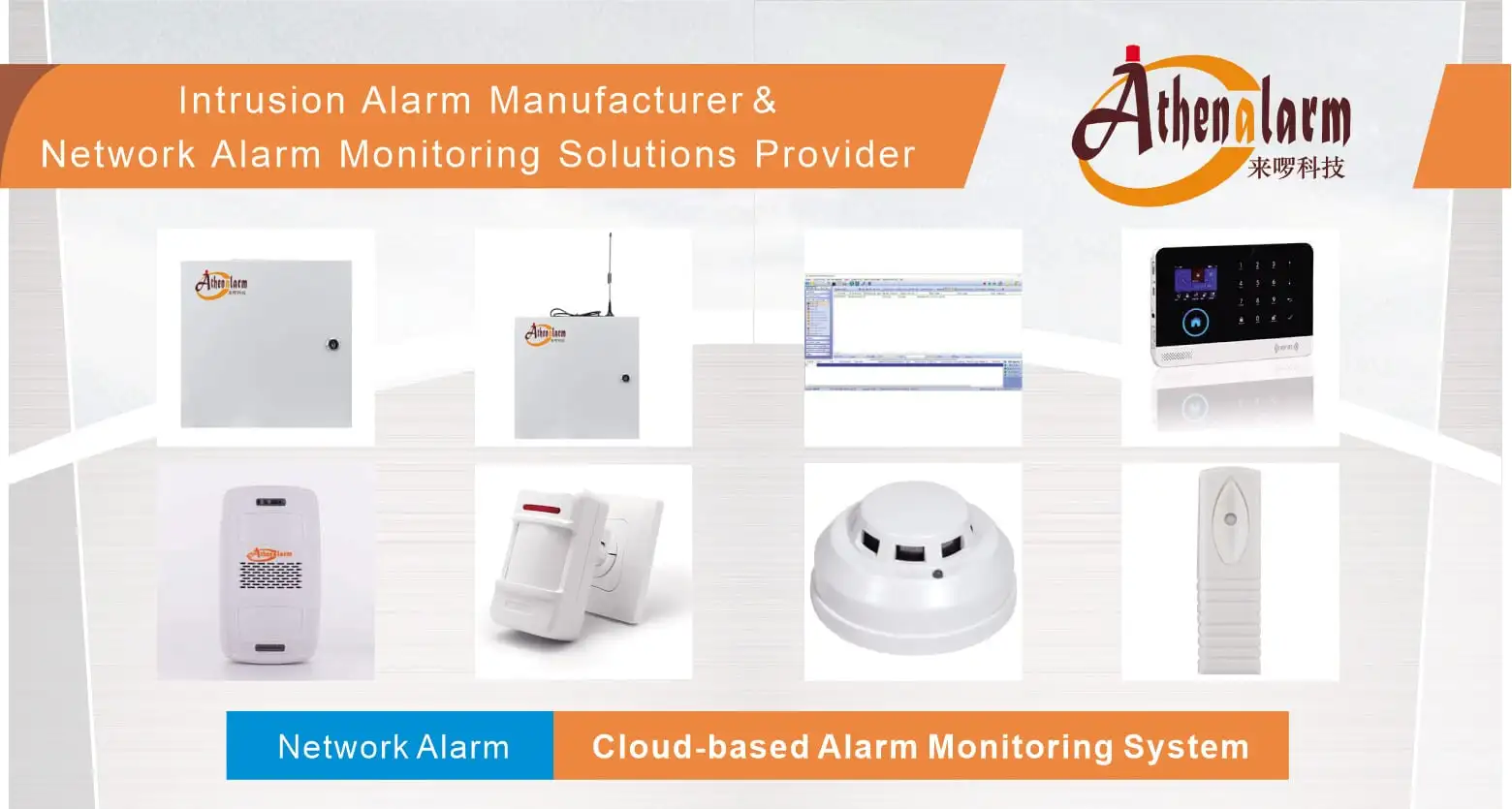
For commercial deployments requiring specialized perimeter, sector-specific, or peripheral sensor integration, the following system components and specialized architecture solutions provide foundational field-level hardware compatibility:
- Core Hardware & Control: Enterprise Burglar Alarm Systems / Commercial Alarm Control Panels
- Central Platform & Software: Network Alarm Center Management Software / Network Alarm Systems Infrastructure
- Vertical & Application Solutions:
- Financial Infrastructure: Bank Alarm Monitoring Solutions, ATM Alarm Monitoring Solutions, and Bank Vault Alarm Monitoring Systems
- Sector Deployments: Store & Retail Alarm System Solutions, Hotel Security Alarm Solutions, Community Perimeter Systems, Residential House Alarm Solutions, and Perimeter Security Solutions
- Ecosystem Applications: Network Alarm System Application Scenarios and GSM/WiFi Smart Systems
- Detection & Sensing Perimeter:
- Motion Detection: PIR Motion Sensors and Wide-Angle PIR Motion Detectors
- Environmental & Physical Detection: Photoelectric Smoke Detectors, Gas Leak Detectors, Digital Vibration Detectors, and Heavy-Duty Door Contacts
- Emergency & Deterrent Peripherals:
- Panic Response: Wired Panic Buttons and Wireless Emergency Panic Buttons
- Deterrent Sound & Light: Strobe Warning Lights and Motion-Activated Audio Players
- Manufacturer Context: Professional Burglar Alarm System Manufacturer / Athenalarm Official Portal
