
Evaluating Connectivity Options for Enterprise Wireless Security System Deployments
When a security director evaluates a new wireless security system deployment across a distribution center, a hospital wing, or a multi-tenant office tower, the question is rarely whether wireless connectivity works. It is which connectivity technology — or combination of technologies — will support the facility’s actual workload without producing coverage gaps, bandwidth bottlenecks, or integration failures once the system goes live.
An enterprise wireless security system connects distributed devices — cameras, door contacts, motion sensors, access credentials, and environmental monitors — through one or more wireless protocols to a centralized monitoring layer. The connectivity layer is not incidental to this architecture; it determines whether high-bandwidth video reaches the monitoring platform reliably, whether hundreds of low-power sensors can operate for extended periods without excessive maintenance, and whether an alarm signal still reaches a monitoring center if the primary network path fails.
Security teams that select connectivity based on brand familiarity or a single technology’s marketing claims routinely encounter three recurring problems: video feeds that cannot sustain bandwidth in a facility built around sensor-density workloads, sensor networks that lose reliability inside concrete-heavy structures, and alarm signaling that depends on a single communication path with no failover. Each of these failures traces back to the same root cause — the connectivity technology was matched to convenience rather than to the workload, the facility, and the resilience requirement it needed to support.
This selection problem is what the remainder of this analysis addresses. Rather than cataloging wireless technologies in isolation, the following sections establish the criteria that should drive connectivity selection, evaluate how six connectivity technologies — Wi-Fi, Zigbee, Z-Wave, Bluetooth Low Energy (BLE), LoRaWAN, and cellular — fit specific security workloads, and outline how enterprises validate a resulting multi-protocol architecture before and after deployment.
1. The Connectivity Requirements That Should Drive Wireless Security System Selection
Selecting a wireless connectivity option for an enterprise security deployment is a matching exercise, not a preference exercise. The workload a connectivity technology must carry, the facility it must operate within, and the resilience the security function requires jointly determine which protocol — or combination of protocols — is appropriate. Treating protocol selection as a single decision made once for an entire facility is a common source of downstream coverage, bandwidth, and interoperability problems.
1.1 Match Connectivity to the Security Workload
Not every security function generates the same data profile. A wireless security system typically carries at least four distinct workload types, and each imposes different bandwidth, latency, and duty-cycle demands on the connectivity layer.
1.1.1 High-Bandwidth Security Workloads
Live HD video surveillance requires sustained throughput that most low-power wireless protocols cannot provide. Connectivity supporting camera feeds must be evaluated primarily on bandwidth capacity and interference resistance rather than on range or battery efficiency.
1.1.2 Low-Power Sensor and Detection Workloads
Door contacts, smoke detectors, and occupancy sensors generate small, infrequent data packets. These workloads favor connectivity technologies optimized for battery efficiency and dense device counts over raw throughput.
1.1.3 Proximity and Mobile Access Workloads
Smartphone-based access credentialing depends on short-range, proximity-verified communication rather than bandwidth or long-range coverage, placing it in a distinct connectivity category from both video and sensor traffic.
1.1.4 Long-Range Monitoring Workloads
Intrusion, fire, and environmental monitoring across large industrial sites or campuses requires connectivity that prioritizes distance and energy efficiency over bandwidth, since these payloads remain small even across kilometers of coverage.
1.2 Evaluate Facility Conditions Before Selecting a Protocol
Facility characteristics directly constrain which connectivity technologies will perform reliably. Large facilities create Wi-Fi range limitations that may require additional access points or protocol segmentation. Concrete-heavy structures reduce Zigbee’s effective coverage. Dense wireless environments increase the likelihood of BLE interference where many Bluetooth devices operate in close proximity. Rural or remote sites introduce cellular coverage gaps that limit the reliability of cellular failover. Device density itself is also a factor: sensor-heavy deployments behave differently on a wireless network than a handful of high-bandwidth camera endpoints.
1.3 Determine the Required Resilience Level
Not every security function requires a backup communication path, but mission-critical functions — particularly alarm signaling — depend on identifying a clear distinction between primary connectivity and secondary or failover connectivity. This distinction should be established before protocol selection, since it determines whether cellular failover, dual-path architecture, or a single wireless technology is sufficient for a given security function.
2. How the Six Wireless Connectivity Options Fit Different Security Applications
The following technologies are the connectivity options most commonly applied within enterprise wireless security architectures. Each is evaluated according to the workload it is positioned to support, its operating strengths, and its constraints — not as a universal recommendation, but as a role within a broader selection framework.
| Protocol | Primary Workload Role | Key Strength | Primary Constraint |
|---|---|---|---|
| Wi-Fi | HD video, high-speed monitoring | High-speed transmission, broad ecosystem compatibility | Range limitations in large facilities; interference and hacking exposure without WPA3 |
| Zigbee | Dense low-power sensors | Mesh networking redundancy, extended battery life | Not suitable for video; reduced performance in concrete-heavy structures |
| Z-Wave | Perimeter-oriented security | Long indoor range, reliable in high-density areas (sub-1 GHz) | Smaller device ecosystem, limited bandwidth |
| BLE | Mobile access credentials | Direct smartphone integration, eliminates physical keycards | Limited range, interference in high-Bluetooth environments |
| LoRaWAN | Long-range, low-bandwidth monitoring | Multi-kilometer coverage, minimal energy use | Low bandwidth, unsuitable for video; requires a gateway for internet integration |
| Cellular | Remote reach and failover | Global coverage, failover capability during outages | Ongoing carrier costs; coverage gaps in rural areas |
2.1 Wi-Fi for High-Bandwidth Security Monitoring
2.1.1 Strengths and Best-Fit Applications
Wi-Fi supports high-speed transmission suitable for live HD video and benefits from a broad ecosystem of compatible security devices, making it a cost-effective option for facilities with existing IT infrastructure.
2.1.2 Coverage and Interference Constraints
Wi-Fi’s range diminishes across large facilities, and without appropriate configuration it remains exposed to interference and unauthorized access attempts.
2.1.3 Dedicated Security VLAN and WPA3 / Advanced Encryption Considerations
Segmenting security traffic on a dedicated Wi-Fi VLAN, combined with WPA3 or equivalent advanced encryption, reduces the risk of interruption or compromise to monitoring and alerting functions that share network infrastructure with general business traffic.
2.2 Zigbee for Dense, Power-Efficient Sensor Networks
2.2.1 Mesh Networking and Sensor Density
Zigbee’s mesh topology allows large numbers of sensors to relay signals through one another, providing redundancy and supporting environments where many devices must connect simultaneously.
2.2.2 Coverage Constraints in Concrete-Heavy Facilities
Zigbee’s signal propagation is reduced in concrete-heavy structures, which limits its reliability in certain industrial or high-density-construction facilities.
2.2.3 Suitable Security Sensor Applications
Zigbee is positioned for door contacts, smoke detectors, and occupancy sensors in medium-density facilities where power efficiency and sensor count outweigh bandwidth requirements.
2.3 Z-Wave for Perimeter-Oriented Wireless Security
2.3.1 Sub-1 GHz Operating Context
Z-Wave operates below 1 GHz, which improves resistance to interference compared to higher-frequency alternatives operating in more congested spectrum.
2.3.2 Range and Bandwidth Trade-off
This lower-frequency operation extends indoor range but limits available bandwidth, and Z-Wave’s device ecosystem remains smaller than some competing protocols.
2.3.3 Perimeter Security Applications
Z-Wave is positioned for perimeter intrusion detection, where signal reliability across a facility’s boundary is prioritized over data throughput.
2.4 BLE for Smartphone-Based Access Interaction
2.4.1 Mobile Credential Use
BLE’s proximity-based verification allows smartphones to function as access credentials, reducing dependency on physical keycards for employee and visitor management.
2.4.2 Range and Interference Constraints
BLE’s effective range is limited, and environments with a high density of Bluetooth-enabled devices can introduce interference that affects credential verification reliability.
2.5 LoRaWAN for Long-Range, Low-Bandwidth Monitoring
2.5.1 Long-Range Monitoring Role
LoRaWAN is positioned for industrial sites, warehouses, and campuses where coverage must extend across kilometers rather than within a single building footprint.
2.5.2 Low-Bandwidth Limitation
Because LoRaWAN carries small payloads at low data rates, it is unsuitable for video and should be reserved for intrusion, fire, and environmental monitoring workloads.
2.5.3 Gateway Dependency for Internet Integration
LoRaWAN requires a gateway to bridge sensor traffic to internet-connected monitoring platforms, introducing an additional integration point that must be accounted for during deployment planning.
2.6 Cellular for Remote Connectivity and Failover
2.6.1 Primary vs. Secondary Connectivity Role
Cellular connectivity can serve as a primary path for remote sites lacking wired infrastructure, but within most enterprise architectures it is positioned as a failover path that activates when the primary connectivity method is unavailable.
2.6.2 Cellular Coverage Limitations
Cellular availability is not universal; rural or remote deployment sites may experience coverage gaps that limit the reliability of a cellular failover strategy.
2.6.3 Ongoing Carrier Cost Consideration
Unlike most other connectivity options in this framework, cellular introduces a recurring carrier cost, which should be weighed against the operational criticality of the function it protects.
3. The Engineering Trade-offs Behind Wireless Connectivity Selection
Individual protocol strengths frequently conflict with one another when applied across a single facility. The following trade-offs make these conflicts explicit rather than treating each protocol as independently optimal.
| Trade-off | Tension | Engineering Implication |
|---|---|---|
| Bandwidth vs. Coverage | Wi-Fi’s throughput vs. LoRaWAN’s/Z-Wave’s range | High-bandwidth video and long-range monitoring cannot be served by the same connectivity choice |
| Device Density vs. Network Complexity | Zigbee mesh scaling vs. simpler point-to-point links | Dense sensor fields benefit from mesh redundancy but add network management overhead |
| Range vs. Application Payload | LoRaWAN’s distance vs. its data-rate ceiling | Long-range coverage is only usable for small, infrequent payloads, not video |
| Convenience vs. Range | BLE’s smartphone integration vs. its short effective range | Mobile credentialing works at the door, not across a facility |
| Redundancy vs. Ongoing Cost | Cellular failover vs. recurring carrier fees | Failover value must be weighed against the criticality of the function it protects |
| Flexibility vs. Integration Complexity | Multi-protocol application fit vs. interoperability burden | Each additional protocol improves workload fit but adds a validation and monitoring dependency |
| Cloud Scalability vs. External Dependency | Centralized analytics vs. reliance on external connectivity | Cloud monitoring scales easily but depends on the availability of its underlying connection |
3.1 Bandwidth vs. Coverage
Wi-Fi delivers throughput sufficient for HD video but at limited range in large facilities, while long-range technologies such as LoRaWAN and Z-Wave extend coverage at the cost of available bandwidth. Neither characteristic can substitute for the other.
3.2 Device Density vs. Network Complexity
Zigbee’s mesh structure supports large numbers of low-power devices, but each additional mesh node increases the number of relationships the network must maintain, which becomes a management consideration at scale.
3.3 Range vs. Application Payload
LoRaWAN’s long-range advantage is only meaningful for small, infrequent payloads. Attempting to extend it to video-class workloads reintroduces the bandwidth constraint it was chosen to avoid.
3.4 Convenience vs. Range
BLE’s smartphone-based credentialing reduces reliance on physical keycards, but its short range and sensitivity to Bluetooth-dense environments confine it to proximity-based access points rather than facility-wide coverage.
3.5 Redundancy vs. Ongoing Connectivity Cost
Cellular failover strengthens resilience for mission-critical alarm signaling, but its recurring carrier cost means it should be applied selectively to functions where continuity is operationally significant, rather than universally.
3.6 Flexibility vs. Integration Complexity
Combining multiple wireless technologies allows each to serve the workload it fits best, but every additional protocol introduced into the architecture adds an interoperability relationship that must be validated and maintained.
3.7 Cloud Scalability vs. External Dependency
Cloud-based monitoring platforms scale centralized visibility across locations without proportional hardware investment, but this scalability comes with dependency on the availability of the connectivity that reaches the cloud platform.
4. When a Hybrid Multi-Protocol Wireless Architecture Is the Better Choice
The trade-offs identified above point toward a consistent conclusion: no single wireless technology satisfies every workload an enterprise security system must support. A hybrid multi-protocol architecture addresses this by assigning each connectivity technology a defined functional role rather than forcing all workloads onto one protocol.
4.1 Assign Each Protocol a Defined Functional Role
4.1.1 High-Bandwidth Layer
Wi-Fi carries HD video and other high-throughput monitoring traffic.
4.1.2 Sensor Layer
Zigbee and Z-Wave carry low-power sensor and perimeter detection traffic, selected according to facility density and construction characteristics.
4.1.3 Proximity Access Layer
BLE carries mobile access credentialing at entry points and visitor management stations.
4.1.4 Long-Range Monitoring Layer
LoRaWAN carries intrusion, fire, and environmental monitoring traffic across large or geographically dispersed sites.
4.1.5 Resilience Layer
Cellular provides a secondary communication path for functions where continuity of alarm signaling is operationally critical.
4.2 Understand the Integration Dependency
Assigning distinct roles to multiple protocols does not eliminate the need for integration; it creates a requirement to validate that each technology can reach the intended monitoring environment. This is true even though the specific gateway, controller, or network topology connecting each protocol to the monitoring layer is not defined at the strategy level and must be determined during deployment planning.
4.3 Centralize Monitoring Across Heterogeneous Connectivity
A centralized dashboard or cloud platform allows security operators to manage alerts originating from Wi-Fi, Zigbee, Z-Wave, BLE, LoRaWAN, and cellular sources as a single operational environment rather than as separate, disconnected systems.
5. Integration, Network Security, and Interoperability Requirements
Selecting the right connectivity mix is necessary but not sufficient; the resulting architecture must also be validated for interoperability and network security before it can be relied upon operationally.
5.1 Conduct a Pre-Deployment Site Survey
A site survey establishes the facility conditions — construction materials, device density, and existing infrastructure — that informed the connectivity decisions made in earlier sections. It should occur before final protocol selection rather than after installation begins.
5.2 Validate Protocol Interoperability
5.2.1 Validate Connectivity-to-Platform Compatibility
Each wireless technology deployed must be confirmed to communicate correctly with the centralized monitoring dashboard or cloud platform before the architecture is considered operational.
5.2.2 Validate Applicable Video Interoperability Through ONVIF
For video devices, ONVIF compliance supports interoperability between different camera hardware and monitoring software, reducing the risk of vendor-specific integration failures for the video component of the architecture.
5.3 Isolate Security Traffic Where Appropriate
Running security traffic on a dedicated Wi-Fi VLAN separates monitoring and alerting communication from general business network traffic, reducing the likelihood that unrelated network activity interrupts security functions.
5.4 Apply Appropriate Wireless Security Controls
WPA3 or equivalent advanced encryption reduces the exposure of Wi-Fi-based security traffic to interference or unauthorized access, and should be treated as a baseline requirement rather than an optional hardening step.
5.5 Validate Centralized Monitoring and Cloud Dependencies
Where cloud platforms provide analytics such as AI-based motion detection or centralized alerting, the connectivity path reaching that platform should be confirmed as reliable, since the value of centralized monitoring depends entirely on that dependency remaining available.
6. Cellular Failover as a Resilience Layer for Critical Security Communications
6.1 Identify When a Secondary Communication Path Is Needed
Cellular failover is most relevant for mission-critical alarm signaling rather than for every connected device. The decision to add a secondary path should be based on the operational consequence of losing the primary connectivity method for that specific function.
6.2 Evaluate Cellular Availability at the Deployment Site
Because cellular coverage gaps occur in rural areas, cellular availability should be confirmed at the specific deployment site rather than assumed, since a failover path that cannot connect provides no resilience benefit.
6.3 Balance Resilience Against Ongoing Carrier Cost
Cellular connectivity introduces a recurring carrier cost that does not apply to most other connectivity options in this framework. This cost should be weighed against the value of maintaining alarm signaling continuity for the specific function it protects.
6.4 Validate Failover Operation During Commissioning
Failover paths should be tested during commissioning rather than assumed to function correctly once configured, confirming that the secondary path activates and carries the intended alarm traffic when the primary path is unavailable.
7. Vertical Scenario Frameworks for Enterprise Wireless Security System Selection
Connectivity requirements vary by facility type. The following scenarios illustrate how workload and facility characteristics change the appropriate protocol mix, without implying that any single combination is universally correct.
| Vertical | Primary Workload | Facility Characteristic | Candidate Protocol Mix | Main Constraint |
|---|---|---|---|---|
| Retail | Theft prevention video, staff entry | Moderate footprint, public access | Wi-Fi + BLE | Wi-Fi coverage and interference in high-traffic areas |
| Healthcare | Fall-detection sensing, emergency alerts | Dense sensor deployment, critical continuity needs | Zigbee + cellular redundancy | Concrete-heavy construction, resilience requirement |
| Manufacturing | Machine and perimeter monitoring | Large industrial footprint, metal/concrete structures | LoRaWAN + Z-Wave | Bandwidth limitation for non-sensor workloads |
| Logistics / Warehousing | Cargo and environmental monitoring | Expansive, geographically dispersed sites | LoRaWAN | Gateway dependency for internet integration |
| Corporate Offices | Intrusion detection, video monitoring | Mixed workload, moderate density | Z-Wave + Wi-Fi | Balancing perimeter reliability with video bandwidth |
| Education / Campuses | Camera coverage, smart lock access | Large, multi-building footprint | Wi-Fi + BLE | Coverage across dispersed buildings |
7.1 Retail Facilities
Wi-Fi-based cameras support theft-prevention monitoring, while BLE supports staff entry credentialing, matching the moderate density and public-access nature of most retail environments.
7.2 Healthcare Environments
Zigbee’s sensor density and power efficiency support fall-detection and occupancy sensing, while cellular redundancy addresses the continuity requirements associated with emergency alerting in clinical settings.
7.3 Manufacturing and Industrial Sites
LoRaWAN supports machine and environmental monitoring across large industrial footprints, while Z-Wave’s sub-1 GHz operation supports perimeter-oriented intrusion detection within the same facility.
7.4 Logistics and Warehouses
LoRaWAN’s long-range, low-bandwidth characteristics fit cargo and environmental monitoring across expansive warehouse or distribution footprints where device payloads remain small.
7.5 Corporate Offices
A combination of Z-Wave for intrusion detection and Wi-Fi for video monitoring addresses the mixed workload typical of corporate office environments without requiring long-range or high-density sensor infrastructure.
7.6 Education and Campus Environments
Wi-Fi cameras combined with BLE-enabled smart locks support both video coverage and access control across the dispersed, multi-building footprint common to educational campuses.
7.7 Compare Facility Profiles Before Choosing the Final Mix
These scenarios illustrate common alignments between workload, facility type, and protocol mix; they are not prescriptive templates. Each deployment should be evaluated against its own site survey, device density, and resilience requirements before a final connectivity combination is selected.
8. Operational Readiness and Lifecycle Management
A correctly selected connectivity architecture does not guarantee reliable long-term operation. Operational and lifecycle practices determine whether that architecture continues to perform as facility conditions and business requirements change.
8.1 Train Operators and Relevant Staff
Personnel responsible for monitoring and responding to alerts must understand how each connectivity layer behaves, since technically sound architecture can still fail operationally if staff cannot interpret or act on the information it produces.
8.2 Use Emergency Drills to Validate Operational Readiness
Regular emergency drills confirm that trained procedures translate into correct behavior under real operating conditions, rather than remaining theoretical.
8.3 Preserve Firmware Upgrade Capability
Devices and platforms that support firmware upgrades allow the architecture to adapt to evolving security requirements without requiring full hardware replacement.
8.4 Reassess the Architecture as Business Requirements Change
Facility expansion, new device categories, or changing risk profiles can shift the workload assumptions that originally justified a given protocol mix, making periodic reassessment necessary rather than optional.
8.5 Manage Ongoing Connectivity and Cloud Dependencies
Where cloud monitoring and cellular failover are part of the architecture, their continued availability should be monitored as an ongoing operational responsibility rather than a one-time deployment check.
9. A Practical Wireless Connectivity Selection and Validation Sequence
The following sequence consolidates the preceding analysis into an ordered evaluation process. It is presented as a decision-support sequence rather than a physical installation procedure.
| Risk | Cause | Impact | Mitigation |
|---|---|---|---|
| Coverage gap | Range limitation or unsuitable protocol for facility conditions | Unreliable device communication | Site survey and facility-matched protocol selection |
| Interference | Dense wireless environments or environmental conditions | Reduced communication reliability | Environment-appropriate technology selection and validation |
| Bandwidth bottleneck | Low-bandwidth protocol applied to high-data workload | Degraded video or data performance | Match connectivity type to application bandwidth requirement |
| Protocol incompatibility | Heterogeneous technologies without validation | Fragmented system operation | Interoperability validation, ONVIF compliance for video devices |
| Single-path connectivity failure | Loss of primary communication path | Interrupted monitoring or alarm signaling | Cellular failover for mission-critical functions |
| Cellular availability gap | Rural or remote coverage limitations | Backup path unavailable when needed | Site-specific cellular availability assessment |
| Operational failure | Inadequate staff training | Ineffective response despite functioning technology | Training and emergency drills |
| Lifecycle obsolescence | Lack of firmware upgradeability or interoperability | Reduced future compatibility | Select upgradeable, interoperable devices and platforms |
9.1 Audit the Existing Infrastructure
Establish the current state of network infrastructure, existing security devices, and any connectivity already in use before evaluating new technology.
9.2 Identify Security Workloads and Facility Constraints
Define which workloads — video, sensing, access, long-range monitoring — the architecture must support, and document facility conditions affecting coverage and interference.
9.3 Match Workloads to Connectivity Technologies
Apply the protocol-to-workload relationships established earlier to select candidate connectivity technologies for each identified workload.
9.4 Decide Whether a Hybrid Architecture Is Required
Determine whether a single protocol can reasonably serve all identified workloads or whether distinct workloads justify a multi-protocol architecture.
9.5 Validate Interoperability and Monitoring Integration
Confirm that each selected connectivity technology can communicate reliably with the centralized dashboard or cloud platform, including ONVIF validation for applicable video devices.
9.6 Determine the Need for Cellular Failover
Assess which functions are operationally critical enough to justify a secondary cellular path, and confirm cellular availability at the deployment site.
9.7 Validate Operational Readiness
Confirm that staff training and emergency drills are in place before the architecture is considered fully operational, closing the loop between technical selection and human execution.
10. FAQ
1. What wireless connectivity option is best suited for high-definition video surveillance in commercial facilities?
Wi-Fi is the connectivity option positioned for high-bandwidth HD video within the architecture described here. Its throughput supports sustained live streaming that lower-bandwidth protocols such as Zigbee, Z-Wave, or LoRaWAN cannot carry. Because video traffic can saturate shared wireless capacity, security video should be isolated on a dedicated Wi-Fi VLAN with WPA3 or equivalent advanced encryption, while cellular failover is evaluated separately for alarm signaling rather than for video transport.
2. How do Zigbee and Z-Wave differ when deployed in enterprise sensor networks?
Zigbee and Z-Wave both serve low-power sensor workloads but suit different conditions. Zigbee operates as a mesh network optimized for dense sensor placements — door contacts, smoke detectors, occupancy sensors — and extends battery life, though it can struggle in concrete-heavy structures. Z-Wave operates below 1 GHz, giving it longer indoor range and greater interference resistance in high-density environments, making it a common choice for perimeter-oriented intrusion devices, though its device ecosystem and bandwidth are more limited than Zigbee’s.
3. Why should an enterprise combine multiple wireless protocols rather than relying on a single technology?
A single wireless technology rarely satisfies every workload a commercial security system must support. High-bandwidth video, dense low-power sensing, proximity-based access, long-range monitoring, and failover signaling each favor a different protocol. Combining Wi-Fi, Zigbee or Z-Wave, BLE, LoRaWAN, and cellular into a hybrid architecture allows each technology to perform the role it fits best, reducing the coverage gaps and bandwidth bottlenecks that occur when one protocol is forced to carry workloads it was not designed for.
4. How does cellular connectivity improve resilience in commercial wireless security systems?
Cellular connectivity provides a secondary communication path independent of the facility’s primary network, allowing alarm signaling and remote monitoring to continue if that primary path becomes unavailable. This resilience depends on cellular service actually being available at the deployment site and introduces ongoing carrier costs, so cellular failover should be evaluated against the operational criticality of the function it protects rather than deployed by default.
5. Can BLE replace traditional access cards in enterprise deployments?
BLE can replace physical access cards for many enterprise use cases by allowing employees to present a smartphone as a credential during proximity-based verification, reducing the cost and administrative overhead of issuing and replacing keycards. However, its limited range and susceptibility to interference in high-Bluetooth-density environments mean it should be evaluated against site-specific conditions before fully replacing card-based access.
6. Is LoRaWAN suitable for every facility type?
No. LoRaWAN is suited to large-scale sites such as industrial facilities, warehouses, and campuses where long-range, low-energy monitoring of intrusion, fire, or environmental conditions is required. Its low bandwidth makes it unsuitable for video surveillance, and it requires a gateway to bridge sensor traffic to internet-connected monitoring platforms, adding an integration dependency that smaller or video-centric facilities do not need.
7. What is the most significant operational risk after deploying a technically sound wireless security architecture?
Untrained personnel represent the most significant operational risk, even when the connectivity architecture performs as designed. A system that combines correct wireless protocols and passes commissioning validation can still fail operationally if staff cannot interpret alerts or follow response procedures during an incident, which is why training and emergency drills are treated as a required control rather than an optional addition.
8. How can enterprises keep a multi-protocol wireless security architecture future-proof?
Future-proofing depends on selecting devices and platforms that support firmware upgrades, maintain ONVIF compliance for applicable video devices, and remain compatible with cloud-based monitoring as the platform evolves. Because facility requirements and device counts change over time, the connectivity architecture should be reassessed periodically rather than treated as a fixed, one-time deployment decision.
11. System Component Checklist Appendix
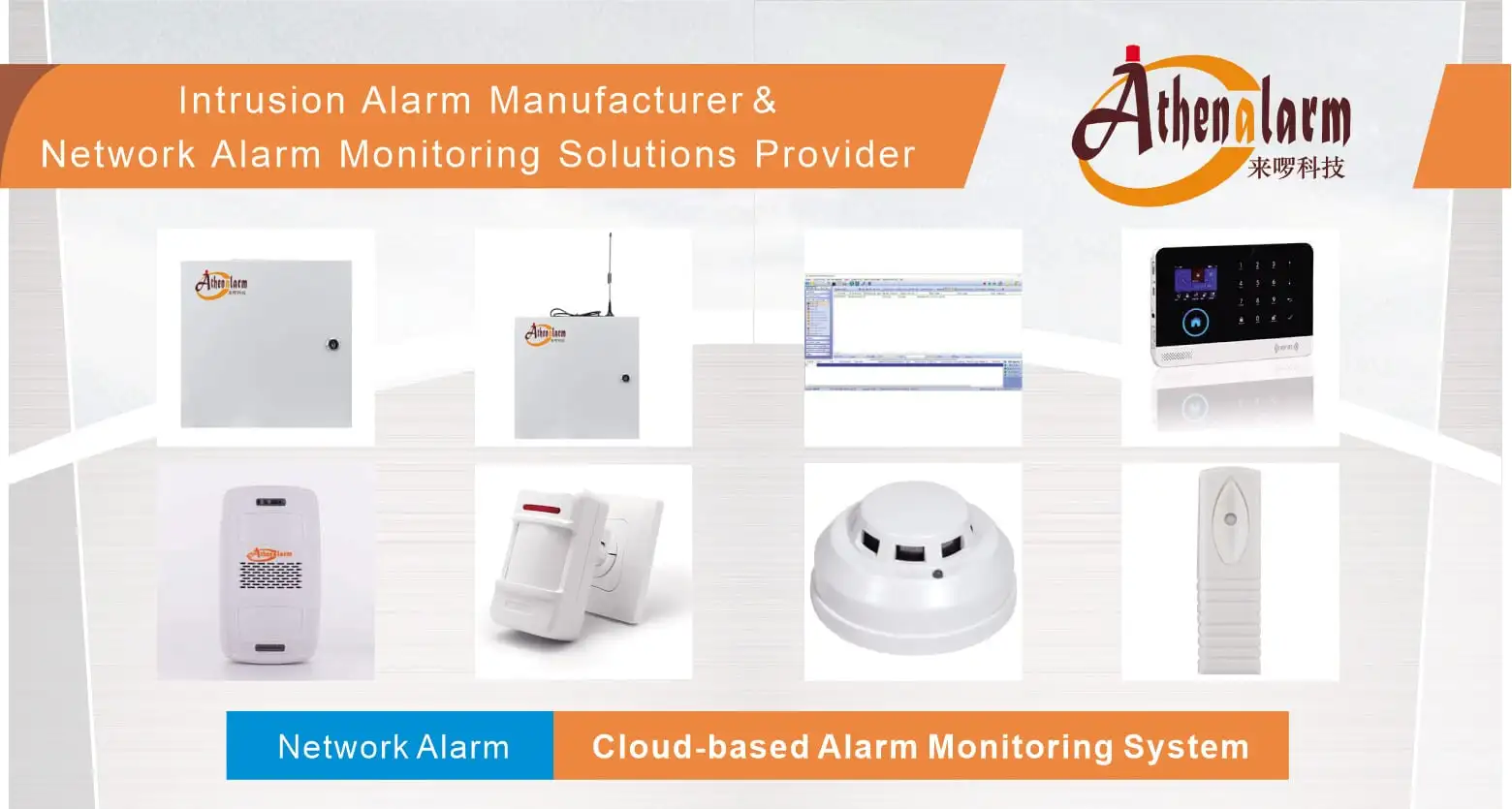
Below is a breakdown of enterprise-grade security endpoints and system component specifications referenced across wireless protocol deployments:
- System Controller: Enterprise Alarm Control Panel
- Physical Boundary Contact: Industrial Door Contact
- Indoor Space Detection: PIR Motion Sensor
- Wide-Area Motion Detection: Wide Angle PIR Motion Sensor
- Environmental Hazard Sensing: Photoelectric Smoke Detector
- Combustible Gas Monitoring: Industrial Gas Detector
- Structural Integrity Sensing: Digital Vibration Detector
- Hardwired Emergency Trigger: Panic Button
- Mobile Emergency Signaling: Wireless Panic Button
- Visual Annunciation Hardware: Strobe Warning Light
- Hybrid Network Terminal: GSM/WiFi Alarm System
- Voice Response Annunciator: Motion Sensor Sound Player
