
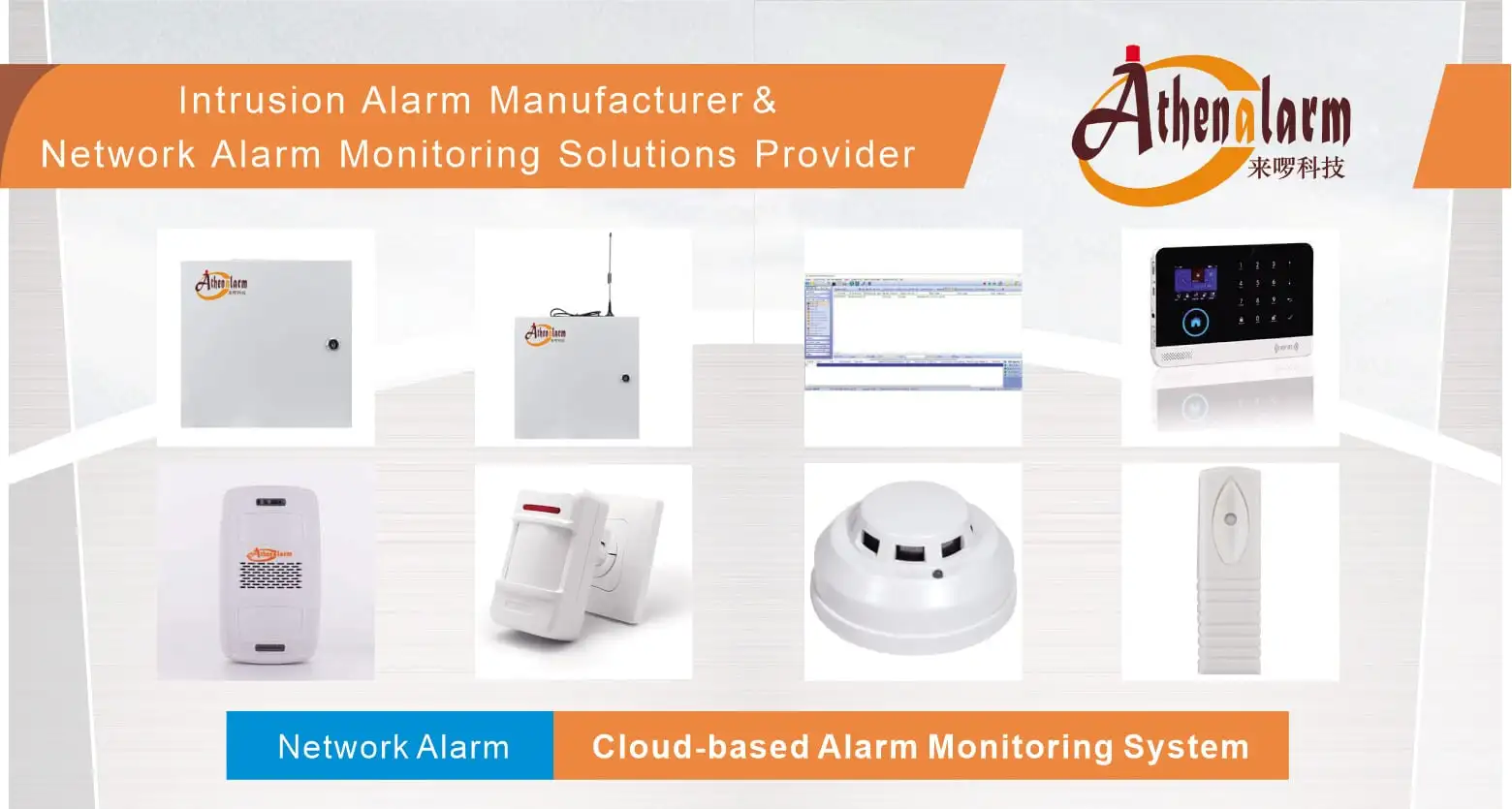
Commercial DIY Business Security System Deployment: An Operational Implementation Framework
Removing a professional installer from a commercial security project does not remove the underlying engineering work. It relocates that work inside the business. A Commercial DIY Business Security System shifts installation, configuration, testing, and long-term maintenance from a contracted vendor to internal staff — a facility manager, an operations lead, or an IT/security coordinator who now owns tasks that were previously invisible to the business.
This distinction matters because most SMB decision-makers evaluate DIY security purely as a cost decision: lower upfront pricing, no multi-year contract, faster time to “live.” Those advantages are real, but they are not the whole picture. A commercial DIY deployment is a distributed system composed of detection hardware, wired and wireless connectivity, cloud-based management, user administration, and — in many cases — integration with point-of-sale (POS), building management (BMS), or workflow automation platforms. Each of those layers introduces a dependency that must be planned, tested, and maintained.
The practical question for a business is not “should we avoid the installer?” It is: can this organization assume and manage the operational responsibilities that DIY deployment transfers to it? Answering that question requires understanding what the system actually consists of, where the trade-offs against professional installation genuinely lie, and how to execute the eight-stage deployment sequence — risk assessment through maintenance — without leaving predictable gaps in coverage, configuration, or compliance.
This framework walks through that sequence in the order a deployment team will actually encounter it: system boundary, suitability decision, architecture, execution, failure diagnosis, vendor evaluation, integration, and governance.
1. What a Commercial DIY Business Security Deployment Actually Requires
A commercial DIY security deployment is frequently misunderstood as “mount a few sensors and pair an app.” In practice, the deployment consists of five interdependent layers: physical detection devices, a connectivity path, a cloud/application management layer, a user-administration layer, and — optionally — a business-integration layer. Skipping the analysis of any layer during planning is the most common source of post-installation failure.
1.1 The Operational Boundary of the System
The system boundary extends from the physical device (an entry sensor, a camera, an access-control reader) through connectivity (Wi-Fi, Ethernet, or LTE) into cloud software that provides the dashboard, mobile application, and multi-site management. Administrative control — user roles, multi-factor authentication (MFA), and audit logs — governs who can act on the system, while an optional integration layer connects security events to POS, HVAC, lighting, or workflow platforms. Maintenance (firmware updates, battery replacement, retention management) is not outside this boundary; it is the layer that keeps the other four functional over time. Treating the system as “hardware plus an app” understates what must actually be managed.
1.2 Where the DIY Model Fits Best
The deployment model is best suited to environments where a business needs commercial-grade coverage without a long procurement cycle: retail and boutique locations protecting merchandise with minimal disruption to customer flow; restaurants, cafés, and hospitality venues that need fast deployment in customer-facing spaces; startups and shared offices with evolving space requirements; warehouses and distribution centers where wireless devices can cover large footprints without extensive cabling; medical and professional offices where privacy-sensitive areas must be considered; and construction sites, pop-ups, or other temporary setups that need portable, non-permanent coverage. Multi-site businesses benefit specifically from the cloud dashboard’s centralized visibility across locations.
1.3 What DIY Changes Operationally
Removing a professional installer changes who performs a defined set of tasks — it does not eliminate the tasks. Internally, the business becomes responsible for device installation, system configuration, user-role administration, alert and automation-rule management, functional testing, firmware maintenance, battery management, connectivity monitoring, audit-log review, and footage/data retention management. Recognizing this list before deployment begins is what separates a business that manages DIY security successfully from one that experiences avoidable operational gaps six months after installation.
2. Decide Whether DIY or Professional Installation Fits the Deployment
Before selecting hardware, a business needs an explicit answer to a narrower question than “DIY or professional”: which party should hold ongoing operational responsibility for this specific site, staffing model, and compliance environment?
| Comparison Factor | DIY Commercial System | Professionally Installed System |
|---|---|---|
| Installation responsibility | End-user/internal staff | Certified technician |
| Cost structure | Lower upfront cost; no mandatory service contract | Higher upfront CAPEX plus ongoing OPEX |
| Deployment flexibility | Fully customizable by internal staff | Often fixed by installer configuration |
| Vendor dependency | Reduced for installation; retained for support/firmware | Ongoing dependency for changes and service |
| Internal administrative responsibility | High — configuration, testing, maintenance | Low — largely handled by vendor |
| Scalability | Plug-and-play device/site addition | Typically requires on-site visits |
| Best-fit context | SMBs, startups, multi-site retail/hospitality | Larger enterprises with dedicated security budgets |
2.1 The Real Trade-Off: Installer Dependency vs Internal Responsibility
The core trade-off is not cost versus quality; it is installer dependency versus internal responsibility. A DIY deployment reduces reliance on a certified technician for installation and change requests, but the configuration, testing, and maintenance work that a technician would otherwise perform does not disappear — it is reassigned to internal staff. A business without a designated owner for that responsibility will experience the same reliability problems as a poorly maintained professional system, just without a vendor to call.
2.2 Flexibility vs Configuration Complexity
Custom alert rules, user schedules, multi-site dashboards, and role-based permissions give a business granular control that fixed professional installations often do not offer. That same granularity increases the number of configuration decisions that must be made correctly. Businesses that treat configuration as a one-time setup step — rather than an ongoing administrative function — are more likely to accumulate misconfigured rules and unclear permission structures over time.
2.3 Wireless Convenience vs Signal Dependence
Wireless sensors and cameras simplify installation by removing cabling requirements, but every wireless device becomes dependent on adequate Wi-Fi or LTE coverage at its installed location. This is not a hypothetical constraint — it is one of the most frequently cited operational frictions in DIY deployments, and it is the reason coverage testing must occur before, not after, device mounting.
2.4 Cloud Centralization vs Connectivity Dependence
Cloud dashboards enable centralized, multi-site management and remote administration, which is a genuine operational advantage over site-isolated legacy panels. The trade-off is that centralized management depends on network and cloud connectivity remaining available. A connectivity outage does not just disable one feature; it can interrupt the primary channel through which alerts, configuration changes, and multi-site visibility are delivered.
3. Build the Deployment Architecture Before Installing Devices
Before physical installation begins, the deployment team benefits from understanding how components relate to one another, not just what each component does in isolation.
The functional flow follows a consistent pattern:
Security/Environmental Event → Detection Device → Control/Management Layer → Connectivity → Cloud/Application → User/Business Response
| Layer | Function | Representative Entities |
|---|---|---|
| Detection | Generates security/environmental events | Entry sensors, PIR motion sensors, glass-break sensors, environmental detectors, cameras, access-control devices |
| Control/Management | Coordinates device events and system state | Control panel |
| Connectivity | Transports events and commands | Wi-Fi, Ethernet, LTE |
| Cloud/Application | Presents status, stores configuration, issues alerts | Cloud software, dashboard, mobile application |
| Administrative | Governs who can view/act on the system | User roles, MFA, audit logs |
| Business Integration | Connects security events to operational systems | POS, BMS, HVAC, lighting, APIs, IFTTT, Zapier |
3.1 Detection and Event Sources
Entry sensors, PIR motion sensors, and glass-break sensors generate intrusion-related events, while environmental detectors (smoke, CO, leak) generate environmental events. Cameras generate visual/motion information, and access-control devices (RFID, biometric, or QR-based) generate credential and entry events. Each device category feeds the same control layer, which is why device selection during system selection should be based on the events a site actually needs to detect, not a generic device list.
3.2 Control and Management Layer
The control panel functions as the coordination point where device events are aggregated, sirens and tamper detection are triggered, and information is synchronized to the cloud platform. The article-level evidence does not specify the panel’s internal hardware architecture, and none should be assumed — what matters operationally is that the panel is the point where local events become system-wide state.
3.3 Connectivity Layer
Wi-Fi, Ethernet, and LTE represent the stated connectivity options, with SMS and email as alert-delivery channels. These paths are presented as alternatives that provide flexibility in deployment environments with different infrastructure — they are not documented with a specific failover sequence, and none should be inferred. A deployment plan should confirm which connectivity paths are actually available at the site rather than assuming redundancy exists by default.
3.4 User and Administrative Control
The cloud dashboard and mobile application are the interfaces through which administrators configure the system, and through which user roles, MFA, and audit logs govern who can take which actions. This layer is where “self-managed” becomes concrete: someone in the business must own role assignment and authentication policy, or administrative control effectively defaults to whoever has app access.
3.5 Business Integration Layer
POS, BMS, HVAC, lighting, API-based automation, IFTTT, and Zapier represent stated integration use cases rather than guaranteed compatibility. Whether a specific DIY system actually supports a specific integration must be confirmed during system selection — integration potential should be treated as a requirement to validate, not an assumed feature.
4. Execute the Eight-Step Commercial DIY Security Deployment Framework
The eight-step sequence below is the operational core of this framework. Each step should be read as: what must be done, why it matters, and what typically goes wrong when it is skipped or rushed.
4.1 Step 1 — Conduct a Risk Assessment
The deployment begins by translating business risk into physical and infrastructure requirements — not by browsing hardware catalogs.
4.1.1 Map Entry Points and High-Value Zones
Floor plans, entry points, and high-value zones should be mapped before any device is selected. This determines device count and placement logic rather than leaving it to installation-day guesswork.
4.1.2 Check Power and Connectivity Availability
Power and network availability at each planned device location should be reviewed early, since a device that cannot be powered or connected at its intended mounting point forces a placement compromise later.
4.1.3 Identify Site-Specific Constraints
Privacy-sensitive areas, customer-facing constraints, and temporary-versus-permanent deployment context should be identified now, since they affect both device placement and later compliance decisions.
4.2 Step 2 — Select the Right System
System selection converts the site assessment into hardware and vendor requirements.
4.2.1 Verify Required Hardware and Connectivity
The selected system should support the device categories identified in the risk assessment (entry, PIR, glass-break, environmental, camera, access control) and the connectivity paths available at the site (Wi-Fi, Ethernet, LTE).
4.2.2 Evaluate Commercial vs Consumer-Grade Positioning
Applicable commercial certifications (UL, CE, FCC) and modular expansion capability should be verified rather than assumed. Certification references function as evaluation criteria to check against a specific product — they do not apply automatically to every DIY offering on the market.
4.2.3 Check Vendor Support and Documentation
Vendor updates, documentation quality, and evidence of B2B-oriented case studies indicate whether a vendor can support an ongoing commercial deployment rather than a one-time consumer purchase.
4.2.4 Confirm Required Integrations Before Purchase
If POS, BMS, or workflow integration is required, that compatibility should be confirmed at selection time — not discovered during configuration, when switching systems becomes far more costly.
4.3 Step 3 — Prepare the Site
Site preparation converts the selected system into an installation-ready plan.
4.3.1 Mark Device Locations
Planned device locations should be marked in advance based on the risk assessment, giving the installation team a fixed reference rather than making placement decisions in real time.
4.3.2 Test Wireless and LTE Coverage
Wi-Fi and LTE coverage should be tested at each planned location before mounting. This step exists specifically to catch dead zones before they become a post-installation troubleshooting problem.
4.3.3 Resolve Coverage Gaps Before Installation
Where coverage testing identifies gaps, mesh Wi-Fi extension or LTE signal extension should be resolved before device mounting, not after devices are already installed and generating unreliable connections.
4.4 Step 4 — Install Devices
Installation should preserve the connectivity and visibility conditions validated in the previous step.
4.4.1 Mount Sensors and Security Devices
Devices should be mounted using adhesive or screw mounts at the locations previously marked and coverage-tested, maintaining the placement logic established during risk assessment.
4.4.2 Verify Visibility and Signal Conditions
Camera and sensor visibility, and the wireless signal path back to the control panel or access point, should be verified immediately after mounting — before the crew leaves the site — rather than assumed from the pre-installation test alone.
4.5 Step 5 — Configure the System
Configuration is the step that turns installed hardware into an operating system.
4.5.1 Synchronize Devices
Devices should be synchronized with the management application and cloud platform, confirming that each installed device reports status correctly.
4.5.2 Configure Alerts and Rules
Alert types, priorities, and automation rules should be defined according to the risk profile established in Step 1, rather than accepted as default settings.
4.5.3 Configure Schedules
Arming and disarming schedules should reflect actual business operating hours and shift patterns.
4.5.4 Validate Required Integrations
Any POS, BMS, or workflow integrations confirmed during system selection should be configured and checked for correct behavior at this stage, before user roles are finalized.
4.6 Step 6 — Assign User Roles
User-role assignment establishes who can act on the system and at what level.
4.6.1 Define Staff and Contractor Permissions
Staff and contractor permissions should be defined explicitly rather than granting broad administrative access by default. Role scope should match operational need.
4.6.2 Protect Administrative Access with MFA
MFA should be enabled for administrator accounts specifically, since administrative access controls configuration, user management, and system-wide settings.
4.7 Step 7 — Test Functionality
Testing validates that the configured system behaves as intended before the business relies on it operationally.
4.7.1 Simulate Representative Security Events
Intrusion, fire/environmental, and panic scenarios should be simulated to confirm that each event type triggers the intended response.
4.7.2 Adjust PIR Sensitivity and Device Position
Where testing reveals excessive or missed triggers, PIR sensitivity and detector position should be adjusted and retested rather than left for post-deployment troubleshooting.
4.7.3 Verify Alerts, Rules, and User Notifications
Alert delivery and priority handling should be confirmed for each configured user role, ensuring the right personnel receive the right notifications.
4.7.4 Validate Integration Workflows
Any configured POS, BMS, or automation workflows should be tested end-to-end, since a security event that fails to trigger its intended business-system response indicates a configuration gap, not necessarily a hardware fault.
4.8 Step 8 — Establish Maintenance Protocols
Deployment is not complete when devices go online — it is complete when a maintenance protocol is in place to sustain reliability.
4.8.1 Establish Firmware Maintenance
Firmware should be updated on a quarterly cadence, consistent with the maintenance expectation stated for this deployment model.
4.8.2 Establish Battery Maintenance
Batteries should be replaced proactively rather than reactively, since a dead battery in a wireless sensor is a coverage gap that may not be noticed until an event occurs.
4.8.3 Review Logs, Users, and Operational Status
Audit logs, user-role assignments, and connectivity status should be reviewed periodically as an administrative function, not only when a problem is reported.
4.8.4 Maintain Applicable Footage/Data Retention Practices
Footage and data retention practices should follow applicable regional requirements, reviewed as part of ongoing operations rather than set once at installation and left unchanged.
5. Diagnose the Failure Points That Commonly Affect DIY Deployments
A correctly planned deployment can still fail operationally if these five friction points are not managed on an ongoing basis.
| Problem | Likely Cause | Operational Impact | Mitigation |
|---|---|---|---|
| Weak wireless/LTE signal | Insufficient coverage or poor device placement | Delayed or missed alerts; unreliable communication | Coverage testing, device repositioning, mesh Wi-Fi or LTE extenders |
| False alarms | PIR sensitivity or detector positioning | Unnecessary alerts, operator fatigue | Adjust sensitivity, reposition detectors, retest |
| Administrative/cybersecurity exposure | Weak role assignment or authentication | Unauthorized configuration or data access | Role-based permissions, MFA, audit logs |
| Vendor support gaps | Poor documentation or limited B2B support | Longer troubleshooting and resolution time | Evaluate SLAs, firmware transparency, dedicated B2B support before purchase |
| Integration failure | Compatibility or configuration mismatch | Automation/workflow becomes unreliable | Validate integration requirements during selection and commissioning |
5.1 Weak Wireless or LTE Coverage
Coverage gaps are addressed the same way they were prevented in Step 3: testing, repositioning, and — where testing shows a persistent gap — mesh Wi-Fi or LTE signal extension. Treating this as a recurring check rather than a one-time installation test accounts for changes in the physical environment over time.
5.2 False Alarm Conditions
Nuisance alarms are reduced through PIR sensitivity adjustment and detector repositioning, followed by retesting to confirm the change resolved the issue rather than simply reducing sensitivity below the point of useful detection.
5.3 Administrative and Cybersecurity Exposure
Cloud-connected security systems carry an access-governance requirement, not just a hardware requirement. MFA, audit logs, and disciplined role assignment reduce exposure; the stated AES-256 encryption reference should be understood as one control among several, not a complete cybersecurity guarantee.
5.4 Vendor Support Gaps
Reduced installation dependence does not eliminate supplier dependence. A vendor with weak documentation or unclear support channels can turn a minor configuration issue into an extended outage — which is why support capability should be part of the original vendor-selection decision, not an afterthought discovered during a failure.
5.5 Integration Failure
Integration problems are generally compatibility or configuration issues rather than hardware failures. Because the underlying interface specifications are not standardized across vendors, integration requirements should be validated during system selection and re-verified during commissioning rather than assumed to work by default.
6. Evaluate the Vendor Before the Deployment Becomes a Long-Term Dependency
Because DIY reduces installation dependency without eliminating support and firmware dependency, vendor evaluation carries more long-term weight than it might initially appear.
| Category | Must-Haves | Red Flags |
|---|---|---|
| Certification/Positioning | Applicable commercial certification or evaluation basis | Consumer-grade hardware relabeled as a business solution |
| Support Model | Transparent SLAs, dedicated B2B support | Support limited to consumer-tier channels |
| Firmware/Updates | Public or accessible firmware update logs | Unclear or undisclosed update practices |
| Documentation | Complete setup and integration documentation | Poor or missing documentation |
| Cost Transparency | Clear pricing for storage/service | Hidden storage or service fees |
6.1 Commercial Capability Indicators
Applicable certification/evaluation criteria, transparent SLAs, firmware/update visibility, B2B-oriented support, and adequate documentation together indicate a vendor built for business deployment. Absence of any one of these is not automatically disqualifying, but absence of several increases post-deployment risk.
6.2 Consumer-Grade Relabeling Red Flags
Weak documentation, unclear support transparency, hidden storage or service costs, and vague update practices are common indicators that a consumer product has been repositioned as a business solution without the underlying support infrastructure to match.
6.3 Vendor Selection Must Match the Deployment Lifecycle
Vendor evaluation should extend across the entire lifecycle — installation, configuration, support, firmware updates, maintenance, and expansion — rather than stopping at purchase-day feature comparison. A vendor evaluated only on initial hardware specifications may prove inadequate once quarterly firmware maintenance or multi-site expansion becomes a requirement.
7. Integrate Security with Business Operations Without Assuming Automatic Compatibility
Security systems that connect to operational platforms function as more than a passive alarm, but every integration scenario below is a use case requiring validated compatibility — not a guaranteed feature of every DIY system.
7.1 POS-Related Security Events
Linking security events to POS transaction data allows anomalies — such as a security event occurring alongside an unusual transaction pattern — to be reviewed together. This correlation depends on the specific integration a vendor supports and should be confirmed rather than assumed.
7.2 Shift-Based Arming and Disarming
Employee schedules can drive arming and disarming rules, aligning system state with actual occupancy patterns rather than requiring manual arming at open and close.
7.3 BMS, HVAC, and Lighting Integration
Security events may be configured to interact with building management, HVAC, or lighting systems, extending the security platform’s role into broader facility coordination where the underlying integration is supported.
7.4 API and Workflow Automation
API-based automation, IFTTT, and Zapier workflows represent the stated mechanisms for extending the security environment into other business tools. No specific endpoint, protocol, or interface specification should be assumed beyond what a given vendor documents.
8. Establish Compliance and Data Governance Before Operational Use
Compliance is a deployment requirement, not a topic to address after the system is already live.
8.1 Surveillance and Privacy Zones
Surveillance should avoid sensitive areas — such as restrooms or private offices — where monitoring creates unnecessary privacy exposure, independent of what the hardware is technically capable of covering.
8.2 Employee Notification and Transparency
Employees should be notified of monitoring practices as a matter of workplace transparency, which also reduces later disputes about the scope of surveillance.
8.3 Footage and Data Retention
Footage and data retention rules should be defined as part of system operation, not left to default vendor settings, since retention obligations affect both storage planning and legal exposure.
8.4 Compliance Is Jurisdiction-Specific
Privacy, disclosure, and retention requirements vary by region and industry. A vendor’s use of encryption or a general compliance claim does not establish that a specific deployment satisfies a specific jurisdiction’s legal requirements — that determination remains business- and jurisdiction-specific.
9. Use Commissioning and Maintenance to Measure Operational Readiness
9.1 Commissioning Readiness
A deployment is operationally ready when events trigger correctly, alerts reach the intended users, configured roles behave as intended, integrations perform as configured, coverage gaps identified in Step 3 have been resolved, and false-alarm adjustments from Step 7 have been validated through retesting.
9.2 Operational Ownership
Firmware maintenance, battery management, user administration, alert/rule review, log auditing, connectivity monitoring, and retention management should each have a named internal owner. An unassigned responsibility is the most common way a well-executed installation degrades into an unreliable system over time.
9.3 Expansion Without Losing Manageability
Adding devices or sites increases the number of users, rules, alerts, and maintenance items that must be managed. Scalability should be evaluated against the business’s administrative capacity, not treated as a feature with no corresponding management cost.
A successful commercial DIY security deployment is not defined by avoiding an installer. It is defined by whether the business can assume and manage the resulting deployment, configuration, testing, integration, and maintenance responsibilities on an ongoing basis.
10. FAQ
1. What is a commercial DIY business security system?
A commercial DIY business security system is a modular, self-installed security architecture that combines local detection hardware, hybrid wired/wireless connectivity, cloud-based management, and user administration for business environments. It differs from a residential kit primarily in its business-oriented deployment context — multi-site management, role-based user control, and business-system integration options — rather than in a single defining feature.
2. How do commercial DIY security systems differ from residential home security kits?
The distinction lies in deployment context and administrative capability rather than a single hardware element: commercial deployments typically require modular expansion, multi-site cloud dashboards, role-based user permissions, and evaluation against applicable commercial certification and vendor-support criteria — requirements that residential kits are not designed to address.
3. What are the eight steps to implement a DIY business security system?
The sequence is Risk Assessment, System Selection, Site Preparation, Device Installation, Configuration, User Roles, Testing, and Maintenance. Each step depends on the previous one; skipping site preparation or testing, for example, tends to surface as unreliable coverage or missed events after the system is already in operation.
4. How do businesses prevent false alarms in a self-installed system?
False alarms are reduced by adjusting PIR sensor sensitivity and repositioning detectors away from sources of interference, followed by retesting to confirm the adjustment resolved the issue. This is treated as a commissioning task in Step 7, not a one-time installation setting.
5. What should businesses check before installing a DIY security system?
Before installation, a business should confirm floor-plan mapping, entry points, high-value zones, power availability, and Wi-Fi/LTE coverage at each planned device location. Coverage gaps identified at this stage should be resolved before devices are mounted, not after.
6. What should businesses look for when choosing a DIY security vendor?
Vendor evaluation should cover applicable commercial certification, documentation quality, firmware/update transparency, dedicated B2B support, transparent SLAs, and confirmed compatibility with any required business-system integrations. Consumer-grade relabeling — indicated by weak documentation or hidden fees — is a primary red flag.
7. How does a DIY business security system differ from professional installation?
The central difference is where operational responsibility sits. DIY reduces dependence on a certified installer for setup and changes, but configuration, testing, and maintenance responsibility shifts to internal staff rather than disappearing — this is the trade-off that should drive the DIY-versus-professional decision, not cost alone.
8. How can DIY business security systems integrate with existing business systems?
DIY systems may integrate with POS, BMS, HVAC, lighting, or workflow platforms such as IFTTT and Zapier through APIs or vendor-supported connections. Because not every DIY system supports every integration, compatibility should be confirmed during system selection and validated again during commissioning.
9. What legal and compliance issues apply to commercial video security surveillance?
Key considerations include avoiding surveillance in privacy-sensitive areas, notifying employees of monitoring practices, applying appropriate data security controls, and defining footage retention periods. These requirements vary by jurisdiction, so a specific deployment’s compliance status should be verified against applicable regional rules rather than assumed from general vendor claims.
10. What ongoing maintenance does a DIY business security system require?
Ongoing maintenance includes quarterly firmware updates, proactive battery replacement, periodic review of user roles and audit logs, connectivity monitoring, and adherence to applicable footage/data retention practices. These responsibilities continue for the operational life of the system rather than ending at installation.
11. System Component Checklist Appendix
For enterprise and commercial DIY deployments requiring specialized sensor peripherals or industry-specific security sub-systems, refer to the technical specifications below:
- Core Infrastructure & Manufacturing: ATHENALARM Official Homepage | Commercial Burglar Alarm Manufacturer | Network Alarm Systems Overview | Commercial Burglar Alarm Systems
- Specialized Industry Solutions:
- Intrusion Detection Hardware:
- Hazard & Environmental Peripherals:
- Panic & Emergency Notification Devices:
