
Designing Custom Security Solutions for Business: Strategic Deployment & Integration Guidance
A security system procured off a catalog rarely matches the way a business actually operates. A distribution center with rotating shift workers, a healthcare provider with patient-data obligations, and a multi-site logistics operation with varying local risk exposure cannot run on the same access rules, alarm logic, or monitoring architecture. When a generic system is installed instead of one built around these differences, the mismatch does not usually appear at installation — it appears months later, as false alerts pile up, access rules stop matching who actually works where, or a new facility cannot be added without reworking the whole system.
Custom Security Solutions for Business exist specifically to prevent that mismatch. Rather than treating security as a bundle of standalone products — alarms, cameras, access panels, sensors — a custom architecture starts from the organization’s risk profile, operational workflows, physical layout, compliance obligations, and growth plans, and uses those conditions to determine how the security domains should be configured and connected. The distinguishing feature is not the presence of more advanced technology; it is architectural fit.
This matters directly to deployment, procurement, and ongoing operations. A security architecture that ignores workflow differences generates configuration rework later. One that ignores legacy infrastructure forces unnecessary replacement costs. One that ignores lifecycle maintenance degrades in effectiveness as the organization changes, even if no hardware fails. Decision-makers evaluating a proposed security architecture therefore need a way to judge fit — not simply a list of features.
The sections that follow walk through that architecture as a lifecycle: how business conditions become risk requirements, how requirements become an integrated system design, how that design is configured around real workflows, how it is validated before going live, how it operates and adapts, and how it should be maintained as the organization itself changes.
1. Start With Business Risk and Operational Requirements, Not Security Devices
The starting point of a customized security architecture is not a device catalog. It is a structured description of what the business needs the system to protect, monitor, and support operationally. Skipping this step and moving directly to product selection is the most common cause of architectural mismatch, because manufacturer defaults are built around generic assumptions rather than a specific site’s risk exposure or workflow.
1.1 Identify the Business Conditions the Security System Must Support
A security architecture is shaped by the physical, operational, and regulatory conditions of the business it protects. Three categories of business condition consistently determine architectural requirements.
1.1.1 Physical Environment and Critical Zones
Facility layout defines where risk concentrates. R&D labs, server rooms, and executive areas typically warrant a different detection and access posture than general office or warehouse space. Physical conditions such as blind spots, unsecured perimeters, and lighting gaps directly affect where cameras, sensors, and access points are required — not as generic coverage, but as targeted mitigation for specific vulnerabilities identified at the site.
1.1.2 Operational Workflows and Organizational Roles
Security behavior needs to correspond to how the organization actually functions day to day. The way employees, contractors, and visitors move through a facility, and the roles they hold, determine what access permissions, alarm triggers, and monitoring rules are operationally meaningful. A workflow that involves shift-based access, restricted zones, or visitor escorting requires configuration logic that a manufacturer default setting cannot anticipate.
1.1.3 Compliance and Business Continuity Requirements
Regulatory frameworks such as HIPAA, PCI-DSS, and ISO 27001 create specific requirements around data handling, access auditability, and system resilience. These frameworks function as design inputs — they inform what the architecture must be able to demonstrate or support — rather than as the article’s subject matter in themselves. Business continuity expectations, such as maintaining monitoring capability during a disruption, similarly act as design constraints that influence subsystem selection and power-continuity planning.
1.2 Map Risks to Security Requirements
Once business conditions are identified, they need to be translated into concrete architectural requirements. This mapping step is what converts a risk observation into a design input.
1.2.1 High-Risk Zones
Zones identified as high-risk — server rooms, R&D areas, executive suites — typically require a combination of stricter access verification, denser sensor coverage, and higher-priority alarm handling than general-purpose areas.
1.2.2 Site-Specific Vulnerabilities
Vulnerabilities such as blind spots, weak perimeter points, or insufficient lighting identify where detection coverage or physical hardening needs to be concentrated, rather than distributed evenly across the facility.
1.2.3 Business-Critical Workflows
Workflows tied directly to operational continuity — such as processes running through a logistics hub or a manufacturing line — indicate where security controls need to avoid introducing operational friction while still providing adequate coverage.
1.3 Avoid Designing Around Generic Assumptions
A system configured around manufacturer defaults or industry-generic assumptions treats every business as though it has the same layout, staffing pattern, and risk exposure. This is the central failure mode a customized approach is intended to avoid: security controls that are technically functional but operationally disconnected from how the business actually runs. The remainder of this article addresses how that disconnect is closed — first at the architecture level, then at the configuration level.
2. Translate the Risk Assessment Into an Integrated Security Architecture
Once business-specific requirements are defined, they need to be expressed as a system structure. This is the point where the organization decides which security domains are needed and how those domains relate to one another — not as separate installations, but as a connected architecture.
2.1 Define the Security Domains the Business Actually Needs
Not every business requires every security domain at the same intensity. The role of each domain should be evaluated against the requirements identified in Section 1, rather than assumed as a default bundle.
2.1.1 Intrusion and Alarm Detection
Alarm systems detect unauthorized entry, glass breakage, or other intrusion indicators and generate the initiating events that other subsystems respond to.
2.1.2 Access Control
Access control governs who can enter which areas, under what conditions, and generates the access-event data that supports both operational management and event correlation.
2.1.3 Video Surveillance
Video surveillance provides visual verification of events and, where AI-enabled analytics are used, can detect behaviors such as tailgating, loitering, or perimeter breaches.
2.1.4 Environmental Monitoring
Environmental sensors — for fire, flood, gas, smoke, temperature, and humidity — extend the architecture beyond intrusion-related risk into conditions that threaten safety, equipment, or continuity.
2.1.5 Cybersecurity Controls
Because physical-security devices increasingly operate over IP networks, cybersecurity controls are treated as a domain within the architecture rather than a separate concern, addressed in detail in Section 6.
2.2 Design the Relationships Between Security Subsystems
Installing multiple security domains side by side does not constitute integration. Integration means defining how events generated by one subsystem relate to, and can trigger, activity in another.
2.2.1 Event Generation
Each subsystem — alarm, access control, video, environmental sensors — produces its own events: an alarm trigger, an access grant or denial, a detected motion pattern, an environmental threshold breach.
2.2.2 Event Correlation
Correlation connects these independently generated events into a single operational picture. An access denial combined with a nearby alarm trigger and unusual video activity carries more operational significance than any one event alone.
2.2.3 Alerting and Escalation
Correlated events feed into an alerting structure that reflects severity and location rather than treating every event identically. Multi-tiered alerting allows lower-priority events to be logged while higher-priority combinations are escalated.
2.2.4 Automated Response
Where the architecture supports it, correlated high-severity events can initiate automated responses — such as locking entrances, activating recording, or notifying designated personnel. As illustrated in the source scenario, a glass-break detection outside business hours could simultaneously trigger entrance lockdown, cloud recording, and a mobile alert; this is an illustrative behavior pattern rather than a fixed universal workflow, and the specific responses configured depend on the business’s own risk tolerance and operational rules.
2.3 Connect Security Infrastructure With Relevant Business Systems
A customized architecture frequently needs to exchange information with business systems outside the security domain itself.
2.3.1 HR and Organizational Roles
Connecting to HR systems allows access permissions to reflect actual employment status and role changes rather than being maintained manually and separately.
2.3.2 ERP and Operational Context
Integration with ERP systems can align security zone definitions with operational context, such as which areas are active during particular production or logistics cycles.
2.3.3 Compliance and Reporting Systems
Security event logs and audit trails can feed into compliance reporting systems to support the auditability requirements referenced in Section 1.1.3.
2.3.4 Building Management Integration
Environmental and access data can be shared with Building Management Systems (BMS) to coordinate security responses with facility operations such as HVAC or lighting control.
3. Configure Security Controls Around Real Business Workflows
Architecture defines what security domains exist and how they relate. Configuration determines how those domains behave in the specific operating context of the business. This is where customization becomes concrete, and where generic defaults most often fail.
3.1 Replace Generic Defaults With Operational Logic
Manufacturer default settings are built to function across a broad range of environments, which means they rarely reflect the specific roles, timing, and behavior patterns of an individual organization.
3.1.1 Role-Based Access
Access permissions configured around actual organizational hierarchies — rather than blanket access levels — reduce the gap between who is authorized to enter a zone and who is technically able to.
3.1.2 Time- and Location-Based Rules
Access and alarm behavior can be configured to reflect when and where activity is expected, so that legitimate activity outside normal patterns is flagged rather than treated identically to routine access.
3.1.3 Workflow-Specific Alarm Behavior
Alarm triggers can be configured to match operational sensitivity — for example, initiating a silent alert in a sensitive zone rather than an audible one, where the workflow calls for discreet response rather than immediate deterrence.
3.2 Match Security Behavior to Different Business Environments
The following scenarios illustrate how configuration logic changes across different operating environments; they describe representative patterns rather than fixed specifications applicable to every deployment of that type.
3.2.1 Sensitive R&D and Server Areas
Areas holding intellectual property or critical infrastructure typically warrant layered access verification and continuous monitoring configured for early detection rather than general coverage.
3.2.2 Retail Environments
Retail settings often configure alarm triggers to activate multiple coordinated actions — such as locking entrances and beginning cloud recording — when an after-hours intrusion indicator, like glass breakage, is detected.
3.2.3 Cleanroom Facilities
Cleanroom environments may require multiple verification factors, such as facial identification combined with airlock entry, with permissions configured on a per-role basis to reflect who is authorized to be present under specific operating conditions.
3.3 Treat Configuration as a Lifecycle Responsibility
Configuration accuracy is not fixed at deployment. As the organization changes, the configuration that once matched actual operations can drift out of alignment.
3.3.1 Staff and Role Changes
Personnel turnover and role changes alter who should hold which access permissions, requiring configuration updates independent of any hardware change.
3.3.2 Policy and Workflow Changes
Changes in operational policy or process — new shift patterns, revised visitor procedures — require corresponding changes to alarm and access logic.
3.3.3 Layout and Risk Changes
Facility renovations, new equipment placement, or newly identified risks can shift where high-risk zones are located, requiring configuration to be revisited rather than assumed static.
4. Validate the Architecture During Installation, Testing, and Commissioning
A correctly designed and configured architecture still needs to be verified as behaving the way it was intended to before it is relied upon operationally. Installation and commissioning function as the validation step between design and live operation — this section addresses validation principles rather than a step-by-step installation procedure.
4.1 Address Physical Deployment Constraints
Physical placement decisions affect whether a technically sound design performs as intended in the field.
4.1.1 Secure and Anti-Tamper Placement
Devices placed without anti-tamper consideration or secure housing can be physically defeated regardless of how well the underlying system is configured.
4.1.2 Power Continuity and Surge Protection
Surge protection and UPS systems address the risk that a power interruption disables monitoring or response capability at the moment it may be needed most.
4.1.3 Site-Specific Physical Conditions
Conditions such as ambient lighting, structural layout, or environmental exposure at a given site can affect device performance and should be accounted for during placement rather than assumed uniform across locations.
4.2 Validate Expected System Behavior
Testing after installation confirms whether the architecture behaves as designed under representative conditions, rather than only under ideal ones.
4.2.1 Simulated Power Disruption
Testing system behavior under a simulated power cut verifies whether continuity measures such as UPS and surge protection function as intended.
4.2.2 Intrusion and Event Scenarios
Simulated intrusion attempts confirm whether alarm, access, and video subsystems generate and respond to events as configured.
4.2.3 Cross-System Event and Response Validation
Beyond testing individual subsystems, validation should confirm that correlated events across subsystems produce the intended alerts or automated responses described in Section 2.2.
4.3 Confirm Interoperability Before Commissioning
Interoperability issues are more costly to resolve after a system is live than before commissioning is complete.
4.3.1 Alarm-to-Video Relationships
Confirming that alarm events correctly trigger associated video review or recording validates one of the architecture’s core correlation paths.
4.3.2 Access-to-Event Relationships
Confirming that access denials or anomalies are visible alongside other security events validates that access control data is actually reaching the correlation layer.
4.3.3 Existing-System Compatibility
Where legacy infrastructure is retained (see Section 7.1), commissioning should confirm that it exchanges data correctly with newly deployed components rather than assuming compatibility based on specification sheets alone.
5. Build Monitoring and Event Correlation Into Daily Operations
Once validated, the architecture transitions into continuous operation. This section addresses how the system is expected to function day to day, not as a static installation but as an operating structure that produces usable situational awareness.
5.1 Establish Centralized Visibility Where Multi-Site Operations Require It
Organizations operating across multiple locations face a specific architectural question: how to maintain unified visibility without erasing legitimate differences between sites.
5.1.1 Distributed Security Sites
Each site in a distributed enterprise may carry its own risk profile, layout, and staffing pattern, even while reporting into a shared monitoring structure.
5.1.2 Centralized Situational Awareness
Cloud-based or centralized dashboards can consolidate event data from multiple sites into a single operational view. In the source material, one distributed enterprise example associated centralized monitoring with reduced response latency; this figure was presented as an illustrative case observation rather than a validated general performance benchmark, and should not be treated as an expected outcome for every deployment.
5.1.3 Site-Specific Operational Differences
Centralization should not be interpreted as eliminating the need for site-specific configuration. A shared monitoring layer still needs to accommodate the fact that different locations may require different alarm thresholds, access rules, or escalation paths.
5.2 Correlate Events Across Security Domains
Operational monitoring depends on the same correlation logic introduced during architecture design, now applied continuously.
5.2.1 Alarm Events
Alarm events indicate a detected intrusion condition and typically serve as the initiating signal in a correlation chain.
5.2.2 Access Events and Logs
Access events and their associated logs provide context — confirming, for instance, whether an area was accessed through an authorized credential or not — and support both real-time correlation and later forensic review.
5.2.3 Video Events
Video events, particularly where AI-enabled detection is used, add visual verification to alarm and access data, reducing reliance on any single data source.
5.2.4 Environmental Events
Environmental events — fire, flood, gas, smoke, temperature, or humidity threshold breaches — extend correlation beyond intrusion-related activity into broader operational and safety conditions.
5.3 Control Alert Complexity
Multi-subsystem correlation increases the volume of events an operations team may need to review, which makes alert structure a design concern in its own right.
5.3.1 Severity-Based Alerting
Assigning severity levels to different event types allows lower-priority events to be logged without demanding immediate attention, while higher-priority events are surfaced.
5.3.2 Event Correlation
Correlating related events into a single incident record, rather than presenting each subsystem’s output separately, reduces the interpretive burden placed on monitoring personnel.
5.3.3 Escalation Logic
Escalation logic — such as treating repeated related alerts as an indicator of a higher threat index — allows the system to differentiate between isolated anomalies and developing incidents, without relying on unverified false-alarm-rate figures to justify the approach.
6. Protect the Connected Security Infrastructure From Cyber Risk
Physical security devices that operate over IP networks introduce a cybersecurity dimension into the architecture. This section addresses that dependency as it relates specifically to the security architecture, rather than as a standalone cybersecurity implementation guide.
6.1 Recognize Connected Physical Security as Part of the Attack Surface
Network connectivity, which enables the integration and correlation capabilities described earlier, also means physical-security devices can become network entry points if not properly protected.
6.1.1 Network-Connected Cameras and Access Systems
Cameras, access panels, and other IoT-class security devices communicate over the network and can be exploited if left unsegmented from the broader IT environment.
6.1.2 Remote and Mobile Access
Remote and mobile access to monitoring dashboards or alerts extends convenience but also extends the number of access points that must be secured.
6.2 Apply the Security Controls Supported by the Architecture
The following controls are the cybersecurity measures explicitly supported within the architecture described in this framework.
| Control | Function Within the Architecture |
|---|---|
| Network Segmentation (VLANs) | Isolates physical-security devices from general IT network traffic |
| Firewalls | Restricts unauthorized traffic to and from security devices |
| Secure VPN Tunneling | Protects remote and mobile access sessions |
| AES-256 (or better) Encryption | Protects data in transit and configuration data |
| IDS/IPS | Provides real-time anomaly detection on network traffic |
6.2.1 Network Segmentation
Isolating security devices onto dedicated VLANs limits the ability of a compromised device to reach the broader business network.
6.2.2 Firewalls
Firewalls restrict traffic to and from security devices to only what is operationally necessary.
6.2.3 Secure Remote Access
VPN tunneling protects remote and mobile connections to monitoring systems from interception or unauthorized use.
6.2.4 Encryption
End-to-end encryption, at AES-256 or better, protects data generated by security devices as it moves across the network.
6.2.5 IDS/IPS
Intrusion detection and prevention systems provide real-time monitoring for anomalous traffic patterns involving connected security infrastructure.
6.3 Keep Cybersecurity Proportional to the Article’s Scope
These controls address the specific cyber exposure created by connected physical-security devices. They are not a substitute for a comprehensive enterprise IT security architecture, and a customized business security solution should treat cybersecurity as one integrated domain within the broader architecture rather than as its central focus.
7. Decide What to Integrate, Retain, Replace, and Scale
A customized architecture is rarely built entirely from new components. Most organizations need to decide how much of their existing infrastructure to retain, how much new integration to pursue, and how the architecture should accommodate future growth.
7.1 Evaluate Existing and Legacy Infrastructure
Legacy hardware and software do not automatically need to be replaced when adopting a customized architecture.
7.1.1 Identify Components That May Remain Viable
Existing hardware or software that meets current operational and security requirements may continue to serve its function within the new architecture.
7.1.2 Identify Compatibility Constraints
Some legacy components may lack the interfaces or data formats needed to participate in event correlation or centralized monitoring, creating a constraint that must be evaluated case by case.
7.1.3 Determine Integration Dependencies
Where legacy systems are integrated via APIs or similar mechanisms, that integration becomes an additional dependency the architecture must maintain going forward.
7.2 Balance Customization Against System Complexity
Customization is not without cost. The following table summarizes the core trade-offs a business should weigh when deciding how far to customize.
| Trade-off | Engineering Tension | Decision Question |
|---|---|---|
| Customization vs. Complexity | More tailored logic increases configuration burden | How much customization is operationally justified? |
| Integration vs. Dependency | More connected systems create more dependencies | Which integrations provide meaningful operational value? |
| Legacy Retention vs. Replacement | Retention reduces replacement scope but increases compatibility work | Which existing components remain viable? |
| Centralized Monitoring vs. Distributed Conditions | Unified visibility must coexist with local differences | Which functions should be centralized versus left site-specific? |
| Automation vs. Complexity | Automated responses add logic and dependencies | Which responses should actually be automated? |
| Scalability vs. Configuration Management | Growth increases governance requirements | Can the architecture remain manageable as it expands? |
7.2.1 Customization vs. Configuration Complexity
Every additional layer of role-based, time-based, or zone-based rule increases the configuration surface that must be maintained accurately over time.
7.2.2 Integration vs. Dependency
Connecting alarms, access control, video, HR, ERP, and compliance systems improves coordination, but each connection also becomes a dependency that can fail or require maintenance.
7.2.3 Legacy Retention vs. Replacement
Retaining legacy infrastructure avoids the cost and disruption of full replacement but can require ongoing compatibility work that a full replacement would have avoided.
7.3 Plan for Organizational Growth
Scalability is a governance requirement as much as a technical one.
7.3.1 Multi-Site Expansion
Adding new sites to a distributed architecture requires extending both the technical monitoring structure and the site-specific configuration practices described in Section 5.1.
7.3.2 Changing Roles and Workflows
Organizational growth typically changes role structures and workflows, which in turn requires configuration updates consistent with Section 3.3.
7.3.3 Additional Security Domains
Growth may also introduce new operational areas — new production lines, new storage facilities — that require evaluation against the same risk-mapping process described in Section 1.2.
8. Maintain the Architecture as the Business Changes
A customized security architecture is not a static deliverable. Its accuracy depends on continued maintenance and periodic reassessment as the organization, its technology, and its risk environment evolve.
8.1 Monitor System Health and Operational Status
Ongoing visibility into system performance supports both security effectiveness and technical reliability.
8.1.1 Predictive Diagnostics
Diagnostic monitoring — for example, detecting camera thermal drift or bandwidth anomalies — can identify developing technical issues before they cause a monitoring gap.
8.1.2 Security Event Monitoring
Continuous event monitoring supports the 24/7 situational awareness that centralized dashboards are intended to provide.
8.1.3 Audit and Reporting
Automated audit trails and reporting support the compliance and accountability requirements identified in Section 1.1.3.
8.2 Maintain Software and Configuration
Technical maintenance keeps the underlying platform functioning correctly, independent of configuration accuracy.
8.2.1 Firmware Patching
Scheduled firmware patching addresses known vulnerabilities and stability issues in connected devices.
8.2.2 OS Updates
Operating system updates for platforms supporting the architecture maintain compatibility and security posture over time.
8.2.3 Configuration Review
Periodic configuration review checks whether existing rules still reflect actual operating conditions, independent of any software update.
8.3 Detect and Correct Configuration Drift
Configuration drift describes the gap that opens between a system’s configured behavior and the organization’s actual operating conditions, even when no hardware has failed.
8.3.1 Organizational Change
Staff turnover, new hires, and departmental restructuring change who should hold which access permissions, independent of the underlying technology.
8.3.2 Technology Change
New devices, platforms, or integrations can introduce configuration requirements that were not part of the original design.
8.3.3 Risk and Policy Change
New risks identified through incidents or audits, or changes to organizational security policy, can require corresponding changes to alarm behavior, access rules, or monitoring priorities.
8.4 Revalidate System Fit Periodically
Periodic review — the source material references a six-to-twelve-month cadence as one practical interval — helps confirm the architecture still matches organizational reality. This interval should be treated as an illustrative starting point rather than a fixed universal requirement; the appropriate review frequency depends on the pace of organizational change, technology turnover, and risk conditions specific to each business.
9. Use a Business Security Lifecycle to Recheck Architectural Fit
The preceding sections describe a lifecycle rather than a sequence of independent tasks. This section consolidates that lifecycle into a set of fit-check questions a decision-maker can use to evaluate a proposed or existing architecture at any point.
9.1 Assessment
Have the relevant business risks, critical zones, site conditions, and workflows been identified through a structured needs assessment rather than assumed?
9.2 Architecture
Have the required security domains been defined, and have their relationships — event generation, correlation, alerting, and response — been explicitly designed rather than left to default configuration?
9.3 Configuration
Does security behavior — access permissions, alarm rules, monitoring priorities — reflect actual organizational roles, workflows, and site conditions rather than manufacturer defaults?
9.4 Validation
Has expected system behavior been checked against representative operational scenarios, including power disruption, intrusion events, and cross-system response, before the system is relied upon operationally?
9.5 Operation
Can operators monitor, correlate, verify, and respond to events across alarm, access, video, and environmental domains, with alert complexity controlled through severity-based logic?
9.6 Maintenance and Adaptation
Will the architecture remain aligned as personnel, workflows, technology, and risk conditions change, through scheduled diagnostics, software maintenance, and periodic configuration review?
10. FAQ
Q1: How does a custom business security solution handle legacy hardware and existing IT infrastructure?
Existing hardware and software may remain viable within a customized architecture where they meet current operational and integration requirements, typically through API-based connections to the broader system. This avoids unnecessary full replacement, but retained infrastructure introduces compatibility constraints and integration dependencies that need to be evaluated on a case-by-case basis rather than assumed to work seamlessly by default.
Q2: Why is workflow-driven configuration critical compared with manufacturer default settings?
Manufacturer defaults are built to function across a broad range of environments and therefore rarely reflect a specific organization’s roles, timing, and behavior patterns. Configuring access permissions, alarm triggers, and monitoring rules around actual workflows reduces the gap between what the system does and what the business actually needs it to do, lowering the risk of both coverage gaps and unnecessary operational friction.
Q3: How do physical security devices create cybersecurity risks, and how can those risks be addressed?
Network-connected cameras, access panels, and similar devices can serve as entry points into the broader IT network if left unsegmented. The architecture addresses this exposure through network segmentation (VLANs), firewalls, secure VPN tunneling for remote access, AES-256 or better encryption, and intrusion detection/prevention systems, treating connected security infrastructure as part of the network’s attack surface rather than as an isolated system.
Q4: What causes security configuration drift, and how should enterprises manage it?
Configuration drift occurs when organizational change — staff turnover, workflow changes, new technology, or shifting risk conditions — causes a previously accurate configuration to no longer reflect actual operating conditions, even though no hardware has failed. It is managed through scheduled configuration reviews and reassessment, with the review interval set according to the organization’s own rate of change rather than a fixed universal schedule.
Q5: When does a business need a customized security architecture rather than a generic system?
Customization becomes more important as risk profiles, workflows, or physical environments diverge from a generic assumption — for example, in regulated industries, multi-site operations, facilities with distinct high-risk zones, or organizations with substantial existing infrastructure to integrate. Customization should be evaluated against these specific conditions rather than treated as universally preferable to a standard system.
Q6: Can smaller businesses benefit from custom security solutions?
Yes. Customization refers to architectural fit, not necessarily architectural scale. A smaller business can apply the same risk-to-requirement reasoning at a proportionate level, scaling the number of integrated domains and the depth of configuration to match its actual operating conditions rather than adopting either a bare generic system or an unnecessarily complex enterprise-scale architecture.
Q7: How do alarms, access control, video surveillance, and environmental monitoring work together?
Each domain generates its own events — an alarm trigger, an access grant or denial, a detected motion pattern, an environmental threshold breach. These events can be correlated into a single operational picture, so that a combination of related events across domains is treated as more significant than any single event, supporting more accurate alerting and, where configured, automated response.
Q8: What should be validated before commissioning a customized security system?
Commissioning should validate physical deployment conditions (secure placement, power continuity), expected event behavior under simulated conditions such as power disruption or intrusion scenarios, and interoperability between subsystems — including any retained legacy infrastructure — before the architecture is relied upon for live operation. This is a validation exercise, not a substitute for detailed installation procedures specific to individual products.
Q9: How should a customized security solution scale across multiple business locations?
Scaling across sites typically involves extending centralized monitoring to provide unified visibility while preserving site-specific configuration for local risk conditions, staffing patterns, and layout differences. Centralization improves coordination but does not eliminate the need for configuration governance as additional sites are added.
Q10: How should businesses evaluate whether an existing security infrastructure can be retained?
Retention decisions should be based on whether existing components meet current operational requirements, whether they can technically integrate with the rest of the architecture (through APIs or comparable interfaces), and what ongoing compatibility or maintenance dependencies that integration would create — rather than defaulting to either full replacement or indefinite retention.
11. System Component Checklist Appendix
11.1 Enterprise & Sector-Specific Security Solutions
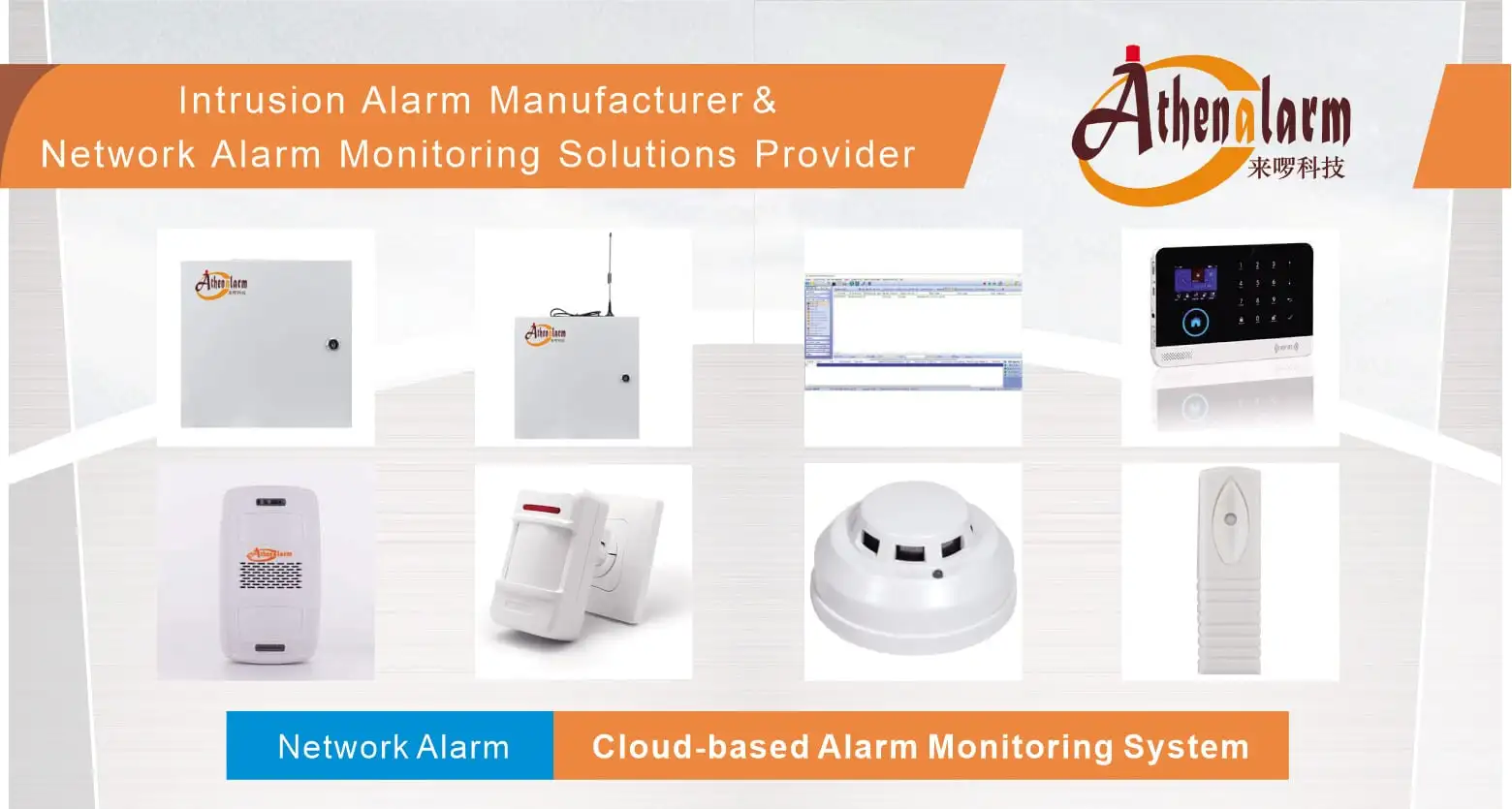
- Centralized Infrastructure Platform: Network Alarm Monitoring System Solution
- Deployment Application Framework: Network Alarm Monitoring System Application
- Banking Infrastructure Protection: Network Bank Alarm Monitoring System Solution
- ATM Terminal Security Solution: Bank ATM Alarm Monitoring System Solution
- Bank Vault Protection Architecture: Network Bank Vault Alarm Monitoring System Solution
- Hospitality Enterprise System: Network Hotel Alarm System Solution
- Multi-Tenant Residential Complex Security: Network Community Alarm System Solution
- Residential Perimeter & Interior Protection: Network House Alarm System Solution
11.2 Hardware Edge Detectors & Peripheral Components
- Intrusion Detection Equipment Portfolio: Burglar Alarm System Hardware
- Standard Motion Sensing Component: PIR Motion Sensor
- Wide-Area Infrared Detection: Wide-Angle PIR Motion Sensor
- Structural Vibration Detection: Digital Vibration Detector
- Entryway Access Point Contact: Door Contact Sensor
- Life Safety & Smoke Sensing: Photoelectric Smoke Detector
- Hazardous Gas Sensing Unit: Gas Detector
- Hardwired Duress Signaling Device: Panic Button
- Wireless Duress Trigger Unit: Wireless Panic Button
- Audio-Visual Strobe Annunciator: Warning Light Component
- Dual-Path Communication Console: GSM/WiFi Alarm System
- Voice Alert Annunciation Component: Motion Sensor Voice Alert Sound Player
- Brand Ecosystem Portal: Athenalarm Official Platform
