
Commercial Security System Installation for Large Properties: An End-to-End Deployment Guide
Commercial security system installation for a large property is not the act of mounting cameras, wiring door controllers, or racking a network video recorder. It is a deployment lifecycle that begins with a security assessment and protection-scope definition, continues through subsystem selection, infrastructure integration, and resilience-oriented architecture, and only reaches “installed” once the system has been configured, tested, validated, commissioned, and handed to trained operators. The lifecycle does not end at handover: it continues through maintenance, patching, performance audits, and hardware refresh planning.
For organizations responsible for planning, procuring, deploying, and maintaining security systems across large commercial or enterprise properties, treating installation as equipment placement alone creates a specific and recurring problem: protection gaps, integration failures, unmanaged lifecycle costs, and operational readiness gaps surface only after the system is already in production. This guide follows the dependency chain that determines whether a large-property deployment succeeds — from assessment through lifecycle management — so that each stage can be planned with the stage before and after it in view.
1. Define the Security Scope Before Technology Deployment
Before any camera, access-control panel, or intrusion sensor is selected, the deployment scope has to be established. In the described deployment model, this happens through a security assessment that identifies threats, vulnerabilities, property characteristics, and existing systems, and through a protection-scope definition that translates those findings into differentiated requirements across the property.
1.1 Assess Threats, Vulnerabilities, and Existing Conditions
A security assessment precedes protection-scope definition and technology selection. Its purpose is to establish the threats and vulnerabilities relevant to the property, the traffic and usage characteristics of different areas, the resulting protection requirements, and the relevant existing systems already in place.
Skipping or shortening this step has a direct consequence: because protection scope and technology deployment both depend on the assessment, an incomplete assessment produces a protection gap that later stages cannot fully correct. Deployment decisions made without this foundation tend to either over-protect low-risk areas or under-protect high-risk ones, because the scope was never explicitly matched to actual risk.
This assessment is a planning input to the deployment described in this guide, not an independent security-audit methodology; how an assessment is executed in detail is outside the scope of this deployment discussion.
1.2 Translate Property Zones into Protection Requirements
Large commercial properties are not uniform environments. Public areas, restricted areas, high-risk areas, perimeter zones, parking structures, warehouses, and data centers each carry different risk characteristics, and the protection scope should reflect that differentiation rather than apply a single standard of protection across the entire property.
This is a direct consequence of the assessment: protection scope defines the requirements that subsequent subsystem and technology deployment must satisfy. A data center and a public lobby, for example, represent different risk profiles and therefore justify different protection requirements — but the specific device configuration appropriate to any one zone is a site-specific decision that depends on the assessment findings for that property, not a fixed specification that applies universally.
Uniform protection across differentiated zones is itself a deployment risk: it can leave high-risk areas under-protected while spending unnecessary effort on low-risk areas.
2. Build the Integrated Security Environment Around Distinct Protection Functions
Once protection scope is defined, it determines which security functions are needed and how they need to work together. A large-property commercial security deployment typically brings together several subsystems that serve distinct protection functions inside one integrated security environment.
2.1 Understand the Role of Each Major Security Subsystem
Surveillance, access control, intrusion detection, and fire/life safety each contribute a distinct protection function to the deployment:
- Surveillance provides visual monitoring and recording across defined zones.
- Access control governs and records entry to restricted or sensitive areas.
- Intrusion detection identifies unauthorized entry or activity, particularly outside normal operating hours or in restricted zones.
- Fire/life safety addresses life-safety protection within the property.
The deployment value of these subsystems comes from how they operate together within the same integrated environment, not from any one of them in isolation. Treating each subsystem as an independent product deployment, rather than as a component of one integrated environment, tends to reproduce the fragmentation problem this guide is written to avoid. The specific engineering design of any individual subsystem is outside the scope of this deployment-level discussion.
2.2 Use Centralized Management to Consolidate Security Information
Within an integrated security environment, a PSIM (Physical Security Information Management) or comparable management platform plays a defined role: consolidating relevant security information — such as alarms, CCTV, and access logs — so it can be reviewed from a centralized point rather than across separate, disconnected systems.
This consolidation role is what makes centralized situational awareness possible; without it, operators are left correlating alarms, video, and access events manually across separate interfaces, which is slower and more error-prone during an active incident. The specific interfaces, APIs, or workflow behavior of any particular PSIM implementation are not established at this level and should not be assumed; the confirmed role is information consolidation, not a specific product capability set.
3. Align Infrastructure, Integration, and Resilience With the Deployment
Security subsystems and centralized management platforms do not operate independently of the property’s technical environment. They depend on infrastructure, they interact with existing IT and legacy systems, and their resilience characteristics are shaped by how the surrounding architecture is designed.
3.1 Account for Security-Related Infrastructure and Existing IT Integration
Security systems depend on network and system infrastructure: IP connectivity, deployment and configuration of that connectivity, and, where relevant, integration with existing IT infrastructure through mechanisms such as APIs. Infrastructure is not a secondary or downstream concern — it is a dependency that the security deployment relies on from the outset.
Because infrastructure decisions are security-related rather than general IT decisions, this discussion is bounded to how infrastructure supports the security deployment, not general network engineering. Deployment planning that defers infrastructure considerations until after subsystem selection tends to encounter integration friction later, since subsystem behavior and infrastructure capacity are interdependent.
3.2 Address Legacy-System Compatibility Before Integration Decisions
Existing security or IT infrastructure already present on the property can constrain protection scope, technology selection, and integration decisions for a new deployment. Legacy-system compatibility is a deployment constraint, not an afterthought: what already exists on a property shapes what can realistically be deployed, replaced, or run alongside new equipment.
Making technology-selection or integration decisions independently of what already exists creates a predictable outcome — integration friction discovered during installation rather than during planning. The Technical Handoff does not establish a specific retrofit architecture or coexistence protocol; how legacy compatibility is resolved on a particular property is a site-specific determination, not a fixed method.
3.3 Consider Resilience and Interoperability Within the Supported Architecture
The described deployment architecture references several explicitly identified mechanisms associated with resilience, interoperability, and extensibility:
| Architectural Element | Stated Role |
|---|---|
| Dual NVR redundancy | Recording redundancy consideration |
| Hybrid cloud | Combines cloud and on-premise elements as an architectural option |
| Network segmentation (e.g., VLANs) | Isolates security traffic as a resilience/cybersecurity-related consideration |
| Zero Trust | Referenced as a security-control consideration |
| ONVIF | Referenced as an interoperability consideration for camera integration |
| APIs | Support extensibility and integration with other systems |
These elements are explicitly identified architectural examples within the deployment model — they are not established as universal requirements, and their exact implementation depth is not defined at this level. ONVIF, for instance, should be understood as an interoperability-related consideration for camera integration rather than a universally required protocol; network segmentation and Zero Trust should be understood as named resilience/security-control considerations rather than a fully specified network-security architecture. Where a deployment’s architecture supports these mechanisms, they contribute to resilience and interoperability; where it does not, no specific implementation should be assumed.
Weak resilience architecture is directly connected to two risks this guide preserves from the underlying deployment reality: reduced operational resilience if a component fails, and increased cyber-exposure if segmentation and access-control principles are not applied to the security network itself.
4. Execute Installation, Configuration, Testing, and Commissioning
Deploying infrastructure and equipment is only the midpoint of installation. What follows — configuration, testing, validation, and failover simulation — determines whether the deployed system actually operates as intended before it is handed to operators.
4.1 Configure and Validate the Deployed System
After infrastructure and equipment are physically deployed, the described process moves through configuration, testing, validation, and failover simulation. Configuration establishes how the deployed subsystems and infrastructure are set up to operate; testing and validation confirm that the configured system performs as intended; failover simulation checks resilience mechanisms — such as the redundancy elements described in Section 3.3 — under simulated failure conditions.
A system that has been physically installed but not tested and validated cannot be assumed to operate correctly. This is the direct cause of the integration and operational failure risk this guide is written to address: gaps in testing or validation surface later, during live operation, rather than during a controlled deployment window. No specific numerical thresholds, detection benchmarks, or failover-performance criteria are established for this validation process; testing and validation should be understood as a required stage in the deployment sequence, not as a fixed set of measurable pass criteria.
4.2 Use Commissioning to Confirm Operational Readiness
Commissioning follows successful testing and validation. It confirms that the deployment is not only technically functional but also operationally ready, and it explicitly includes operator training and knowledge transfer — the process of transferring operational knowledge (including, where applicable, use of mobile or command applications) to the personnel who will run the system day to day.
This dependency matters because a technically complete deployment can still fail operationally if the people responsible for running it were not given the knowledge to do so. Commissioning connects the technical outcome of installation to the human outcome of operational readiness, and lifecycle management (Section 5) depends on the system having reached this commissioned, trained state. No specific training curriculum or competency standard is established here; the confirmed requirement is that knowledge transfer is part of commissioning, not the specific content of that training.
5. Plan the Commercial Security Lifecycle Beyond Initial Installation
Commissioning is not the end of the deployment relationship with the property. Two lifecycle-facing decisions — budgeting and ongoing maintenance — determine whether the deployment remains sustainable after handover.
5.1 Budget for the Full Security System Lifecycle
Lifecycle cost for a commercial security deployment extends beyond the initial hardware expenditure. The identified cost categories, in addition to hardware, include:
| Cost Category | Description |
|---|---|
| Hardware | Initial equipment and infrastructure expenditure |
| Licensing / subscriptions | Ongoing software or platform licensing costs |
| Training | Operator and administrator training costs |
| Maintenance | Preventive maintenance and support activity |
| SLAs | Service-level agreements covering response and support |
| Hardware refresh | Planned replacement of aging equipment |
Budgeting that accounts only for hardware creates a predictable outcome: costs that were always part of the deployment reappear later as unexpected expenses, because they were never planned for. No specific price ranges, cost estimates, or return-on-investment figures are established in the underlying deployment reality, and none should be inferred; the requirement is to plan for these categories, not to apply specific cost figures to them.
5.2 Maintain and Refresh the System After Commissioning
Operational continuity after commissioning depends on continued lifecycle management: preventive maintenance, firmware and cybersecurity patching, periodic performance audits, maintenance contracts, and hardware refresh planning.
Ending the deployment process at commissioning — treating handover as the finish line — leaves these lifecycle activities unmanaged, which is the direct cause of the operational continuity risk this guide is written to flag. Preventive maintenance and patching address wear and emerging vulnerabilities; performance audits confirm the system continues to meet its intended protection scope; maintenance contracts and hardware refresh planning address the fact that equipment ages and eventually needs replacement.
The underlying deployment guidance cites a 5–7 year range in connection with hardware refresh planning. This range should be treated as source-provided guidance for budgeting and planning purposes, not as a universal or mandatory refresh interval applicable to every property, device category, or deployment.
6. Evaluate the Installer or Integrator Against Deployment Requirements
Given the scope described above — assessment, integration, resilience architecture, commissioning, and lifecycle management — the installer or integrator selected for the project is a deployment decision in its own right, not a purely commercial one.
6.1 Match Installer Capability to Project Complexity
The relevant evaluation factors for an installer or integrator responsible for a large-property deployment include:
| Evaluation Factor | What It Indicates |
|---|---|
| Complex-project experience | Demonstrated capability with deployments of comparable scale and integration complexity |
| Certifications | Relevant credentials applicable to the installer’s role |
| SLAs | Defined service-level commitments for support and response |
| References | Verifiable prior-project track record |
| Compliance records | Documented history of meeting relevant compliance obligations |
These factors are evaluation criteria for judging installer capability against the complexity of a specific deployment — they are not a ranking system, a universal certification requirement, or a basis for comparing named vendors or products. Generic installer-selection criteria that do not account for a project’s assessment, integration, and commissioning requirements may not reveal whether a given installer can actually deliver on those requirements. Certifications and compliance records referenced in this context remain relevant to the extent applicable to the specific project and jurisdiction; no universal regulatory or certification requirement is established here.
7. FAQ
Q1: What role does PSIM play in a commercial security deployment?
PSIM’s confirmed role is consolidating relevant security information — such as alarms, CCTV, and access logs — into a centralized point of review. It is a management/integration layer within the broader deployment, not an independently specified software product with defined interfaces or workflows beyond that consolidation role.
Q2: What architectural considerations support resilience in this type of deployment?
The deployment model explicitly references dual NVR redundancy, hybrid cloud, network segmentation, Zero Trust, ONVIF, and APIs as resilience- and interoperability-related considerations. These are named examples of architectural elements the deployment may incorporate, not universal requirements or a fully specified security architecture.
Q3: How should a commercial security deployment be tested and commissioned?
The deployment sequence moves from configuration through testing, validation, and failover simulation, and concludes with commissioning, which includes operator training and knowledge transfer. No specific numerical test thresholds or performance benchmarks are established; the requirement is that this validation sequence occurs before the system is considered operational.
Q4: What costs should be included in the lifecycle of a commercial security system?
Beyond initial hardware, identified lifecycle cost categories include licensing/subscriptions, training, maintenance, SLAs, and hardware refresh. No specific price figures or ROI projections are established; the requirement is to budget across these categories rather than for hardware alone.
Q5: How can legacy systems affect a new commercial security deployment?
Existing security or IT infrastructure already in place on a property can constrain protection scope, technology selection, and integration decisions for a new deployment. No specific retrofit method or coexistence protocol is established; legacy compatibility is a planning constraint that should be assessed on a site-specific basis.
Q6: What maintenance activities remain after commissioning?
Preventive maintenance, firmware and cybersecurity patching, periodic performance audits, maintenance contracts, and hardware refresh planning continue after commissioning. A commonly cited hardware refresh range is 5–7 years, presented as planning guidance rather than a universal requirement.
8. System Component Checklist Appendix
Below is an engineering reference for hardware components, peripheral detectors, and sector-specific solutions engineered for deployment within wide-area security management architectures:
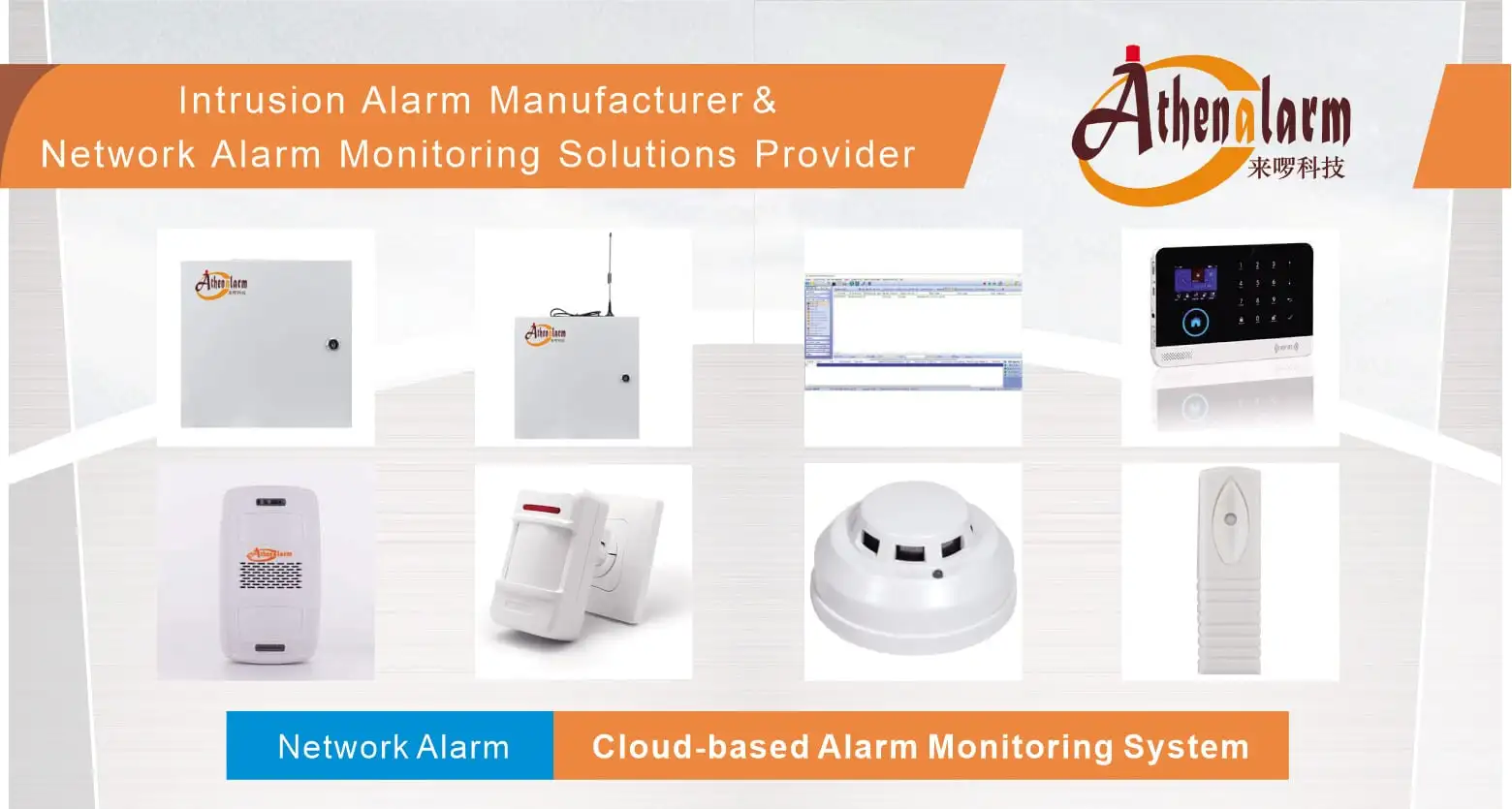
- Main Control Hardware & Infrastructure: Alarm Control Panels & Network Alarm Systems (Manufactured by Athena Alarm)
- System Applications & Operational Profiles: Network Alarm System Applications
- Motion & Optical Intrusion Sensing: PIR Motion Sensors & Wide-Angle PIR Motion Sensors
- Environmental Safety & Hazard Detection: Photoelectric Smoke Detectors & Gas Detectors
- Point-of-Entry & Physical Boundary Protection: Digital Vibration Detectors & Magnetic Door Contacts
- Duress Signaling & Alarm Actuation: Hardwired Panic Buttons & Wireless Panic Buttons
- Local Annunciators & Audio Reminders: Visual Warning Lights & Motion Sensor Sound Players
- Specialized Sector Deployments:
- Financial & Banking Facilities: Bank Alarm Monitoring Systems, Bank ATM Alarm Systems, and Bank Vault Alarm Systems
- Commercial & Residential Properties: Hotel Alarm Systems, Store Alarm Systems, Community Alarm Systems, House Alarm Systems, and Integrated GSM/WiFi Smart Alarm Systems
