
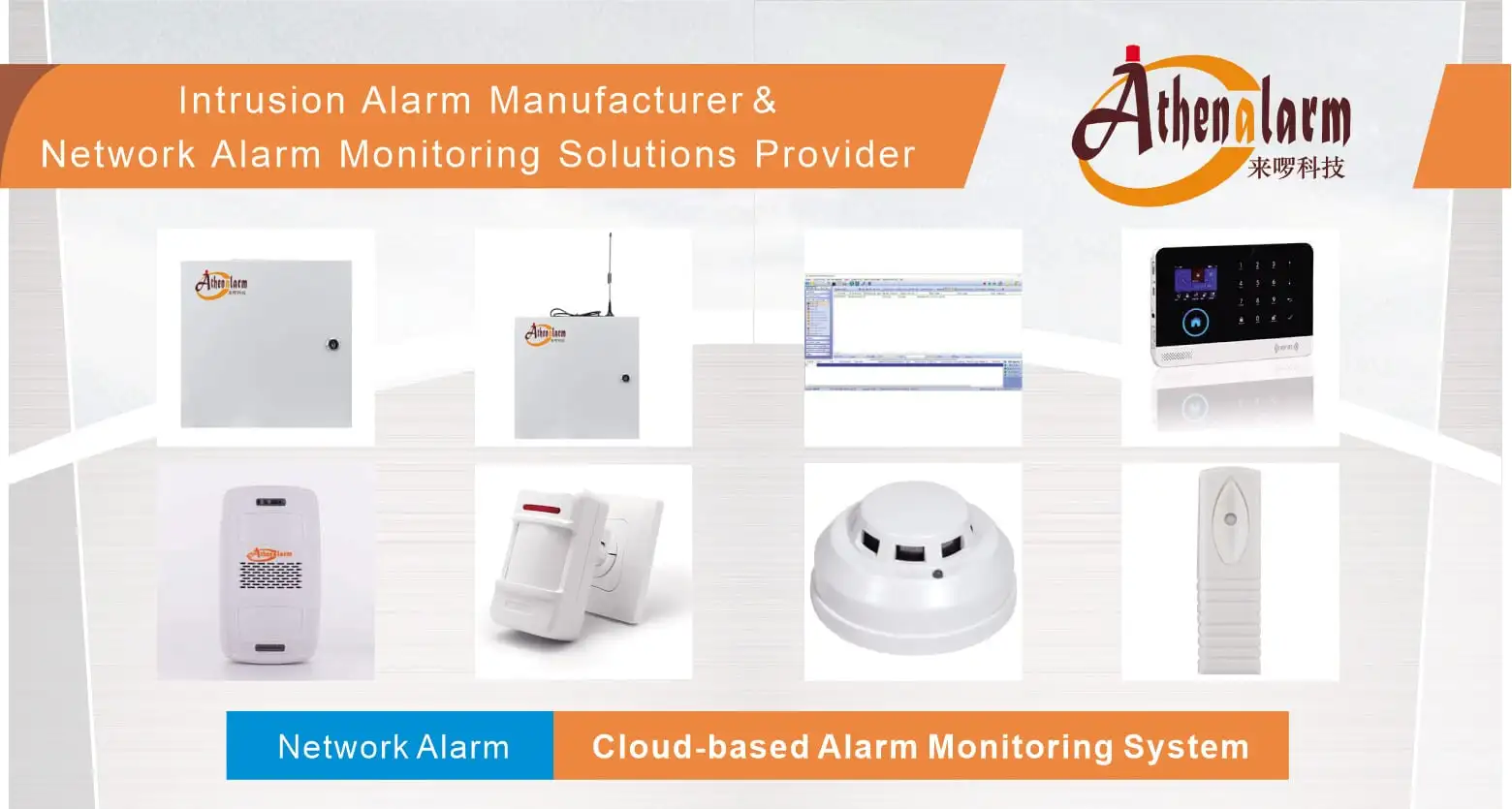
Business Security System Installation: An End-to-End Framework for Planning, Integration, and Lifecycle Management
1. Business Security Installation as a Lifecycle Process, Not a Single Event
Business security system installation is frequently approached as a one-time equipment purchase: select cameras, install a control panel, and consider the project complete. This approach omits the planning, integration, cybersecurity, and operational requirements that determine whether the system actually protects the business over time.
Effective installation planning treats deployment as a continuous process that spans:
- Threat and vulnerability assessment and asset prioritization
- Technology selection based on identified risks
- Integration of selected subsystems
- Implementation, testing, and staff training
- Ongoing maintenance, cybersecurity patching, and audits
- Planned upgrades and expansion as business requirements change
Each phase depends on the one before it. Selecting equipment before completing an assessment, or completing installation without a maintenance plan, creates gaps that surface later as security failures, integration problems, or unplanned replacement costs. The remainder of this article follows this lifecycle sequence, connecting each installation decision to the operational and business outcome it affects.
2. Aligning Threat Assessment and Asset Priorities with Control Allocation
Security technology should be selected only after threats, vulnerabilities, and critical assets have been identified — not before.
An equipment-first approach risks two outcomes: overspending on controls for low-priority areas, and leaving higher-value assets or higher-risk points inadequately covered. Before evaluating specific systems, a business installation plan should identify:
- The assets that require the highest level of protection (based on value, sensitivity, or operational criticality)
- The threats and vulnerabilities relevant to the specific site and business type
- The site conditions that affect technology suitability (layout, entry points, existing infrastructure)
This assessment then informs how security controls — intrusion detection, video surveillance, access control, and environmental detection — are allocated across the facility, and how the available budget is distributed across those controls. Because the exact assessment methodology and quantitative risk modeling are not established in the underlying technical scope, this discussion is limited to the planning principle: assessment and prioritization precede technology allocation, rather than a specific scoring or risk-quantification method.
3. Integrating Core Security Subsystems
A business security installation typically brings multiple security functions into a single operating environment rather than deploying each as an isolated system.
The subsystems commonly involved include:
| Subsystem | Function in the Installation |
|---|---|
| Intrusion detection | Detects unauthorized entry or activity |
| Video surveillance | Provides visual verification and recorded evidence |
| Access control | Manages and restricts entry to specific areas |
| Environmental detection | Monitors conditions such as fire, flood, or other site hazards |
| Management platform | Centralizes monitoring, configuration, and remote access across subsystems |
These functions are described as participating in a shared installation environment rather than operating as separate, disconnected products. The specific system topology — centralized, distributed, or hybrid — is not established at the technical level and should not be assumed; what is confirmed is the functional expectation that these subsystems are designed to work together.
3.1 Why Integration Matters Operationally
Integration allows security information generated by one subsystem to be used by another. A door forced open (access control event) can be automatically correlated with the nearest camera feed (video surveillance) and an intrusion alert (intrusion detection), rather than requiring a security operator to manually cross-reference three separate systems.
The operational consequence of isolated subsystems is not simply inconvenience: it creates blind spots. An event detected by one system may go unnoticed if it does not trigger a corresponding response in another, and incident investigation becomes slower because evidence is scattered across unconnected platforms. Integration is therefore treated as a core installation principle rather than an optional add-on feature — though the exact interoperability guarantees between specific products are not established and should not be assumed without vendor-level confirmation.
4. Remote Monitoring and Mobile Management
Remote and mobile management extends security oversight beyond the physical site, but it must be evaluated together with the access controls that govern it.
The remote capabilities explicitly relevant to business installation include:
- Push notifications, paired with video verification of the triggering event
- Live camera access from a remote device
- Remote arm/disarm of the system
- Role-based access permissions (RBAC) governing who can view or control which functions
These capabilities address a specific operational problem: businesses often need visibility and control over their security posture when no one is physically on site. Video-paired notifications, in particular, allow a recipient to assess whether an alert reflects an actual incident rather than reacting to an alarm with no supporting context.
Because remote access extends system control outside the physical premises, it should not be evaluated purely as a convenience feature. It is directly connected to the cybersecurity considerations discussed below — remote functions widen the system’s digital exposure and must be paired with permission controls, not deployed independently of them. Specific service-level commitments such as guaranteed response times or monitoring uptime are not established and are outside the scope of this discussion.
5. Cybersecurity Considerations for Connected Security Infrastructure
Connecting cameras, controllers, and remote-access functions to a network introduces digital-security requirements that must be addressed as part of installation — not treated as a separate IT concern.
A physical security system that is well-deployed but poorly secured digitally can become an entry point for the exact risks it was installed to prevent. The controls explicitly identified as relevant to business security installation are:
- AES-256 encryption — protecting data in transit and/or at rest within the system
- Role-based access control (RBAC) — restricting system functions according to user role
- Multi-factor authentication (MFA) — required for remote users accessing the system
- Vendor-patched firmware — keeping connected devices (cameras, controllers) updated against known vulnerabilities
These controls apply directly to the connected components already discussed: IP cameras, access control controllers, and remote/mobile management functions. Because remote access and cloud connectivity are part of the installation’s operational design, cybersecurity cannot be addressed as an afterthought once physical deployment is complete — patching and access-control configuration are lifecycle responsibilities that continue after go-live.
The broader cybersecurity architecture — network segmentation design, specific threat modeling, or formal security certification — is not established in the available technical scope and should not be assumed to be part of any given deployment without direct verification with the supplier.
6. Planning for Scalability and Future Expansion
Installation planning should account for future business growth; deployments that cannot expand without full replacement create avoidable long-term cost.
Three mechanisms are explicitly identified as supporting scalability:
- Modular expansion — adding devices or subsystems incrementally rather than replacing the installed base
- Cloud storage — expanding storage capacity without proportional on-site hardware investment
- APIs — enabling the security platform to connect with other business systems or add functionality over time
The practical implication for installation planning is that scalability should be a selection criterion at the outset, not a problem addressed only when growth occurs. A system architecture that cannot accommodate additional cameras, doors, or sites without a full platform replacement increases both direct replacement cost and the operational disruption of a second deployment project. Specific capacity limits, API specifications, or cloud-storage pricing structures are not established and are outside the scope of this discussion.
7. Wired vs. Wireless Deployment: Practical Trade-offs
Wired and wireless deployment approaches involve different practical trade-offs; neither is universally correct for every business environment.
| Approach | Characteristic Trade-off |
|---|---|
| Wired | Generally associated with greater connection stability |
| Wireless | Generally associated with greater installation flexibility |
| Hybrid | Combines wired and wireless elements within a single deployment |
The decision relevant to installation planning is not “which technology is better” in the abstract, but which trade-off fits the specific site: building layout, cabling feasibility, aesthetic or structural constraints, and the priority placed on connection stability versus deployment flexibility. Hybrid deployment is identified as a viable approach where a single connectivity method does not fit the entire site. Detailed wiring, network-design, and commissioning procedures are outside the scope of this discussion and would need to be addressed at the technical design stage with a qualified installer.
8. Compliance and Insurance Considerations in Installation Planning
Compliance, code, and insurance requirements should be identified during planning rather than discovered after deployment.
Considerations referenced as relevant to business security installation planning include:
- Data protection regulations such as GDPR
- Healthcare-specific regulations such as HIPAA, where applicable
- Standards such as UL 681
- Local building and fire codes
- Insurance-related requirements
The applicability of any specific requirement depends on jurisdiction, industry, and facility type, and is not established at a general level in this discussion. What is confirmed is the planning implication: addressing these considerations after installation is complete — rather than during the assessment and design phase — creates a risk of rework, additional cost, or delayed compliance. This section should not be treated as legal or regulatory guidance; it identifies categories of consideration relevant to planning, not specific compliance determinations.
9. Budgeting and Total Cost of Ownership
Budgeting based only on equipment price underestimates the real cost of a business security installation.
A more complete cost view includes:
| Cost Category | What It Covers |
|---|---|
| Installation costs | Initial deployment of selected equipment and subsystems |
| Recurring costs | Ongoing service, monitoring, or platform costs |
| Maintenance costs | Scheduled upkeep, inspections, and repairs |
| Upgrade/expansion costs | Adding capacity or capability over the system’s lifecycle |
| Hidden costs | Costs not apparent at the point of initial purchase (e.g., costs triggered by non-scalable architecture, delayed compliance, or supplier limitations) |
Return on investment (ROI) for a business security installation is a legitimate evaluation dimension, but it should be approached as an evaluation framework — comparing the cost of the categories above against risk reduction, operational efficiency, and lifecycle sustainability — rather than as a fixed percentage figure. Specific market pricing and quantitative ROI outcomes are not established in the available technical scope and are not represented as verified figures in this discussion.
10. Evaluating Security System Installers and Suppliers
Supplier selection should be evaluated on deployment capability and long-term support, not equipment supply alone.
Relevant evaluation criteria include:
- Technical capability — ability to design and deploy the specific subsystems and integration required
- Warranty terms — coverage for installed equipment
- Spare-parts availability — ability to support repairs without extended downtime
- Technical support — ongoing availability of support after installation
- Service-level considerations — contractual expectations for response and support, where applicable
A supplier evaluated only on unit pricing or initial installation quote may be unable to support the system through maintenance, expansion, or fault conditions later in its lifecycle. Because exact capabilities vary by supplier and are not established for any specific vendor in this discussion, these criteria should be treated as an evaluation checklist to apply during procurement, not as an endorsement of any named supplier or manufacturer.
11. Lifecycle Management After Installation
Installation is not complete once the system is operational; lifecycle management determines whether the system continues to perform as intended.
Confirmed lifecycle activities following deployment include:
- Testing — verifying that installed subsystems function correctly, individually and together
- Training — ensuring staff can operate the system, including remote and mobile functions
- Audits — periodic review of system configuration, permissions, and performance
- Patching — applying vendor firmware updates to connected devices
- Maintenance — scheduled upkeep to prevent degradation or failure
- Hardware refresh — replacing aging components before failure impacts operation
- Upgrades — expanding or updating capability in line with scalability planning
A system installed correctly but left unmaintained is exposed to two forms of degradation: physical/operational decline (sensor drift, hardware failure) and cybersecurity decline (unpatched firmware, stale access permissions). Lifecycle management connects directly back to the cybersecurity and scalability considerations discussed earlier — patching and permission audits are cybersecurity activities, and hardware refresh planning is a scalability activity, both of which continue well beyond the initial installation date.
12. Conclusion
Business security system installation delivers reliable protection when it is planned and managed as a continuous process — beginning with threat and asset assessment, extending through integrated subsystem deployment and cybersecurity controls, and continuing through budgeting, supplier evaluation, and lifecycle management. Businesses that treat installation as a single equipment purchase are more likely to encounter integration gaps, unmanaged cybersecurity exposure, or costly replacement when growth or compliance requirements change. Applying the assessment-to-lifecycle sequence outlined above provides a structured basis for planning and evaluating a business security installation, without requiring adoption of any specific product, vendor, or architecture.
13. FAQ
Q1. How should a business scope a security installation before selecting equipment?
Scoping should begin with a threat and vulnerability assessment combined with asset prioritization, identifying which assets, entry points, and site conditions carry the greatest risk. Technology selection follows this assessment rather than preceding it. This sequence is a planning principle; a specific quantitative risk-scoring methodology is not established here.
Q2. How should security controls be allocated according to threats and asset priorities?
Controls — intrusion detection, video surveillance, access control, and environmental detection — should be distributed based on which assets and areas the assessment identifies as highest priority, rather than applied uniformly or selected first and mapped to needs afterward.
Q3. How does wired deployment compare with wireless deployment for a business environment?
Wired deployment is associated with greater connection stability; wireless deployment is associated with greater installation flexibility. Hybrid deployment combining both is a viable option where site conditions do not favor a single approach exclusively. The correct choice depends on site-specific factors rather than a universal preference.
Q4. Why consider an integrated system instead of separate standalone subsystems?
Integration allows information from one subsystem (for example, an access control event) to be correlated with another (for example, a video feed), supporting coordinated response and reducing blind spots. Standalone subsystems can create gaps because an event in one system may not trigger a response in another.
Q5. What lifecycle costs should be considered beyond initial installation?
Recurring costs, maintenance costs, upgrade/expansion costs, and hidden costs (such as those created by non-scalable architecture or delayed compliance action) should be included alongside installation cost. ROI should be evaluated as a framework weighing these costs against risk reduction and operational value, not as a fixed guaranteed figure.
Q6. What should businesses look for when evaluating installers or suppliers?
Relevant criteria include technical capability to deploy the required subsystems, warranty terms, spare-parts availability, ongoing technical support, and service-level expectations. These criteria should be applied as an evaluation checklist during procurement rather than assumed to be met by any particular supplier.
Q7. How can a business avoid a non-scalable or difficult-to-maintain deployment?
Scalability should be evaluated at the point of initial system selection by confirming support for modular expansion, cloud storage growth, and API-based integration, rather than assessed only once expansion is already needed. Lifecycle management — testing, patching, audits, and planned hardware refresh — should also be established as an ongoing responsibility from the outset, not as a reactive measure.
14. System Component Checklist Appendix
14.1 Centralized Management & Vertical Industry Solutions
- Enterprise Platform Ecosystem: Athenalarm Security Ecosystem
- Centralized Alarm Monitoring Architecture: Network Alarm Monitoring System Solution
- Commercial Security Applications: Network Alarm Monitoring System Application
- Financial Institution Protection: Network Bank Alarm Monitoring System Solution
- Self-Service Banking Terminals: Bank ATM Alarm Monitoring System Solution
- High-Security Vault Facilities: Network Bank Vault Alarm Monitoring System Solution
- Residential Community Infrastructure: Network Community Alarm System Solution
- Single-Tenant Residential Units: Network House Alarm System Solution
- Hospitality & Hotel Properties: Network Hotel Alarm System Solution
- Retail Store Locations: Network Store Alarm System Solution
- Facility Boundary Defense: Network Perimeter Alarm System Solution
- Integrated Intrusion Prevention Systems: Burglar Alarm Architecture
- Hybrid Small Business Subsystems: GSM/WiFi Alarm System
14.2 Edge Field Detectors & Alarm Peripherals
- Standard Space Detection: PIR Motion Sensor
- Wide-Angle Coverage Sensor: Wide-Angle PIR Motion Sensor
- Environmental Fire Hazard Monitoring: Photoelectric Smoke Detector
- Hazardous Gas Leakage Detection: Gas Detector
- Structural Intrusion Sensing: Digital Vibration Detector
- Entry Point Threshold Protection: Door Contact Sensor
- Manual Emergency Trigger Point: Panic Button
- Wireless Emergency Trigger Point: Wireless Panic Button
- Visual Deterrent Signalling: Warning Light
- Acoustic Voice Alert Peripheral: Motion Sensor Audio Player
